Creating content usually breaks in the same place.
You start with an idea. Then you realize you are missing a visual, a video clip, a voiceover, a background asset, or a whole scene.
So you leave your editor, open three other tools, generate what you need somewhere else, download files, upload them back, and try to get back into the flow you had five tabs ago.
That is exactly the experience we wanted to fix.
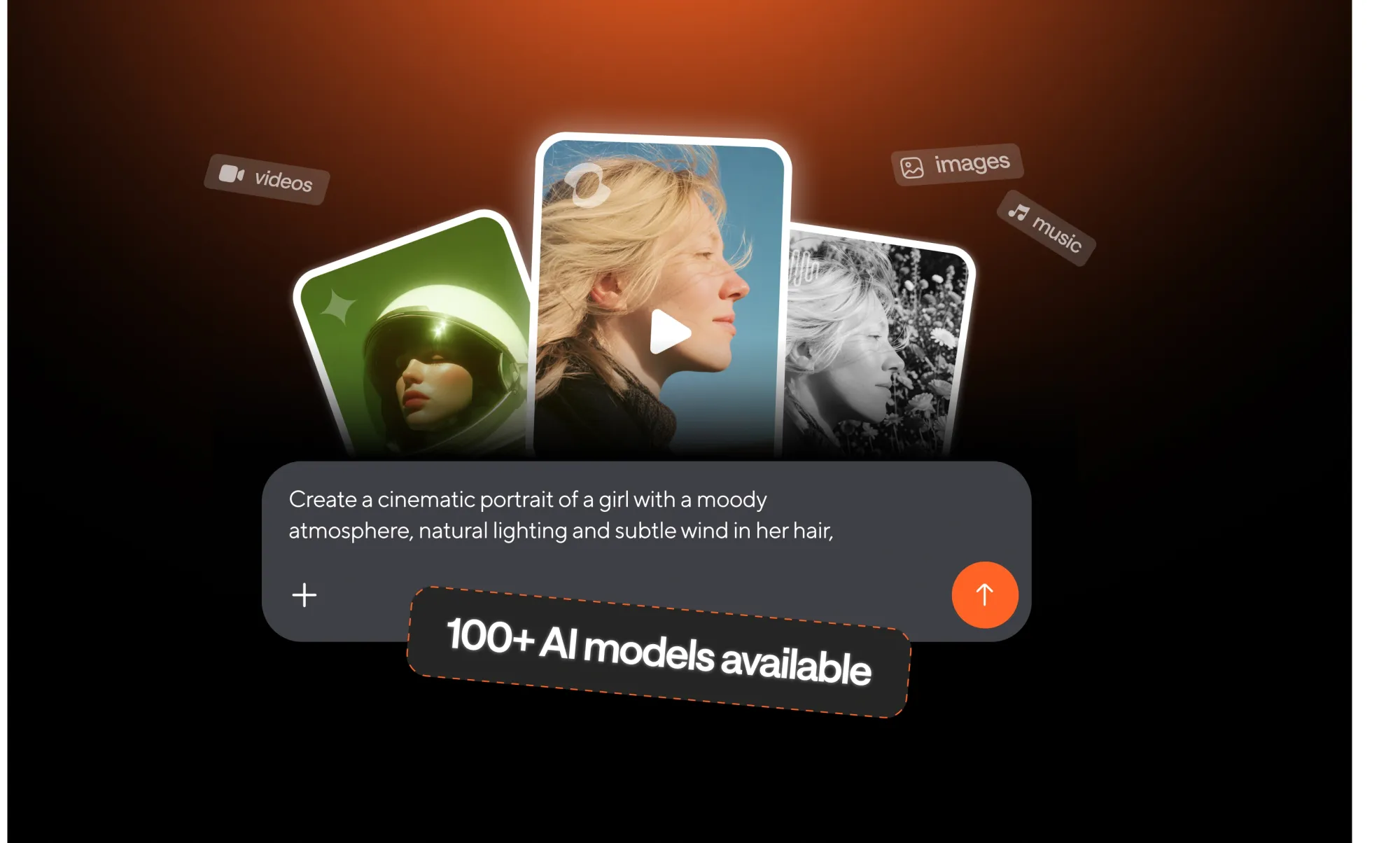
With our latest update, Async takes a big step toward a more seamless creative workflow. You can now access 100+ AI models inside your workspace to generate videos, images, avatars, music, and audio without leaving your project. And with chat-based editing, you can now create videos just by prompting directly in the editor.
These are two separate updates, but together they unlock something much bigger: a faster, more intuitive way to make content when your ideas are moving faster than your tools.
Create without breaking your flow
The new AI models integration brings generation directly into Async. Instead of jumping between platforms to create assets, you can now generate them where you are already editing.
This matters because content creation is rarely linear. You do not always begin with every asset ready to go. Sometimes you discover what is missing in the middle of the process. Sometimes the best idea shows up after the edit has already started.
Now, instead of interrupting that moment, you can act on it instantly.
What’s new with AI models in Async
Async now gives you access to 100+ AI models right inside your workspace, so you can generate videos, images, avatars, music, sound effects, and voiceovers without leaving your project.
This is a big shift in how creation happens. Instead of moving between separate tools for every asset type, you can now generate what you need in one place, bring it directly into your timeline, and keep building.
And this is not just about quantity. It is also about access to recognizable, high-quality models creators already want to use. Inside Async, you can now generate footage with models like Kling, Sora-2, and Veo 3.1, and create images with models like FLUX.2, Nano Banana, and Gemini.
That means more creative range, more flexibility, and fewer workflow interruptions when you are in the middle of making something.
Generate videos without leaving the editor
Need a new scene, a visual cutaway, a stylized moment, or extra footage to complete an edit? You can now generate video directly inside Async.
This update makes it easier to move from idea to footage fast, whether you are starting with text, working from an image, or exploring different visual directions for the same concept. You can generate clips, test new ideas, and fill gaps in your project without bouncing to another platform.
For creators and teams, that means faster production and more room to experiment without slowing the process down.
Create images for thumbnails, scenes, and visual ideas
You can also generate images directly inside Async, making it easier to create supporting visuals for your project exactly when you need them.
Whether you are building thumbnails, scene elements, branded graphics, concept visuals, or assets to turn into video later, image generation is now part of the editing workflow. Instead of stopping to search for the right asset elsewhere, you can create it in context and keep moving.
Add avatars to your content workflow
Avatars are also now part of the creative toolkit inside Async.
That opens up new ways to produce explainers, educational videos, product content, training materials, and repeatable brand-led formats without needing traditional filming for every piece. If you need a presenter-style format or scalable on-screen delivery, you now have more ways to create it inside the same workspace where the rest of your project lives.
Generate music and sound effects in one place
This launch also brings music and sound effects generation into Async.
That matters because audio is often one of the most fragmented parts of the workflow. You may have visuals in one place, editing in another, and then still need to hunt for the right soundtrack or sound design somewhere else. Now you can generate those pieces inside Async too.
So whether you need background music to support the mood of a video or sound effects to give a scene more energy and texture, you can build those layers without breaking your flow.
Create voiceovers with 1000+ AI lifelike voices
Voice is another major part of this update.
Async now gives you access to 1000+ AI lifelike voices for narration and voiceovers, making it easier to create spoken content for explainers, promos, tutorials, social videos, and more.
That gives creators more flexibility when building content that needs polished narration without the delays of a traditional recording workflow. If your project needs a voiceover, you can now generate it as part of the same creative process instead of treating it like a separate production step
Chat-based editing makes video creation feel simpler
The second part of this launch is chat-based editing, and it changes how you interact with the editor itself.
Instead of relying only on manual actions, menus, and timeline-first editing, you can now create videos by typing what you want in chat.
That means you can describe what you want to make, generate content from a prompt, and move from idea to output in a much more natural way. It feels less like operating software and more like directing your project.
This is especially powerful for creators who know what they want to say but do not want every creative step to begin with the technical setup. Sometimes the fastest way to create is simply to ask.
Chat-based editing does not replace control. It gives you a faster starting point.
You can still shape, refine, edit, and make the final output your own. But now the path from concept to first draft is much shorter.
How to access these features in the editor
You can find both of these new capabilities right inside Async’s video editor.
To use chat-based editing, open your project chat and type what you want to create. You can prompt Async to generate videos, images, and other assets directly from there.
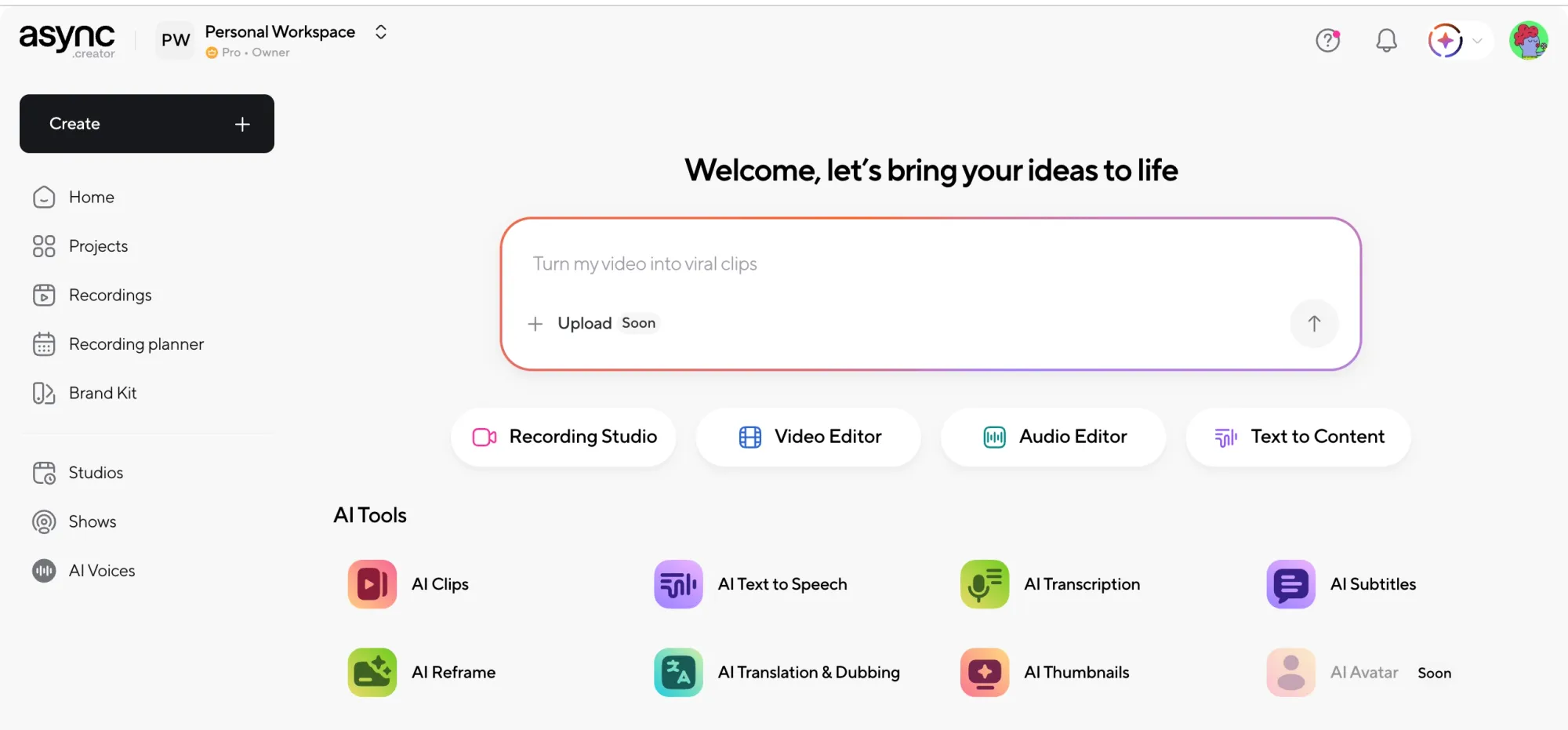
To explore the AI generation tools manually, go to the left panel and click Generate new content. That is where you can browse the available tools and start creating from the workflow you prefer.
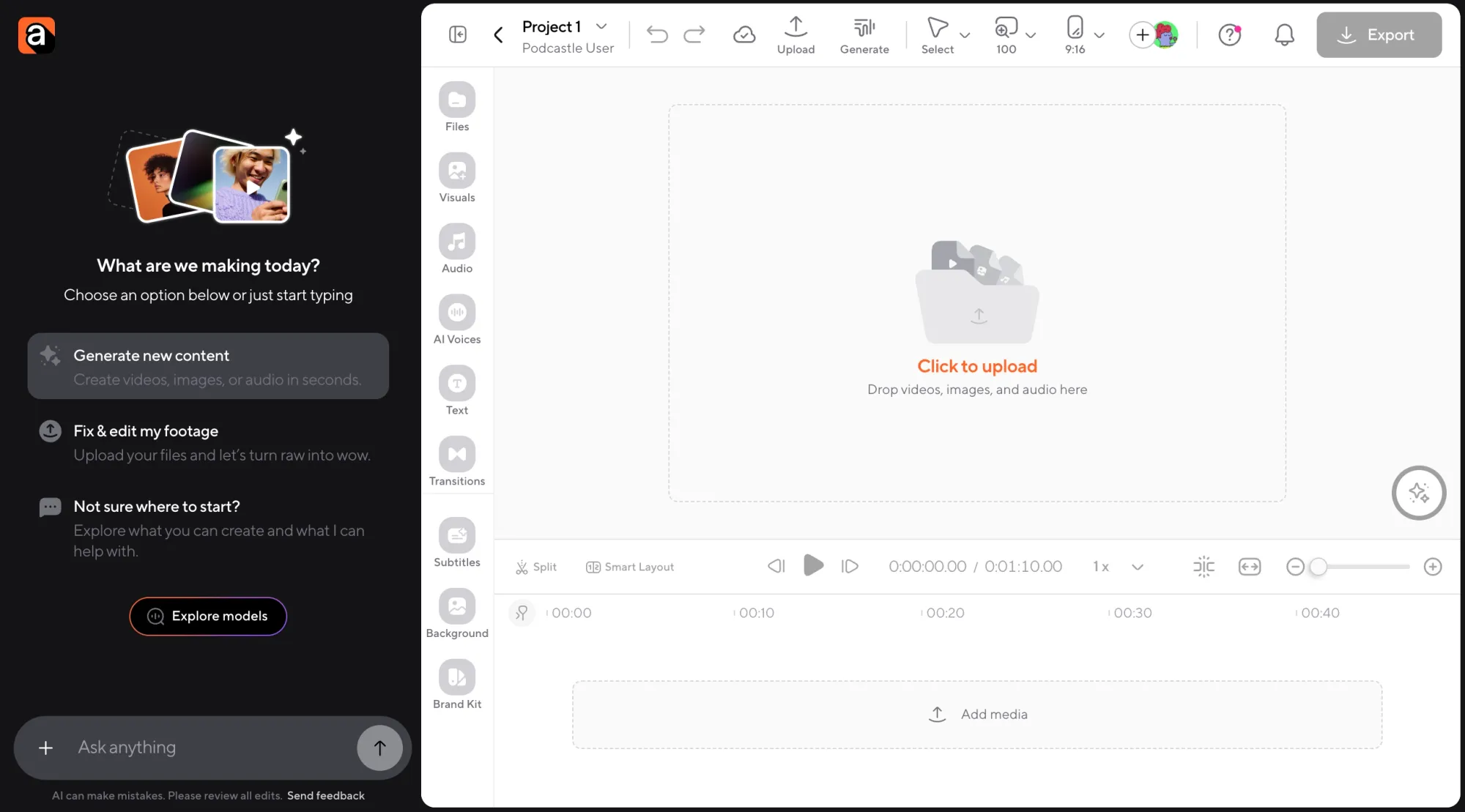
Whether you want to start with a prompt or click through your options, both paths are built right into the editor.
Credits, plans, and getting started
Async’s AI generation tools run on a credit-based system.
Paid subscriptions include monthly AI credit allowances, and users can also purchase top-up packs if they need more. Plans currently start at $11.99 for individual creators and scale up to $49.99 for teams. New users can also start with a one-week free trial.
To celebrate the launch, Async is also giving you AI credits to get started! Paid users get 150 extra AI credits on top of the credits already included in their plan, while free users get 150 welcome credits to try the new generation tools inside the platform.
The goal is simple: we want you to actually try this stuff.
Use the credits to test the models, generate assets, build experiments, and see how this changes your workflow in real projects.
The update is much easier to understand once you experience how quickly an idea can turn into something usable without leaving the editor!
With this new launch, we’re bringing generation and editing into the same creative loop. With access to 100+ AI models, 1000+ AI lifelike voices, avatar creation, music and sound effects generation, and chat-based editing in one workspace, you can now move more easily from your first idea to finished content without stitching together a stack of separate platforms.