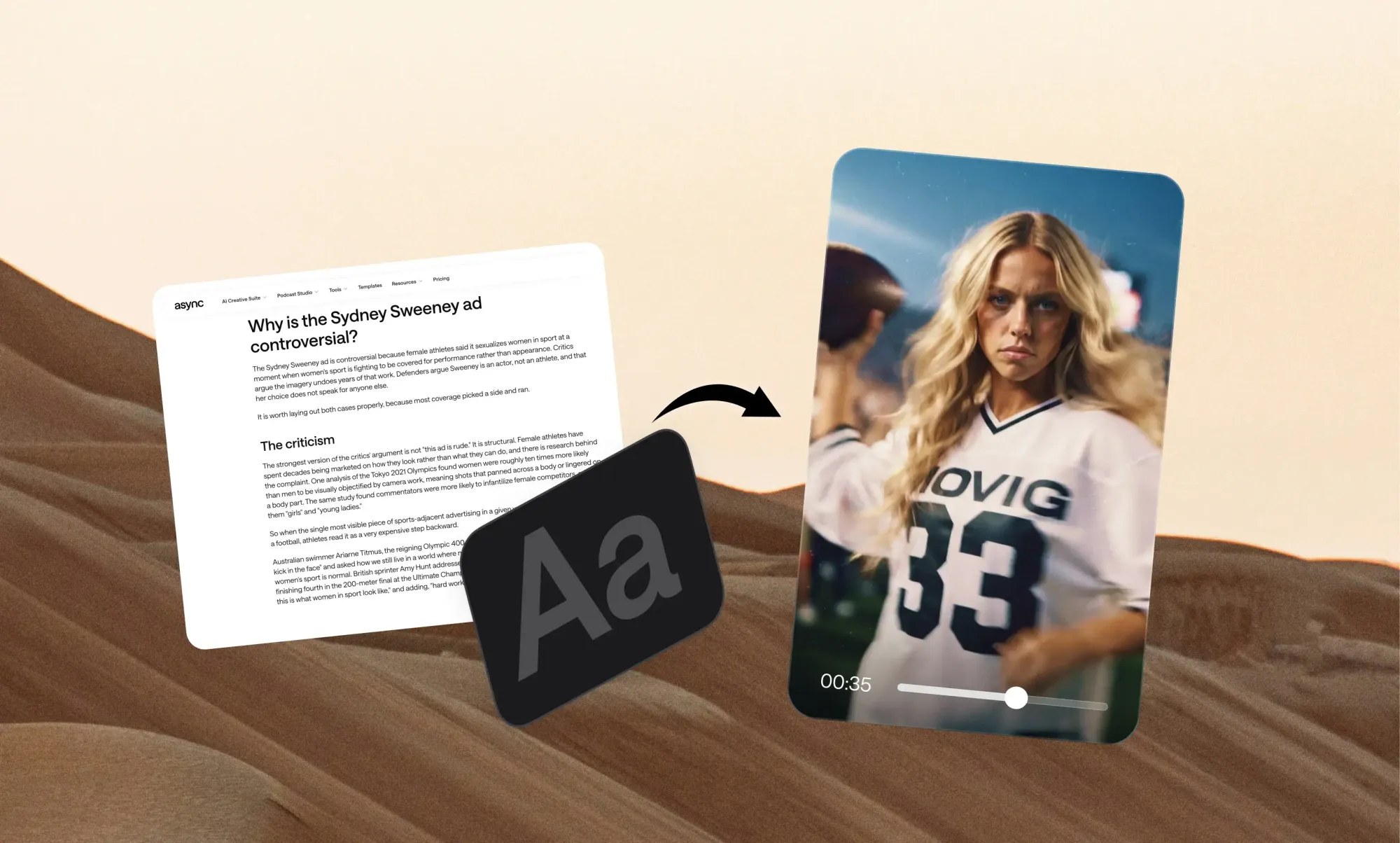
Your best blog post is probably sitting in a tab nobody opens anymore.
You researched it, wrote it, edited it, and maybe even watched it climb in search. Meanwhile, your audience is thumbing through Reels on the bus, half-watching Shorts in a queue, and putting YouTube on in the background while they cook. Your article is great. It's just not where they are.
The good news: you don't need a new idea to show up there. You already have one, sitting in your archive and waiting for a second life. The catch is that a blog post is raw material, not a finished script. Paste it into a video tool as-is, and you get a robot reading paragraphs over stock footage. Adapt it, and you get something people actually stop scrolling for.
This guide shows you how to do the second one, step by step, with a real test run in Async to prove it.
Can you turn a blog post into a video?
Yes. The easiest way to turn a blog post into a video is to choose one main idea from the article, rewrite it as a short spoken script, break that script into visual scenes, then generate or edit the video around those scenes. Finish by adapting the cut for the platform where it will live.
What you should not do is paste a 1,500-word article into a video tool and have it read aloud. Written content and video content work differently, and the gap between them is where most blog-to-video attempts fall flat.
Blog-to-video is also just one workflow inside a bigger system. If you want to turn one asset into many formats across every channel, start with our full guide to content repurposing.
Blog post vs video: What actually needs to change?
A blog post is built for readers who scan, skip, and click. A video is built for viewers who listen in order, at your pace, with no way to skim ahead. That changes almost everything about how the content is structured.
The takeaway: you are not converting a file. You are adapting an idea for a different way of paying attention.
How to turn a blog post into a video
The workflow has six steps: choose the right post, pick one idea, rewrite it as a script, turn the script into scenes, generate and edit the video, then adapt it for each platform.
Step 1: Choose the right blog post
Not every article deserves a video. Start with posts that already prove their value:
- They already get traffic or engagement
- They answer a clear question
- They include useful examples
- They contain a strong process or checklist
- They are evergreen
- They share original expertise or data
Skip outdated posts, news that has expired, and broad articles with no single takeaway. If you cannot say what the post teaches in one sentence, it will not make a clear video.
Step 2: Pick one idea, not the entire article
This is the step that separates good blog videos from forgettable ones. A typical blog post might hold eight H2s, 15 tips, three examples, and a FAQ. A short video should usually use one of them.
Take a post called "10 ways small businesses can improve social media engagement." It could become:
- "3 reasons your Reels get no comments"
- "The easiest way to make people respond to your posts"
- "One mistake killing your Instagram engagement"
Each video stands on its own, and the article keeps feeding you new ones. Repurpose the idea, not the whole document.
Step 3: Rewrite the blog as a video script
Do not just summarize the post. Rebuild it around how people listen. A simple structure works for most short videos:
- Hook: Why should someone keep watching?
- Main point: What is the one thing they should understand?
- Supporting beats: Two or three examples, steps, or proof points.
- Payoff: What should they remember?
- CTA: Read the article, try the tool, or watch the next video.
Here is what that shift looks like in practice:
Shorter sentences, plain words, and one idea per line. If it feels awkward to say out loud, rewrite it.
Step 4: Turn the script into scenes
This is where most guides stay vague. For every line in your script, ask one question: what should the viewer see while they hear this?
Your options include B-roll, screenshots, text overlays, generated video, charts, product demos, a talking head, stock footage, and still images. Map them line by line:
A scene list like this is the closest thing to a storyboard most creators need, and it makes any article to video workflow faster because the AI or editor knows exactly what each moment should show.
Step 5: Turn the blog post into a video with Async
Once you have one idea and a rough sense of the scenes, you can hand the production work to blog to video AI. The Async workflow has three moves: add your content, tell the AI what you want, then edit and export.
We tested it with a real source: the "repurposing vs reposting" section of Async's own content repurposing guide.
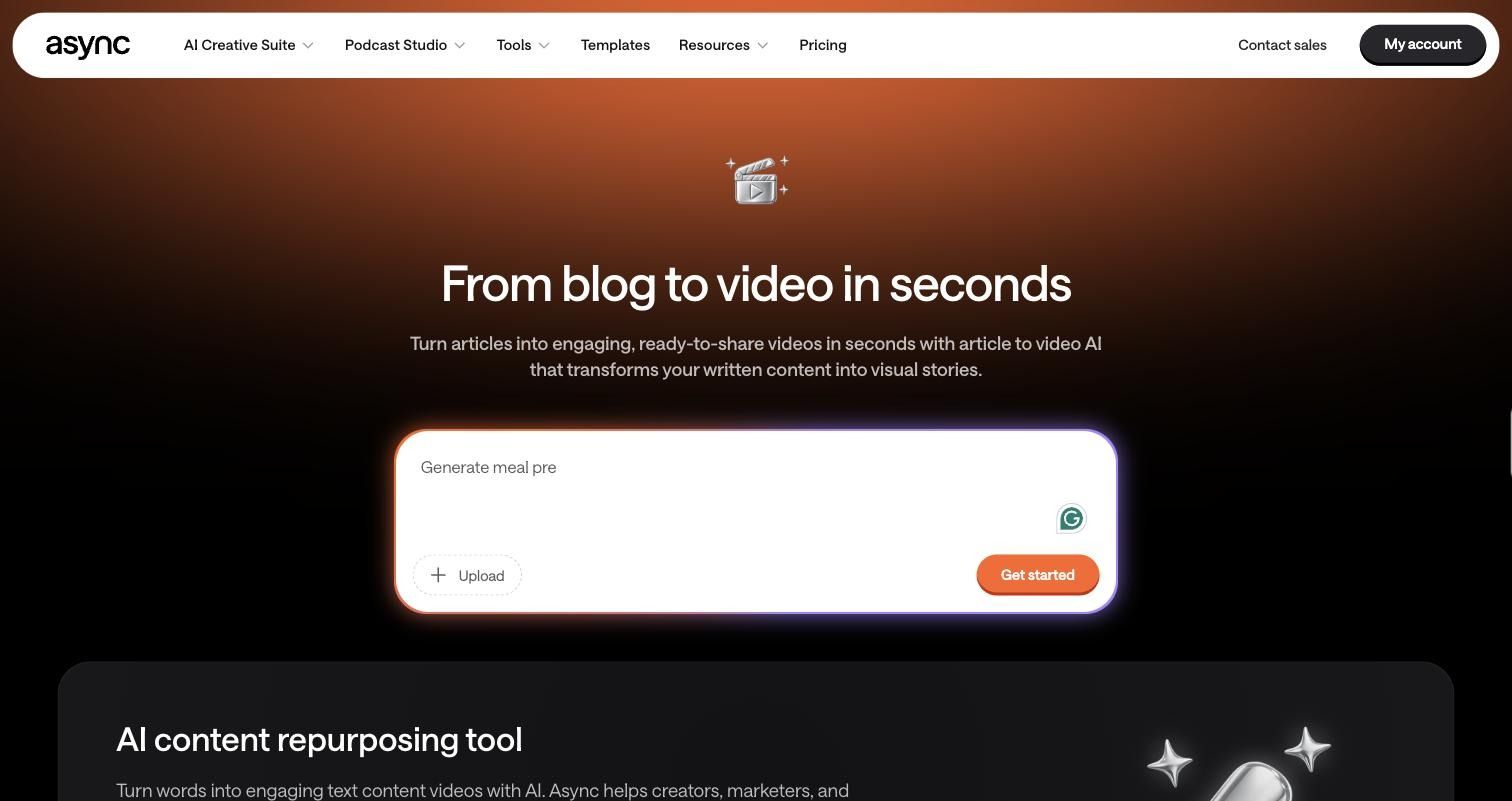
1. Add the article text. Paste the section into the prompt box on the Blog to Video page, or upload the file.
2. Tell the AI what kind of video you want. Be specific about length, platform, focus, tone, and CTA. This is the exact prompt we used, with the article section pasted after it:
Turn this article section into a 45-second vertical video for Instagram Reels. Focus only on the difference between repurposing and reposting. Open with a direct hook, keep the tone conversational, use on-screen text for the three terms, and end with a CTA to read the full guide on async.com.
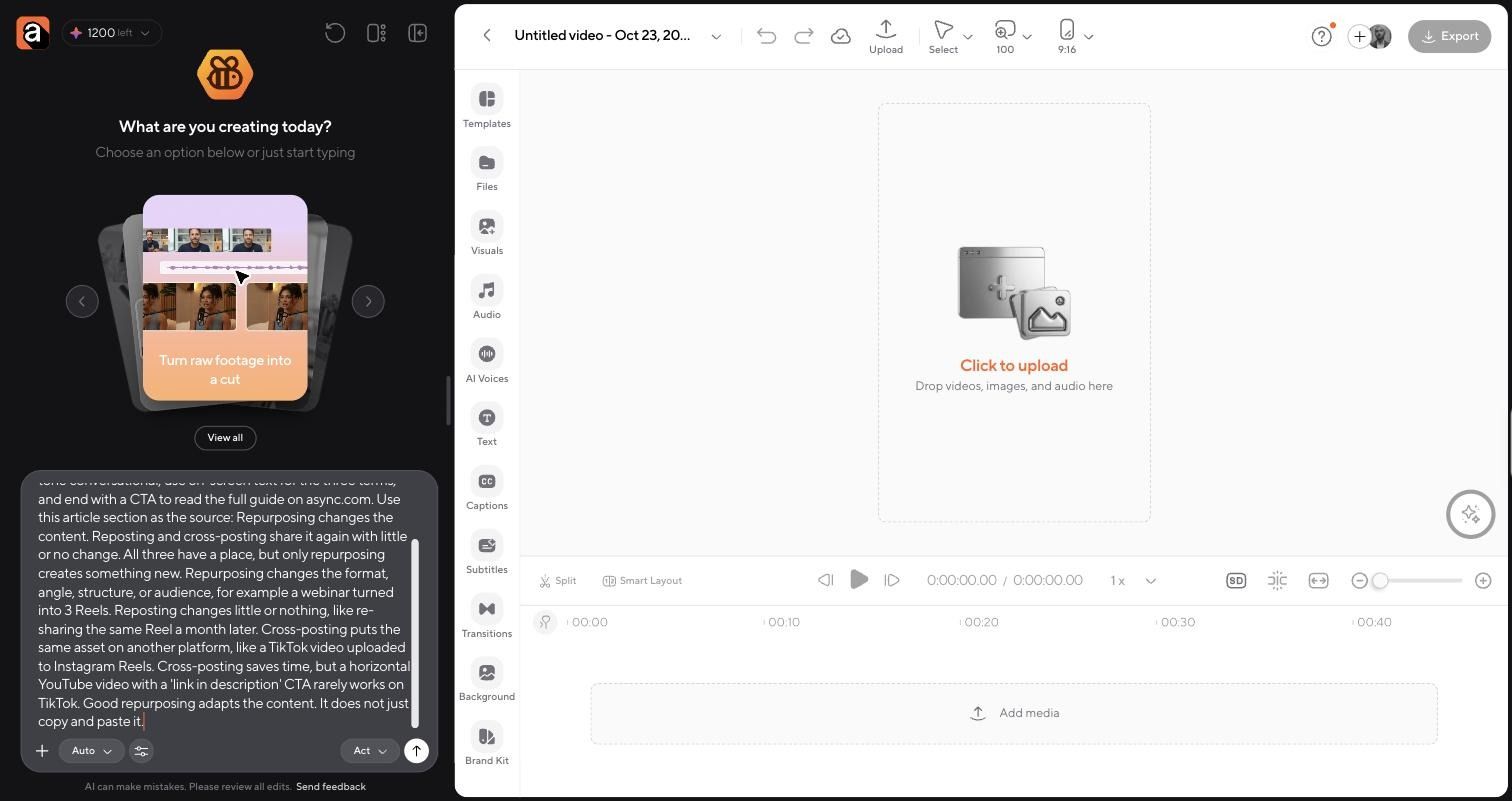
3. Review the first version. Async wrote a script, generated a voiceover, then planned and generated six motion-graphic scenes in 9:16 at 1080p. It added color-coded labels for each term, word-by-word captions, and an async.com CTA. The first draft took a few minutes and used about 190 credits.
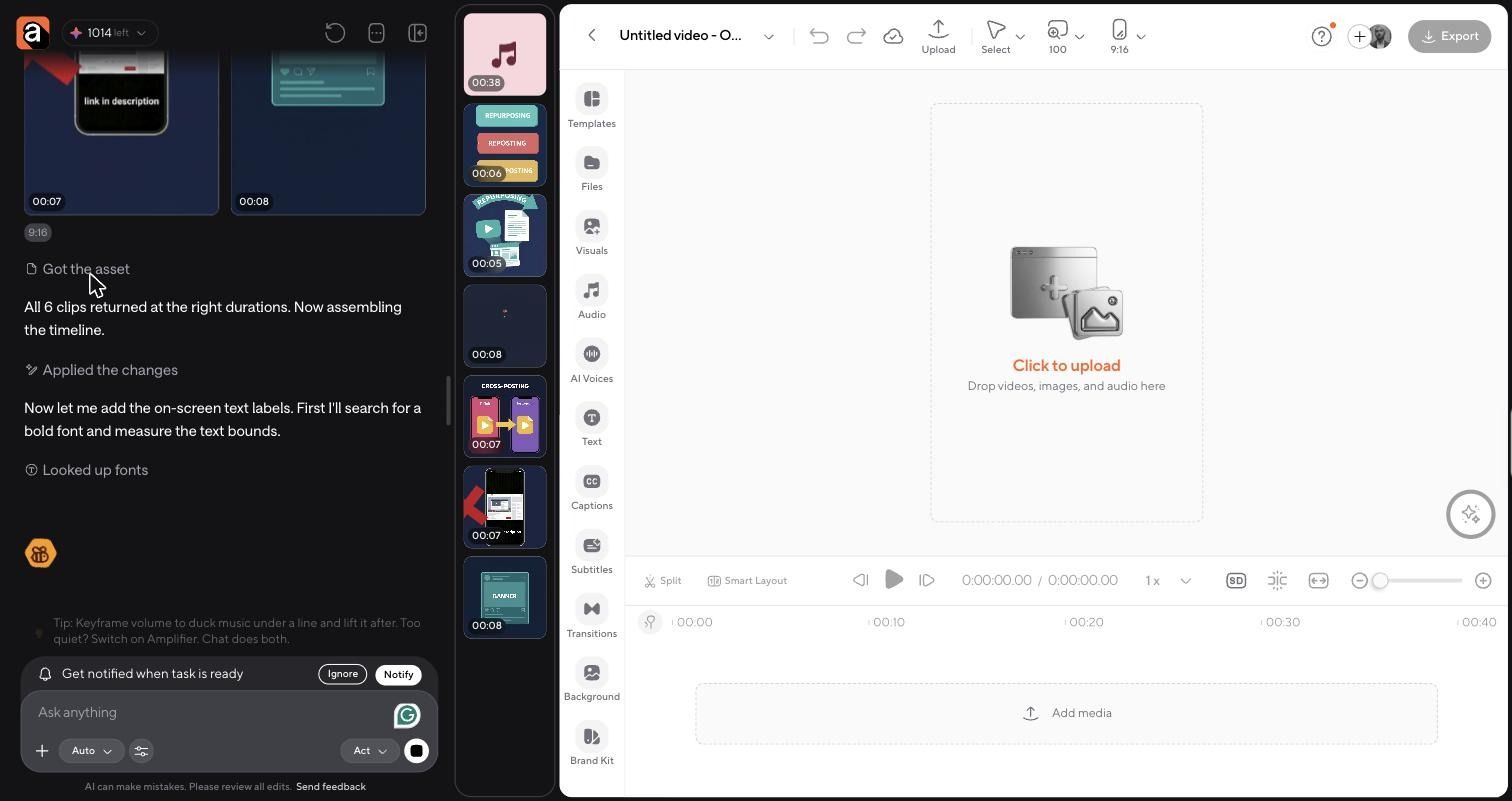
The structure was right on the first pass: a hook naming all three terms, one scene per term, a scene on why a horizontal YouTube video fails on TikTok, and a CTA close. It also needed a human pass:
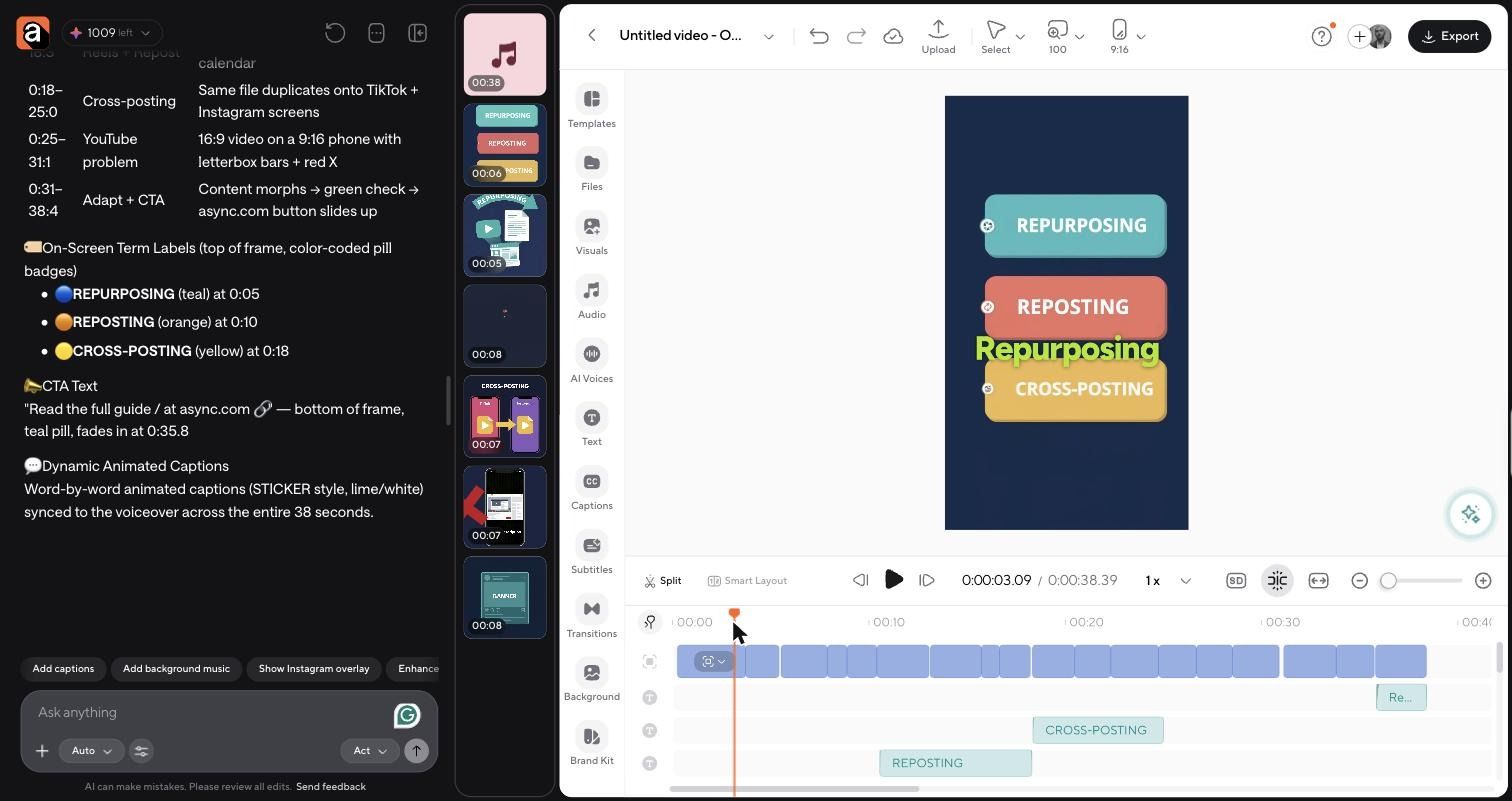
4. Edit and refine. You can keep editing through chat or work directly on the timeline. We asked the chat to fix the captions and the CTA overlap. The CTA fix was faster by hand: select the text clip on the timeline and delete it. Caption placement still needed a manual pass after two chat requests, which is exactly the kind of check AI output needs before publishing.
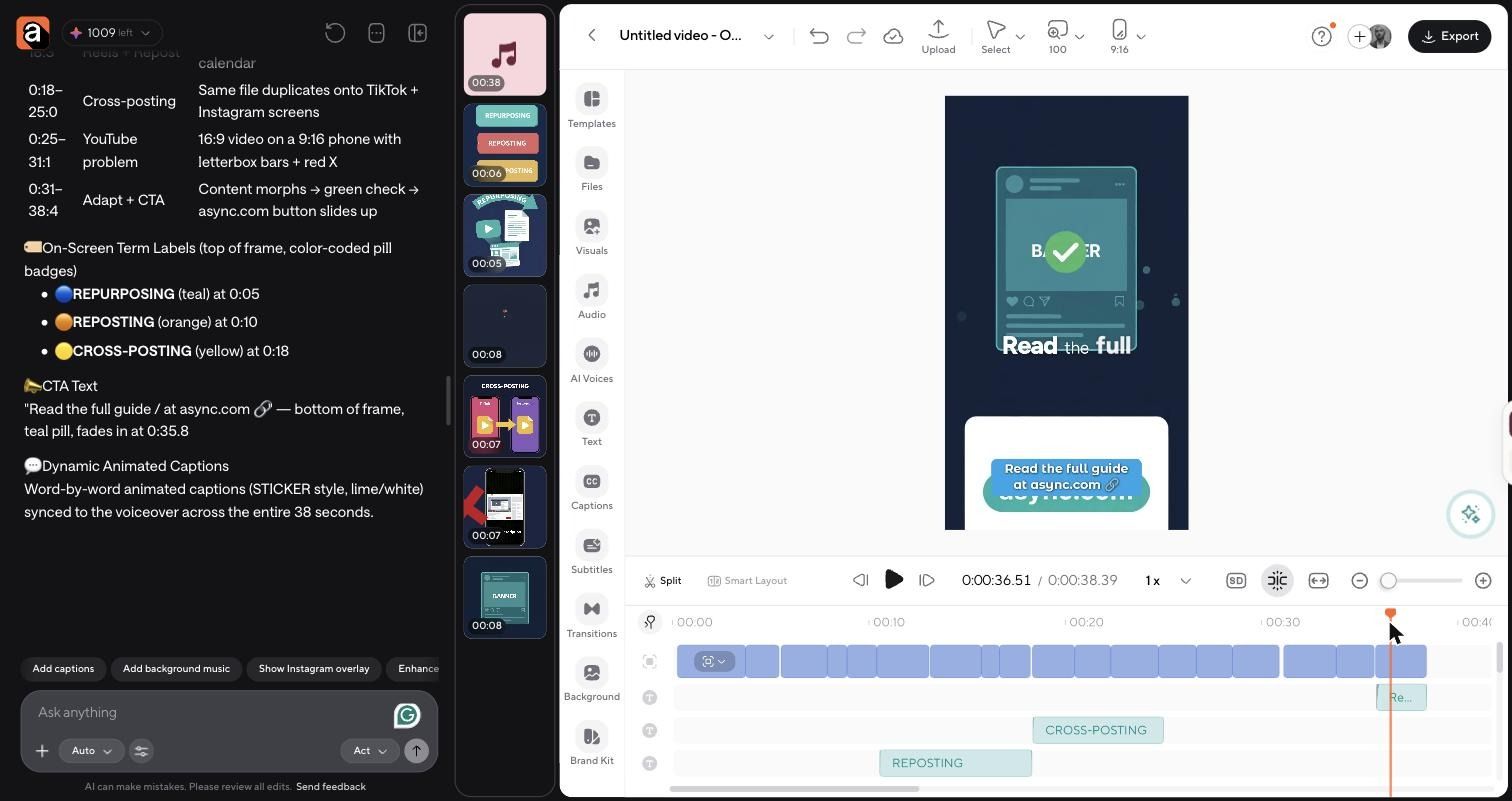
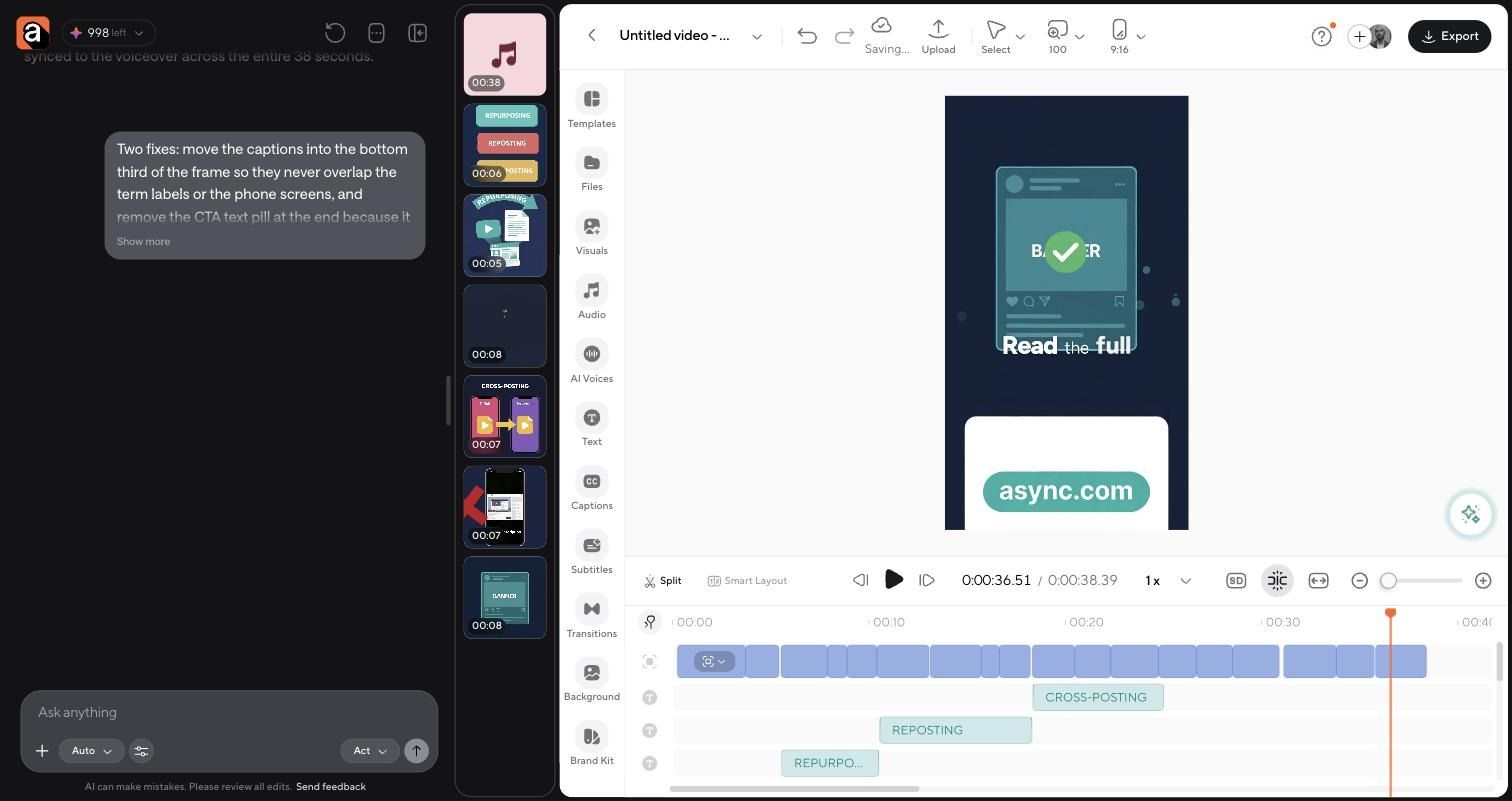
5. Export for your platform. When the cut works, export the vertical version for Reels or resize it for other placements. If you want to finish the edit yourself, the same project opens in the AI video editor. For more on writing prompts like the one above, see our guide to AI video prompts, and for the bigger picture on how to make AI videos.
Step 6: Adapt the final video to the platform
One blog-derived video can still need several versions. Each platform rewards something different:
- YouTube: More context and explanation. Two or three connected points can work.
- Shorts, Reels, and TikTok: A faster hook, vertical framing, and a tighter edit.
- LinkedIn: A more educational, professional angle, often with a lesson up front.
- Embedded in the original blog: A summary of the article or a demo of its main process.
The first video does not need to be the final version for every channel. Change the hook, length, and CTA before you reuse it, and reframe video for social media so the subject stays in frame at every aspect ratio.
Worked example: One Async blog post, three videos
The same source section from our test can feed three different videos. Here is how one idea, "repurposing vs. reposting," changes by format.
The source paragraph: "Repurposing changes the content. Reposting and cross-posting share it again with little or no change. All three have a place, but only repurposing creates something new."
The teaser cuts straight to the claim. The Reel, which is the version we generated, teaches the distinction with one visual per term. The explainer keeps the context in a short clip that has to drop, such as when reposting is a reasonable choice.
None of these videos read the article aloud. Each one takes the same idea and rebuilds it for how that audience watches. For pacing and cleanup on the longer cut, these video editing tips help.
Common blog-to-video mistakes
Most weak blog videos fail for the same handful of reasons:
- Fitting the whole article into one video. Ten tips in 60 seconds means none of them land.
- Reading blog copy word-for-word. Written sentences sound stiff out loud.
- Keeping the SEO intro. "In today's digital landscape" is not a hook.
- Using random B-roll. Footage that does not match the line distracts more than it helps.
- Making every scene text-on-screen. Wall-to-wall text turns a video into a slideshow.
- Forgetting context. A section pulled from the middle of an article may reference something viewers never saw.
- Using one format everywhere. A Reel cut and a YouTube explainer are different products.
- Skipping the fact-check. If the source article is outdated, the video reproduces outdated information with more reach.
Should you use AI to turn blogs into videos?
Yes, for the heavy lifting. AI is good at the steps that take time but not much judgment, so you can spend your attention on the parts viewers actually notice.
Treat the AI output as a strong first cut. The difference between a generic video and a good one is usually ten minutes of human editing.
Blog-to-video checklist
Before you publish, check:
- Does the video focus on one clear idea?
- Does the opening work without the blog's context?
- Does the script sound natural when read aloud?
- Does every visual support the point being made?
- Are the facts still current?
- Are the captions correct?
- Is the aspect ratio right for the platform?
- Does the CTA fit the platform?
- Does it link or point back to the original article where relevant?
Start with one post you already trust
A blog post is source material for a video, not a video script. The quality comes from adapting the idea to how people watch and listen. Pick one strong article this week, pull one idea out of it, and build a short video around that idea. When you are ready to generate the first draft, try Async's blog to video AI.
FAQ
How do you turn a blog post into a video?
Choose one idea from the post, rewrite it as a short spoken script, break the script into scenes, add or generate visuals for each scene, then edit and adapt the video for the platform where it will be published.
Can AI turn a blog post into a video?
Yes. AI tools can draft the script, generate voiceovers, B-roll, and captions, and resize the video for different platforms. A human should still review accuracy, pacing, tone, and the final CTA.
What is the best way to convert an article into a video?
Focus on one takeaway instead of the whole article. Rewrite it in spoken language, match each line with a visual that supports it, and keep the video as short as the idea allows.
Should I read my blog post word-for-word in a video?
No. Written sentences are built for scanning and sound stiff aloud. Rewrite the content as a script with shorter sentences, a hook in the first few seconds, and one clear point.
How long should a blog-to-video video be?
For Reels, TikTok, and Shorts, 30 to 60 seconds usually fit one idea. For YouTube or LinkedIn explainers, 90 seconds to a few minutes works when the topic needs more context.
Can I turn a blog article into a YouTube video?
Yes. YouTube rewards more context, so you can cover two or three connected points from the article, use a horizontal format, and link back to the full post in the description.
Can I turn a blog post into a Reel or TikTok?
Yes. Pick one sharp idea, open with a direct hook, use vertical 9:16 framing, add captions, and keep the edit tight. A single tip or common mistake from the post works well.
What visuals should I use when turning an article into a video?
Use visuals that show what the script says: screenshots, product demos, charts, on-screen text, B-roll, generated video, or a talking head. Every scene should support the line being spoken.
Is turning blog posts into video good for content repurposing?
Yes. Blog posts already contain researched ideas, examples, and structure, which makes them strong sources for short videos, explainers, and social clips that point back to the original article.