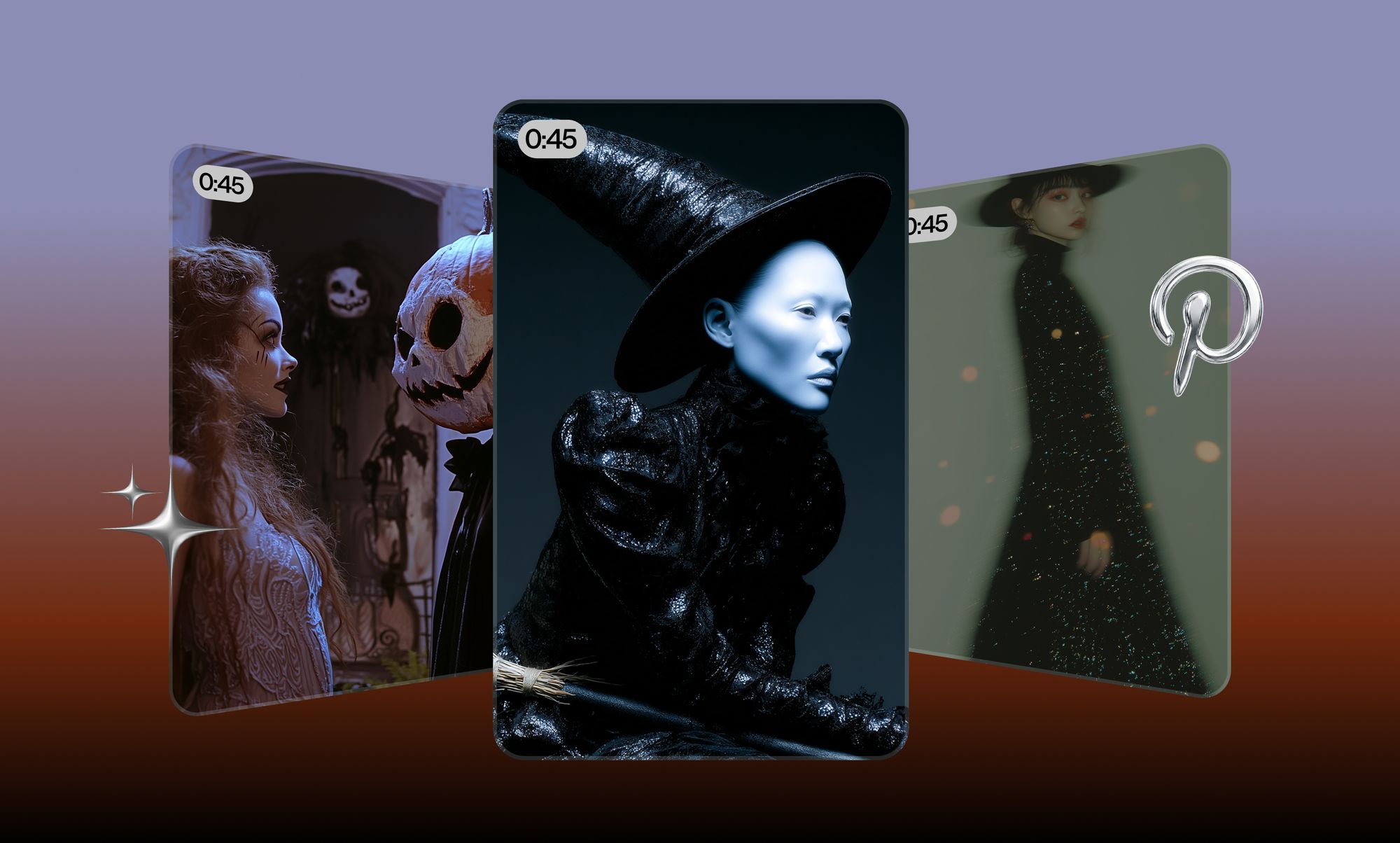
On the day this article was written, three of the top five trends on all of Pinterest were about Halloween. The date was September 9. Nobody had carved anything yet.
That gap is the whole opportunity, and here is how to use Pinterest to act on it: research which seasonal searches are already climbing, find the visual patterns that repeat across them, collect those patterns into one focused campaign board, then turn that direction into original product images and videos of your own.
Pay attention to that last step. Pinterest is superb at telling you what people want. It will not hand you a creative that you are allowed to publish, and "inspired by" is a thin defense in a takedown notice. That second half is where a tool like Async picks up.
Most advice on how to use Pinterest for marketing stops at "post vertical Pins, use keywords." That is publishing advice, and it assumes you already have something worth publishing. This is the part before that..
Why Pinterest works so well for Halloween planning
Halloween is the second most searched holiday on Pinterest, behind only Christmas, and those searches start climbing as early as August. Pinterest reported 52 million users engaging with Halloween content in 2024, with Gen Z accounting for more than half of Halloween searches.
The useful part is the timing gap. Pinterest users are more than twice as likely as non-users to invest real time preparing for a seasonal moment, which means they show up months early with intent. You get to see demand forming before your competitors' ads are live.
This is also the difference between Pinterest and every other social platform in your stack. Learning how to use Pinterest for business is less about building an audience and more about reading a search engine that happens to be visual. People arrive planning something and typing what they want, and Pinterest publishes that demand data back to you for free. Instagram will tell you what performed last week. Pinterest will tell you what people intend to buy in six weeks.
When to start planning your Halloween campaign
Work backward from October 31 in four blocks:
- August: research trends, note which terms are moving, save references loosely
- Early September: lock campaign direction and the visual pattern you are committing to
- Mid to late September: produce the actual assets
- October: launch, test creative variants, repurpose the winners
Pinterest's own 2026 marketing moments guidance frames the lead time as roughly two months: if the moment peaks in June, launch in April. Applied to Halloween, that puts your campaign live in early September, which is exactly why the research needs to happen in August.
How to use Pinterest Trends for Halloween research
Pinterest Trends is the free tool at trends.pinterest.com. Set your region, then read three separate panels: Trends in the spotlight (based on Pin saves), Shopping trends (based on outbound clicks), and Search trends (based on search volume). Each one answers a different question.
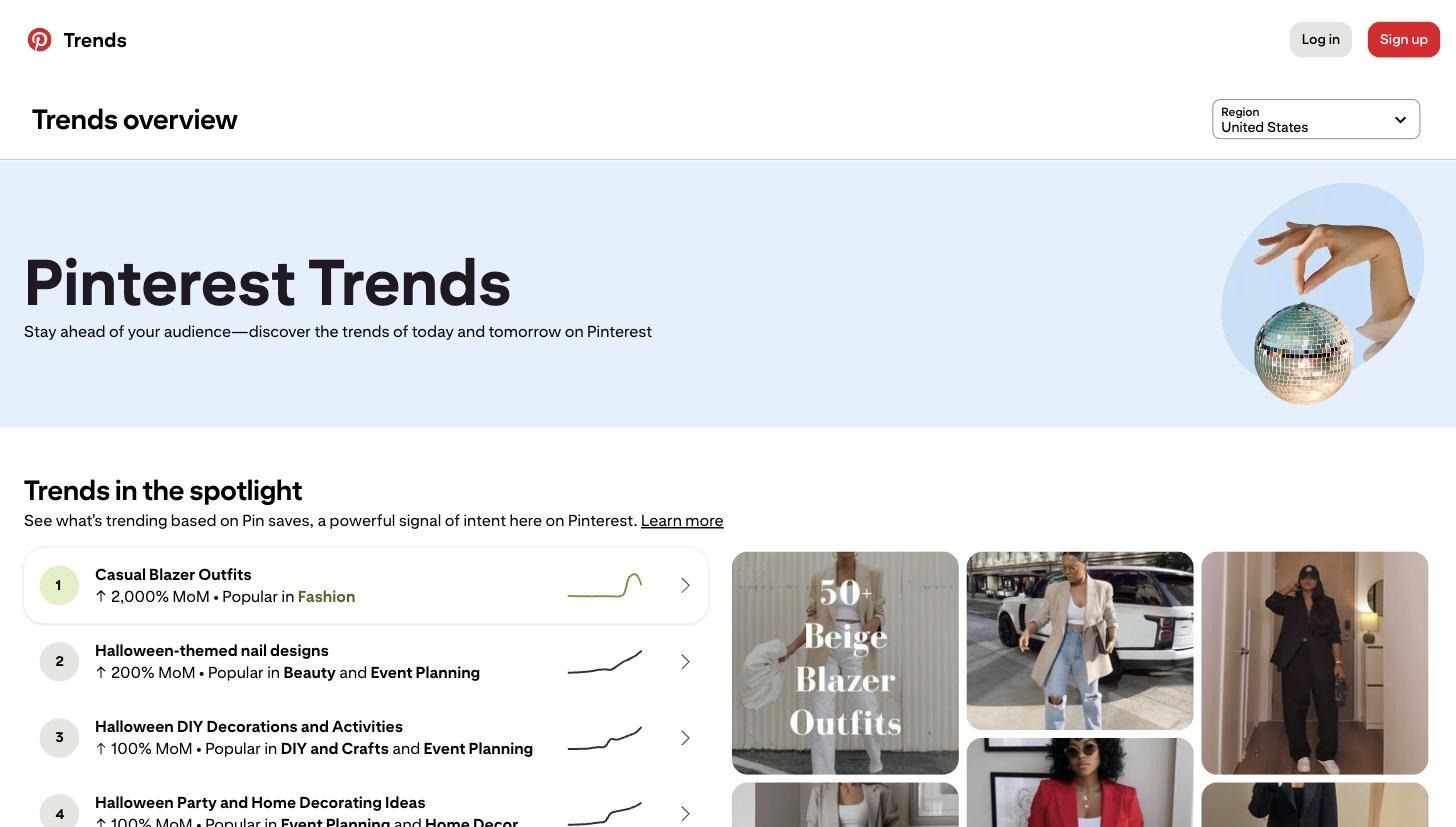
Here is what the tool showed for the United States in early September 2026. Three of the top five trends in the spotlight were Halloween terms:
- Halloween-themed nail designs, up 200% month over month, popular in Beauty and Event Planning
- Halloween DIY decorations and activities, up 100%, popular in DIY and Crafts and Event Planning
- Halloween party and home decorating ideas, up 100%, popular in Event Planning and Home Decor
That third column matters more than the percentage. "Popular in Beauty and Event Planning" tells you which catalog a trend actually belongs to, which saves you from chasing a decor trend with a cosmetics product.
Now cross-check it against Shopping trends, which measure outbound clicks rather than saves. Seasonal and holiday decorations were up 66% month over month, food cookers and steamers 63%, costumes and accessories 57%, serums and essences 52%, and wreaths and garlands 42%.
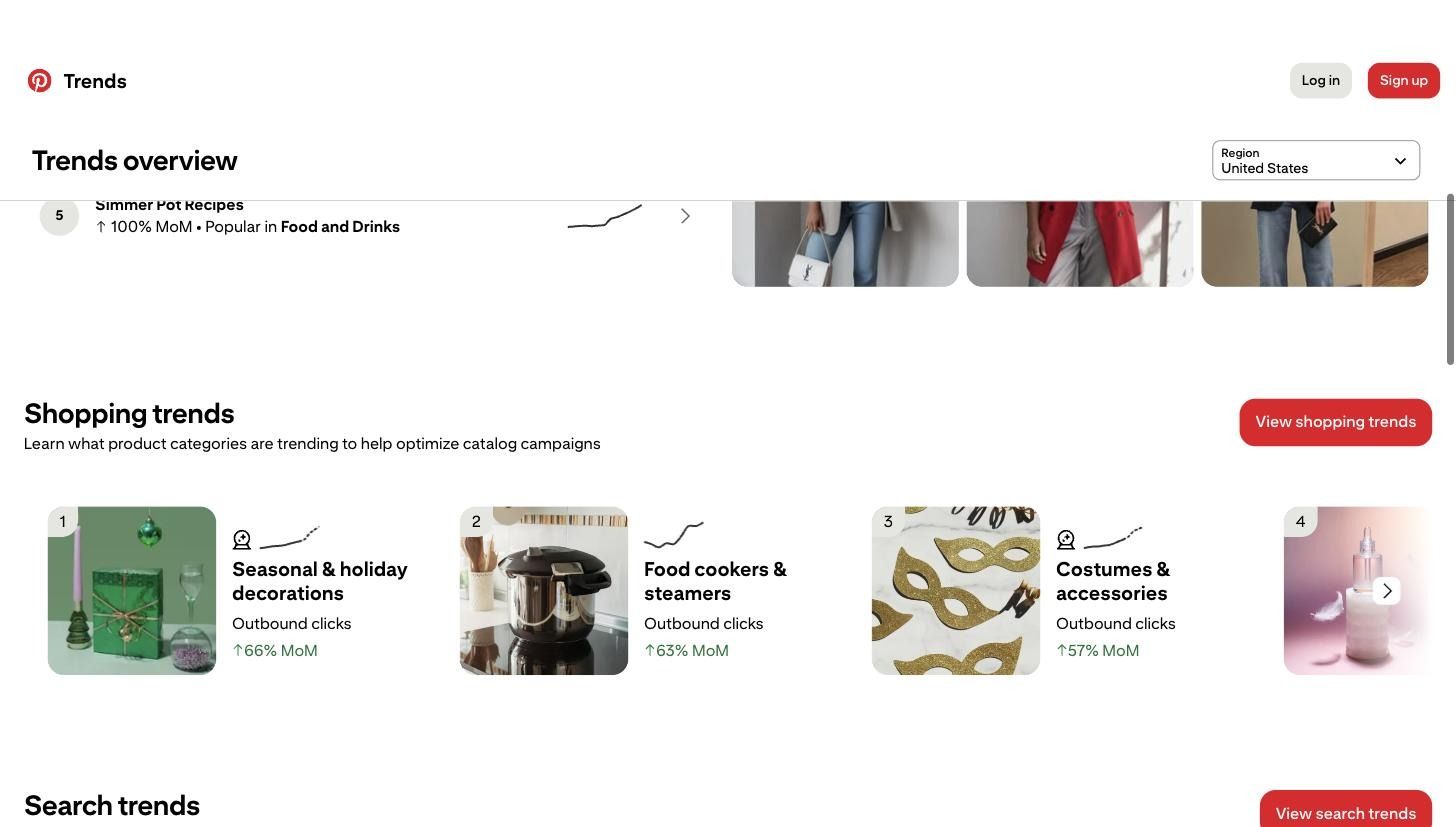
Savings earn interest. Outbound clicks are closer to money. When a category appears in both panels, you have a trend with intent behind it rather than a pretty aesthetic.
The Search trends table adds weekly, monthly, and yearly change per keyword, and the crystal ball icon beside a keyword opens Pinterest's estimate of how that search is expected to grow in the coming months. That forecast is the single most useful thing in the tool for seasonal work, because it lets you commit budget to a term that is still rising instead of one that has already peaked.
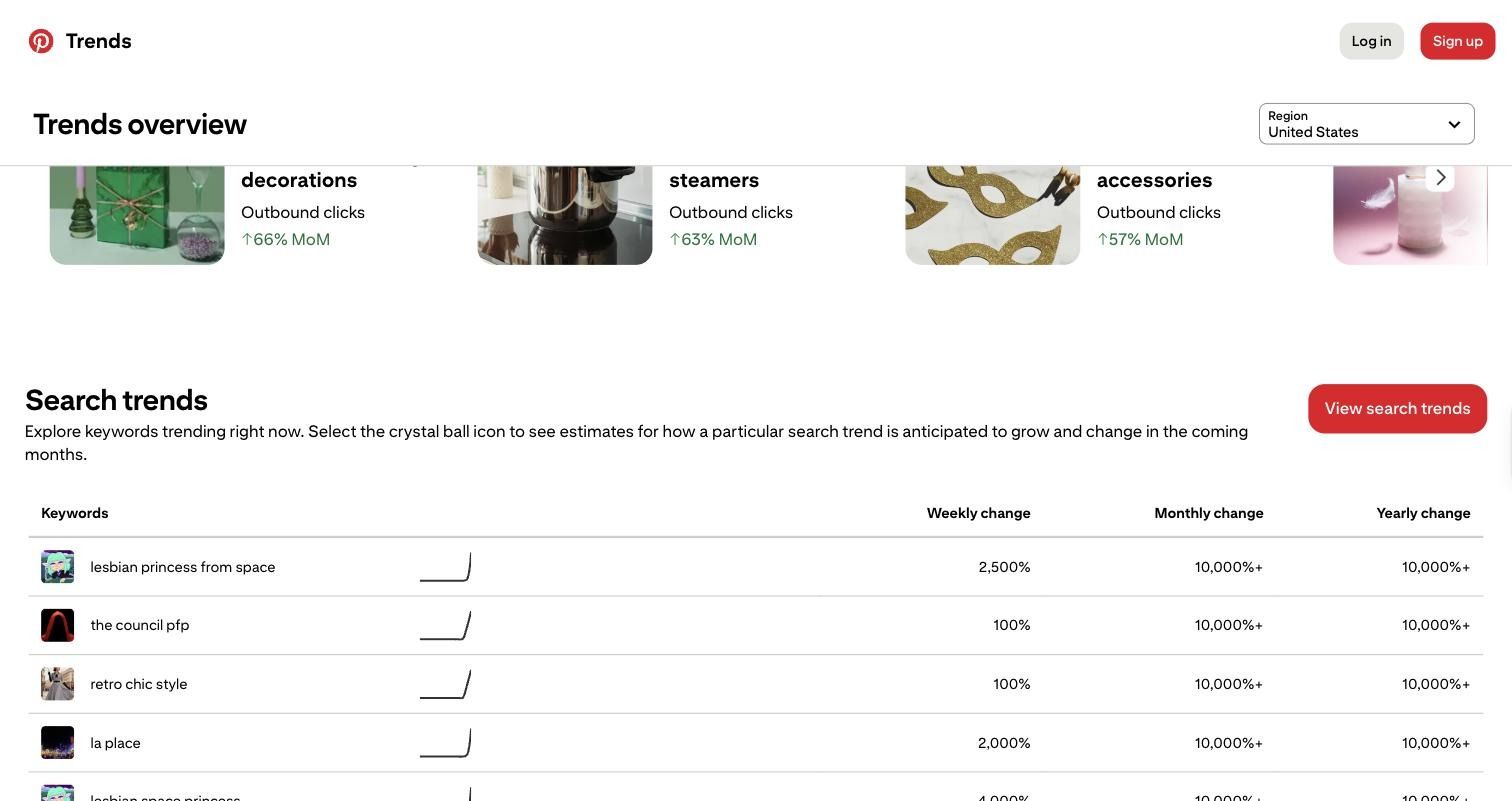
A practical research order, and the part most people skip: start broad with "Halloween", read what the tool surfaces, then narrow to your category, then compare two or three candidate terms against each other rather than falling for the first big number. A 2,000% jump on a term unrelated to anything you sell is not your trend.
Two habits make the difference here. Save Pins as you go rather than after, because the reason a term caught your eye is gone by the time you come back to it. And read the related terms Pinterest surfaces alongside your search, since the refinement chips on a search results page are effectively Pinterest telling you how it has categorized the query. Searching Pinterest Halloween ideas broadly will surface decor, costumes, food, and beauty all at once, which is useful exactly once, at the start.
Use Pinterest Predicts for broader creative direction
Pinterest Predicts is a separate annual report, published each December, covering trends with longer-term growth rather than this month's spike. The 2026 edition names 21 of them across fashion, beauty, decor, food and travel.
None of these are Halloween trends. That is the point, and the mistake to avoid. Predicts gives you an aesthetic; you have to do the translation into a seasonal campaign yourself.
For our lipstick launch, one trend does the work. Vamp Romantic is Pinterest's name for an after-dark beauty aesthetic: jet-black nails, romantic goth hair, a smudged kohl smoky eye, all with glossy glamour, driven by Millennials and Gen Z. The supporting searches are dark romantic makeup up 160%, gothic coffin nails up 180%, vampire beauty up 90%, vampire haircut up 40%.
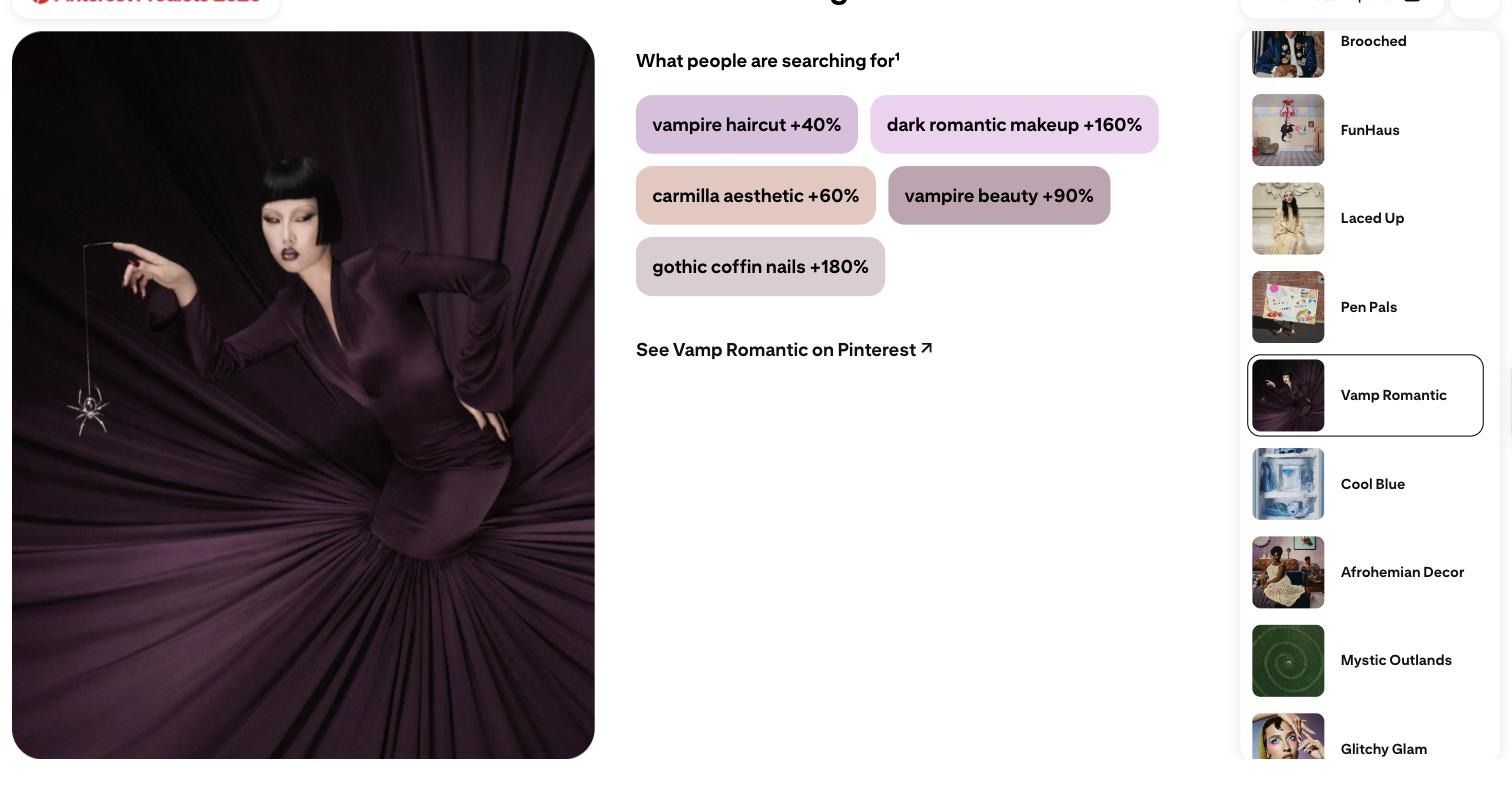
Read that next to the live Trends data, and the two lock together. Halloween nail designs are spiking right now, and Pinterest is separately forecasting a year-long appetite for dark romantic beauty. A campaign built on that overlap has a reason to exist in November too.
Build a campaign board without making a random moodboard
Save Pins to answer a specific question, not to collect spooky images. A board with 200 Pins on it has told you nothing. A board with 25 Pins where the same three decisions keep reappearing has told you what to make.
Collect against a fixed checklist:
- Color palette: the exact two or three shades that keep recurring, not "dark"
- Lighting: hard or soft, warm or cold, single source or flat
- Product styling: upright and centered, laid flat, held in hand
- Props: which physical objects appear repeatedly
- Packaging: how the box or tube is shown, if at all
- Typography: serif or sans, and where text sits in the frame
- Backgrounds: fabric, stone, paper, negative space
- Video formats: what actually moves in the successful video Pins
On the Vamp Romantic board, the recurring pattern was narrow: oxblood and near-black, one warm light source low in frame, deep satin folds as the surface, and headline space left empty at the top. Four decisions. That is a creative brief.
Turn Pinterest inspiration into an original Halloween campaign
The translation runs in four steps, and none of them involves copying a PIN:
References → recurring pattern → product connection → campaign concept
Worked through for our example:
- References: Vamp Romantic Pins, gothic coffin nails, dark romantic makeup
- Recurring pattern: oxblood plus near black, candlelight, satin drapery
- Product connection: The dark cherry liquid lipstick is already in the catalog
- Campaign concept: a vampire-inspired shade drop shot in candlelight
Two more, quickly, using the same live data. Home decor: Pinterest's Opera Aesthetic trend (midnight masquerade up 95%, masquerade decor up 40%) plus seasonal decorations up 66% in outbound clicks becomes a dark cabaret table setting campaign for a tableware brand. Food and beverage: Simmer Pot Recipes up 100% month over month becomes a mulling spice kit sold as a "witch's simmer pot" with a recipe card.
Notice what each concept takes from Pinterest. A palette, a light direction, a surface, a mood. It never takes someone else's photograph, layout, or copy. Pinterest is a research instrument. The creative has to be yours.
Create Halloween product images with Async
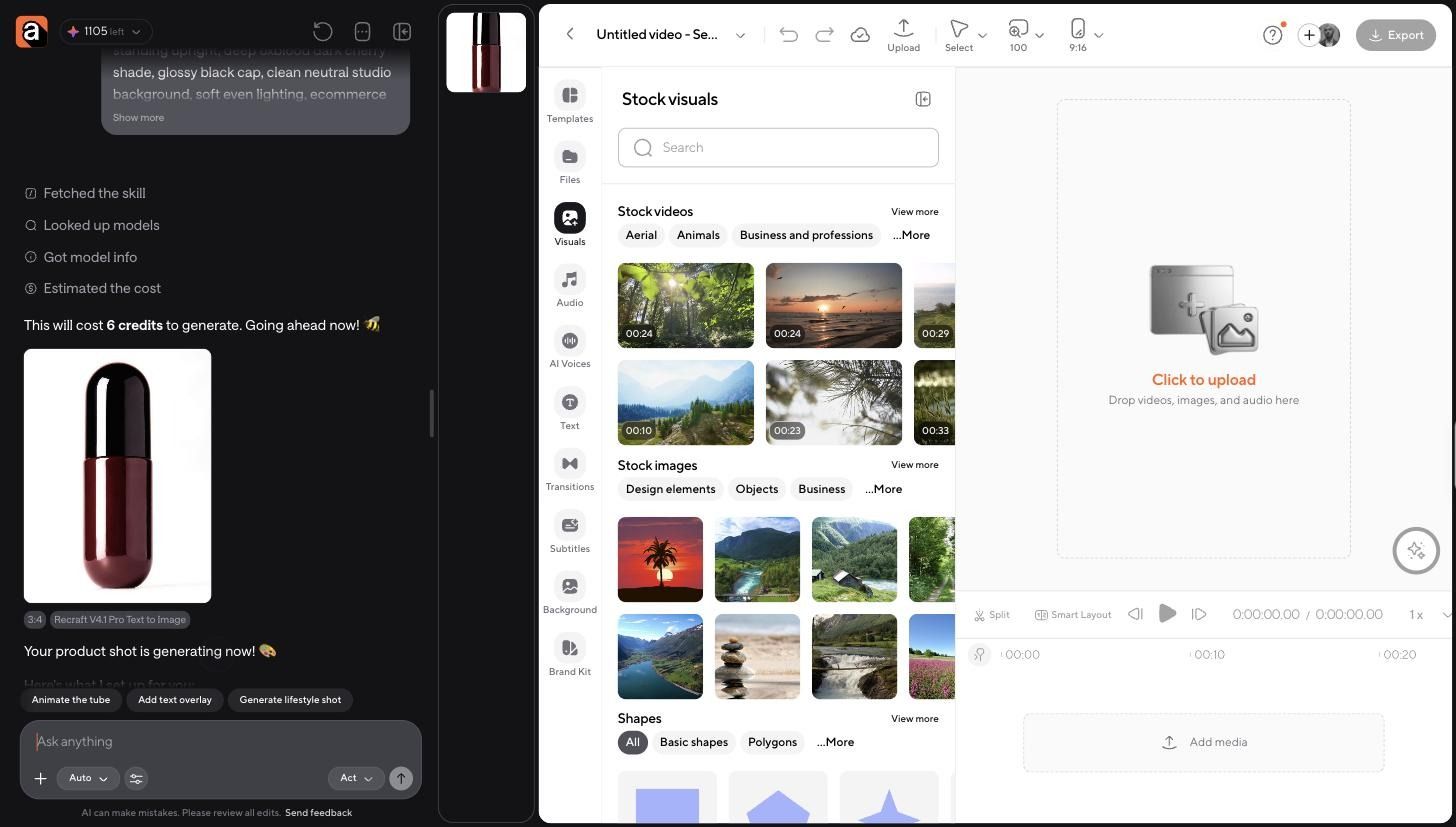
Once the concept is set, the job is to produce the asset. Async's AI image generator works as a chat: you describe what you want, it selects a model, tells you the cost in credits, and generates it for your project.
We started with a plain catalog shot of the lipstick, the kind any brand already has: upright tube, oxblood body, neutral background, even lighting. Async routed it to Recraft V4.1 Pro at 6 credits and returned this.
Then came the restage, which is the step that matters. The prompt named the pattern from the board rather than the mood: keep this exact tube and its oxblood color, place it on dark plum satin drapery with deep folds, candlelight from the left, a wet gloss highlight down the tube, one dark cherry as a prop, near-black background, vertical crop with empty space at the top for a headline.
Async confirmed the split before rendering, listing what it was preserving from the original (the exact tube body, glossy black cap, shape, proportions, wet gloss finish) against what was new (the candlelight, the drapery, the props, the crop). Four credits.
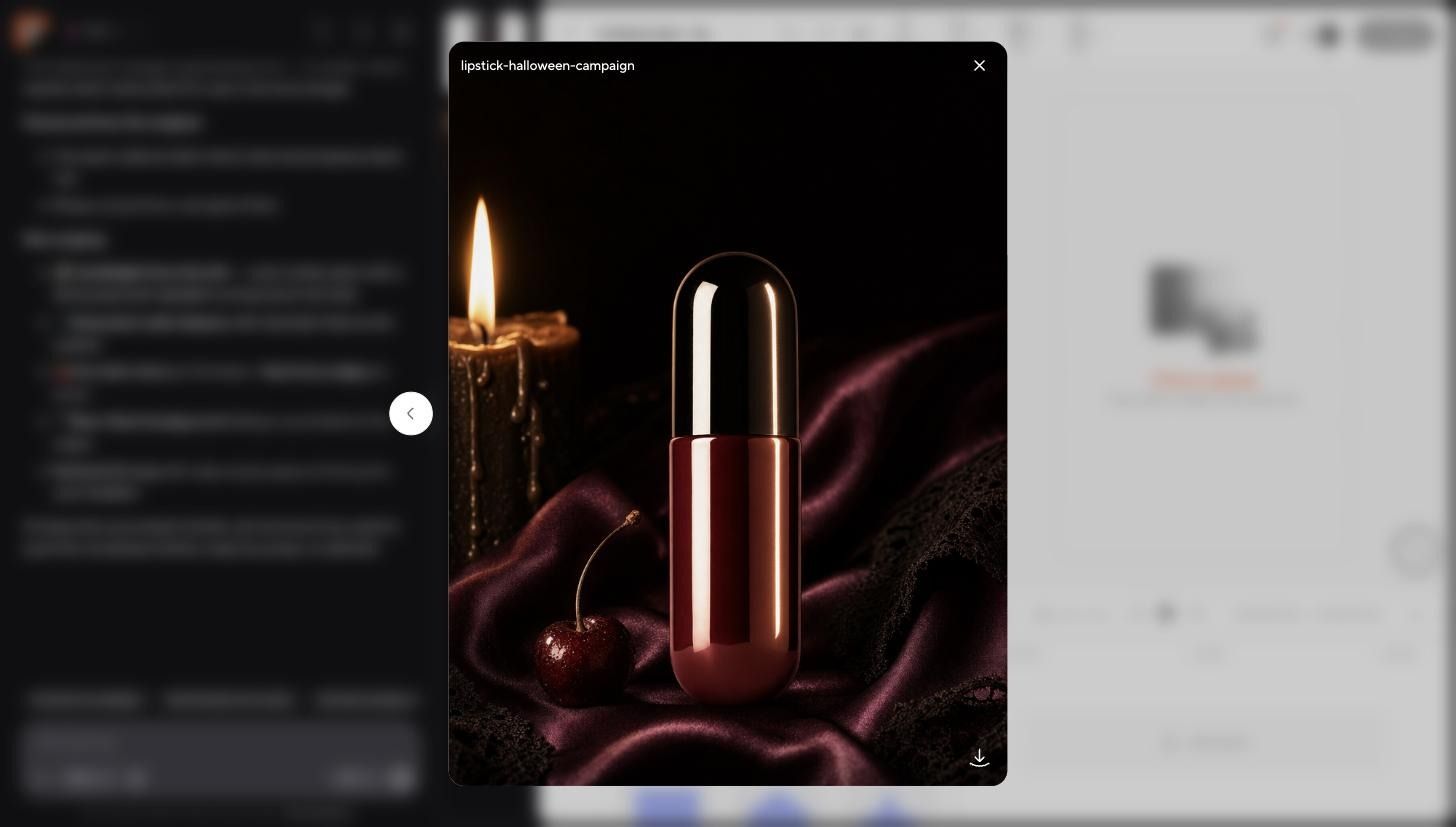
Same product. Entirely different campaign. The tube did not get reinvented, which is the whole reason to edit a reference asset instead of generating a product from scratch: your packaging stays accurate while the staging changes. From there, Async offered follow-up actions in the chat, including animating the candlelight, adding a Halloween text overlay, and generating campaign variants. Variants are worth taking because you will want three or four crops for testing anyway.
If your prompts are producing generic results, the fix is usually specificity about light and surface rather than more adjectives about mood. Async's guide to AI video prompts covers the same principle for motion.
Turn the campaign images into a video
Video Pins, Reels, and TikToks all want motion, and you do not need a second shoot to get it. One still becomes a clip: a slow push in on the product, the candle flame flickering, the satin shifting, product held still and sharp.
We asked Async to do exactly that with the campaign image, at five seconds, vertical. That single asset covers a video Pin, a Reel, a TikTok, a paid placement, a product reveal, and a countdown clip once you add a date overlay. Async's image-to-video AI workflow handles the conversion, and the same approach applies if you want to animate images with AI across a whole product line.
Async confirmed the spec before rendering: 9:16 vertical at 1080p, a slow dolly push-in with no shake, the tube locked sharp at center frame, the flame flickering, the satin rippling, plus faint candle crackle generated as ambient audio. Fifty-five credits. The follow-up chips offered to add product copy, resize to 1:1 for feed placements, and add a music bed, which is the repurposing step handled in the same thread rather than a separate export cycle.
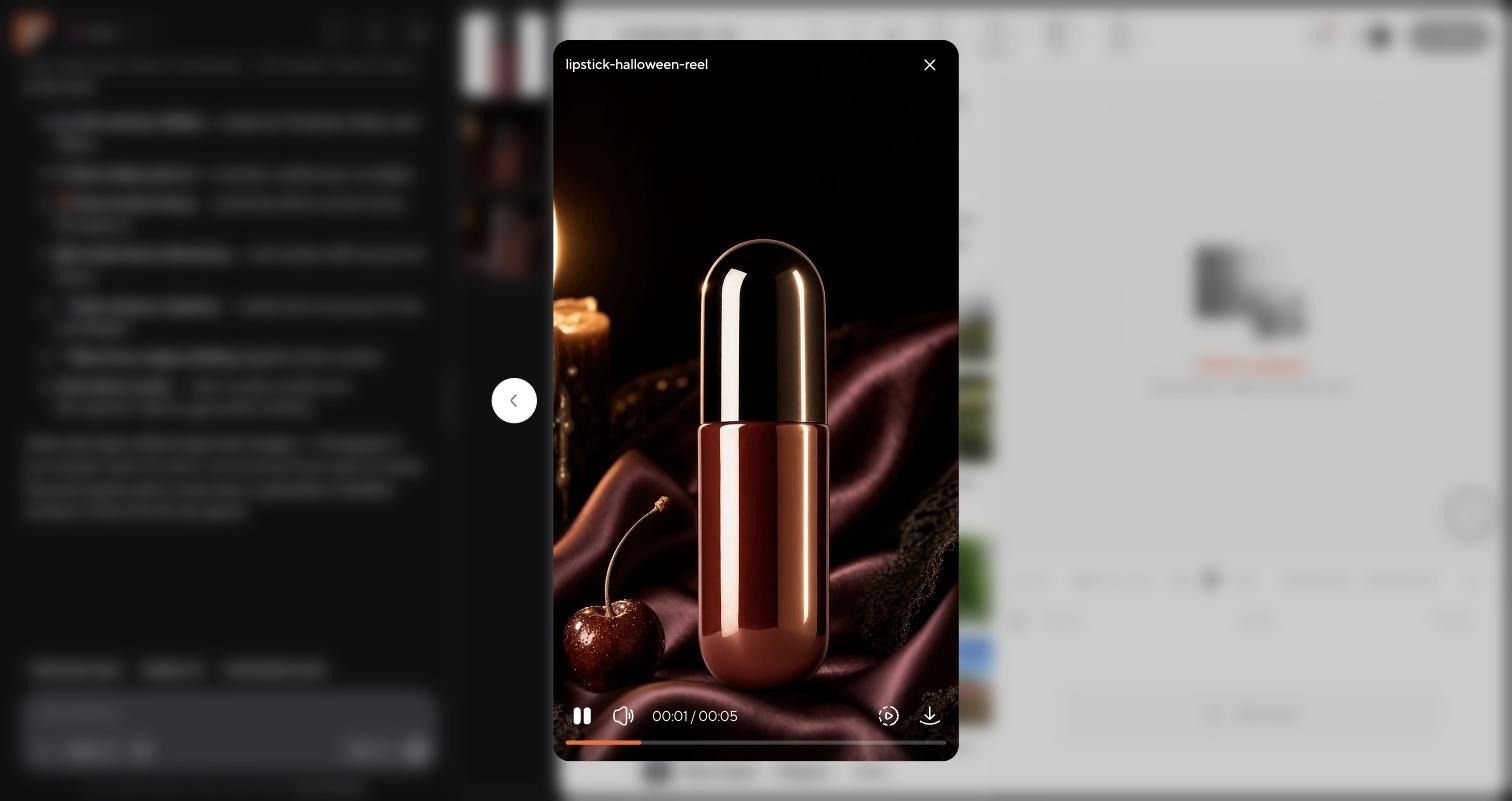
Two rules for October. Keep the product motionless while the environment moves, because a drifting product reads as a glitch. And keep the loop clean at both ends, since Pinterest and Reels both replay.
One more thing worth planning for: a single vertical still plus one clip is enough to launch, but it is not enough to test. Generate three crops and two headline placements before October 1, so your Pinterest marketing has something to rotate when the first variant fatigues, which, on seasonal creative, happens fast.
Halloween marketing ideas for different e-commerce niches
One workable idea per category, each tied to a trend that is live right now:
- Beauty: a limited shade drop built on Vamp Romantic, timed to Halloween nail designs climbing 200% month over month. Gothic coffin nails at 180% growth tell you the nail category, not just lips, is open.
- Fashion: Pinterest's Glamoratti trend (80s luxury up 225%) supports a "costume without a costume" styling campaign, aimed at the costumes and accessories category that is up 57% in outbound clicks.
- Food and beverage: Simmer Pot Recipes, up 100% month over month, is a gift set waiting to happen. Food cookers and steamers are up 63% in clicks in the same window.
- Home decor: Opera Aesthetic (midnight masquerade up 95%) for a dark masquerade table setting, alongside wreaths and garlands up 42%.
- Jewelry: the Wilderkind trend (bug jewelry up 60%, dragonfly nails up 145%) makes gothic insect pieces a considered launch rather than a novelty.
- Digital products: Laced Up (lace nails up 215%) plus Halloween DIY decorations up 100% points at downloadable templates, printables, and nail art guides.
Each of these came from the two Pinterest tools above rather than from a list of Halloween ideas, which is why they carry a date and a number. That is the test to apply to any seasonal marketing ideas you are handed: if the idea cannot point to a term that is currently moving and a category it belongs to, it is a theme, not a campaign. Halloween campaign ideas sourced this way also age better, because you can rerun the same two panels in January and get your Valentine's list the same way.
From Pinterest board to finished campaign
The full workflow, start to finish:
Research ➡️ board ➡️concept ➡️ image ➡️ video ➡️repurpose
Pinterest owns the first three. It tells you what is rising, in which category, and with what visual pattern. It cannot give you publishable creative, and treating it as a source of assets rather than a source of direction is how brands end up with campaigns that look like everyone else's Pins. Knowing how to use Pinterest well is mostly knowing where its job ends.
The last three belong in production. Async closes that gap: the AI image generator restages your real product into the campaign you designed on the board, and its image-to-video workflow turns those stills into the video formats October actually needs. One concept, one product shot, and a set of assets you own outright.
Start with the Trends tool this week. Halloween searches are already moving.
FAQ
How do you use Pinterest for business?
Create a free business account, then treat Pinterest as a search engine rather than a feed. Learning how to use Pinterest for business means reading its demand data before you make anything: check Trends for rising terms, note the category each sits in, then build creative accordingly.
When should you start Halloween marketing on Pinterest?
August for research, early September to lock your direction, mid-September to produce assets, October to launch and test. Pinterest suggests roughly two months of lead time on seasonal moments, and Halloween searches begin climbing in August, so a September launch is not early.
Is Pinterest Trends free to use?
Yes. Pinterest Trends is free at trends.pinterest.com and shows rising search terms, Pin saves, and shopping clicks by region. A free business login unlocks the full keyword tables plus the predictive forecasts that estimate how a given term is expected to grow over the coming months.
Can you use Pinterest images in your own Halloween campaign?
No. Pins belong to whoever created them, so saving one gives you research, not usage rights. Take the palette, lighting, and styling pattern that repeats across many Pins, then produce your own assets. Async restages your actual product into that direction, which keeps the output yours.
What are the best Halloween marketing ideas for small ecommerce brands?
The strongest Halloween marketing ideas start from a term already moving in your category. Beauty can build on dark romantic makeup, food on simmer pot recipes, and decor on masquerade themes. Check Pinterest Trends first, commit to one concept, then produce three creative variants for testing.