The current TikTok trends for October 2026 include the Ramalama costume walk, pumpkin-head illusions, the “Be OK” audio, fan transitions, and relatable reaction videos. Creators are also bringing back nostalgic sounds and putting fresh spins on familiar formats like POV skits, photo dumps, and outfit reveals.
TikTok tends to make something famous on Monday and have it feel ancient by Friday. By the time you've figured out how to use a trending sound, edited your video, and finally posted it, everyone might have moved on to the next thing.
So, here’s a look at the TikTok trends getting attention right now, along with examples, hooks, and ways to adapt them for your content. And because trends are much more useful when you can actually make them, we’ll also cover how to create a couple of these videos with Async.
TikTok trends at a glance
Short on time? Here’s what’s making the rounds in October 2026.
How we chose these trends: This roundup draws on October 2026 reporting from New Engen and Later, reviewed on October 28, with a focus on formats relevant to US creators. We prioritized recognizable ideas that creators can adapt, rather than simply choosing sounds with large historical usage counts. The dates reflect our source review, and live availability and regional popularity should be checked before publication.
8 current TikTok trends to try in October 2026
1. Ramalama costume walk
Halloween has given TikTok another excuse to be wonderfully dramatic.
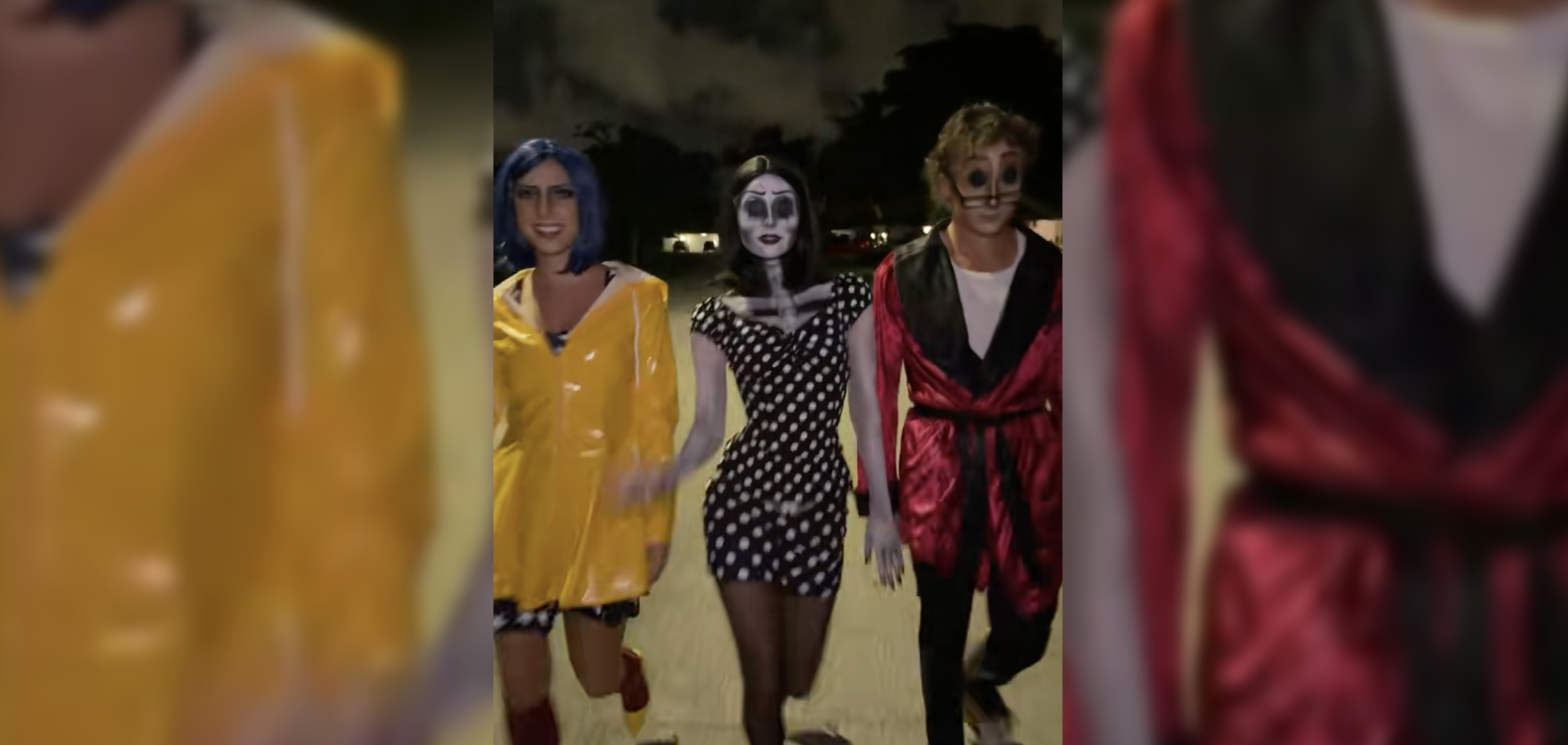
The Ramalama costume walk uses Róisín Murphy’s “Ramalama (Bang Bang)” to turn a costume reveal into something that looks like the opening of a horror movie. The camera starts low, usually showing someone’s feet as they approach, before slowly revealing the complete outfit. Some creators drag a prop behind them or use an empty hallway to make the entrance feel especially ominous.
Hook to try: “The Halloween costume was worth every hour.”
For makeup artists, costume creators, and fashion accounts, this is a natural opportunity to show off a finished look. A small business could adapt the same reveal structure for a Halloween display or seasonal product.
Place your phone low to the ground, record the approach, and save the full reveal for the end. The camera angle and music already do plenty of work, so there’s little need for elaborate editing.
Example: New Engen’s October roundup features a costume-walk example from @nataliireynoldss, using the recognizable Ramalama audio.
2. Pumpkin-head illusion
This one looks like an editing trick, but most of the magic happens in front of the camera.
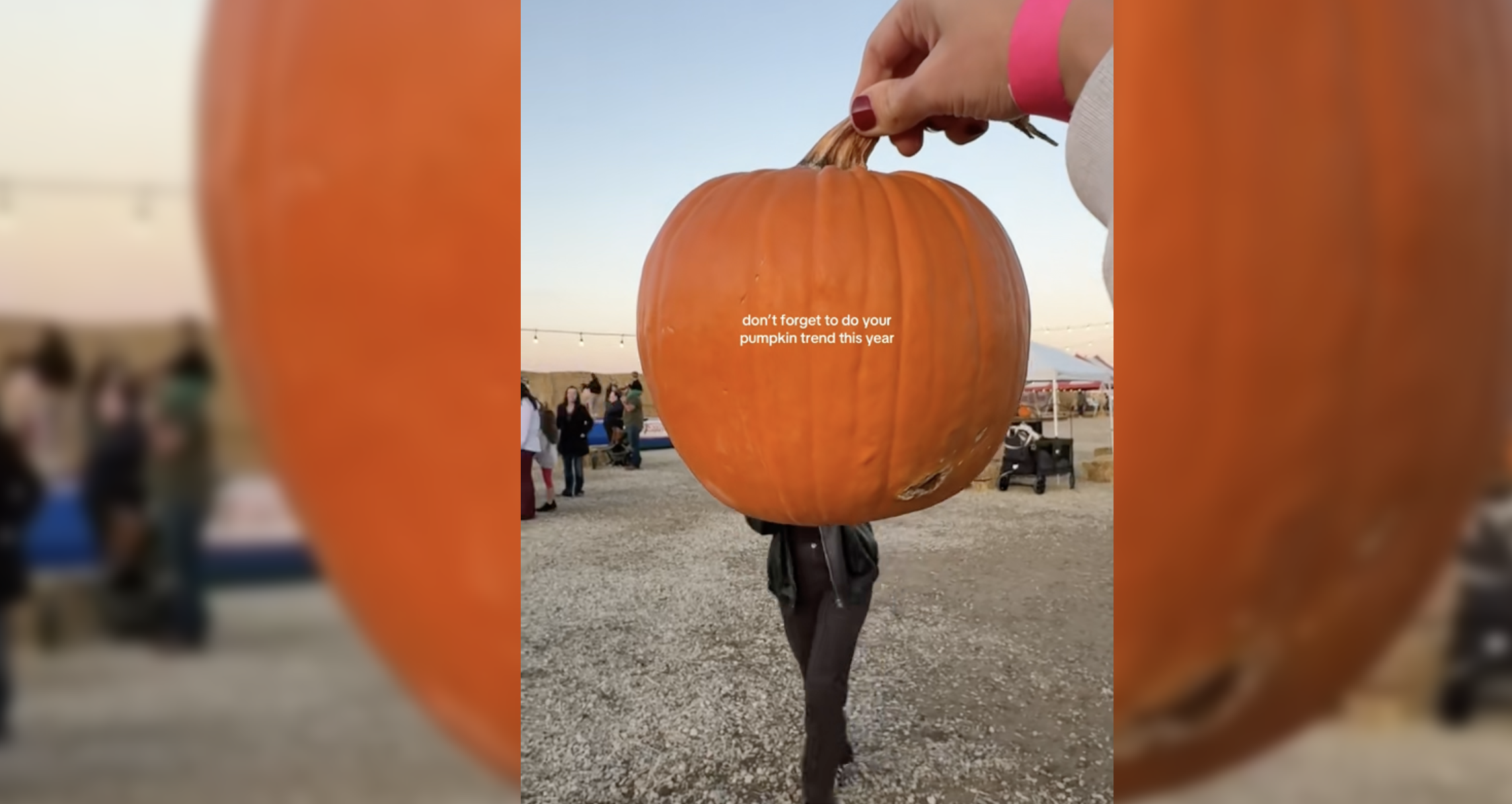
The pumpkin-head illusion uses forced perspective to make it look as though someone has a pumpkin for a head. One person holds a pumpkin close to the camera while another stands several feet behind it. Line everything up correctly, and the pumpkin appears to replace the person’s head.
The person in the background can dance, wave, or move around while the pumpkin stays in position.
Hook to try: “The Halloween photoshoot that takes two people and one pumpkin.”
It’s a fun option for lifestyle creators, photographers, and businesses with seasonal decorations. A clothing brand could even use the illusion for a fall outfit video.
The trick is getting the alignment right before recording. Moving the camera or pumpkin too much will spoil the effect, although watching someone struggle to line it up could make a pretty entertaining behind-the-scenes video.
Example: @haipopham’s pumpkin-head video, featured in New Engen’s October roundup, demonstrates the playful forced-perspective setup.
3. Be OK
The “Be OK” trend is for anyone who’s ever smiled through a situation that was going spectacularly wrong.
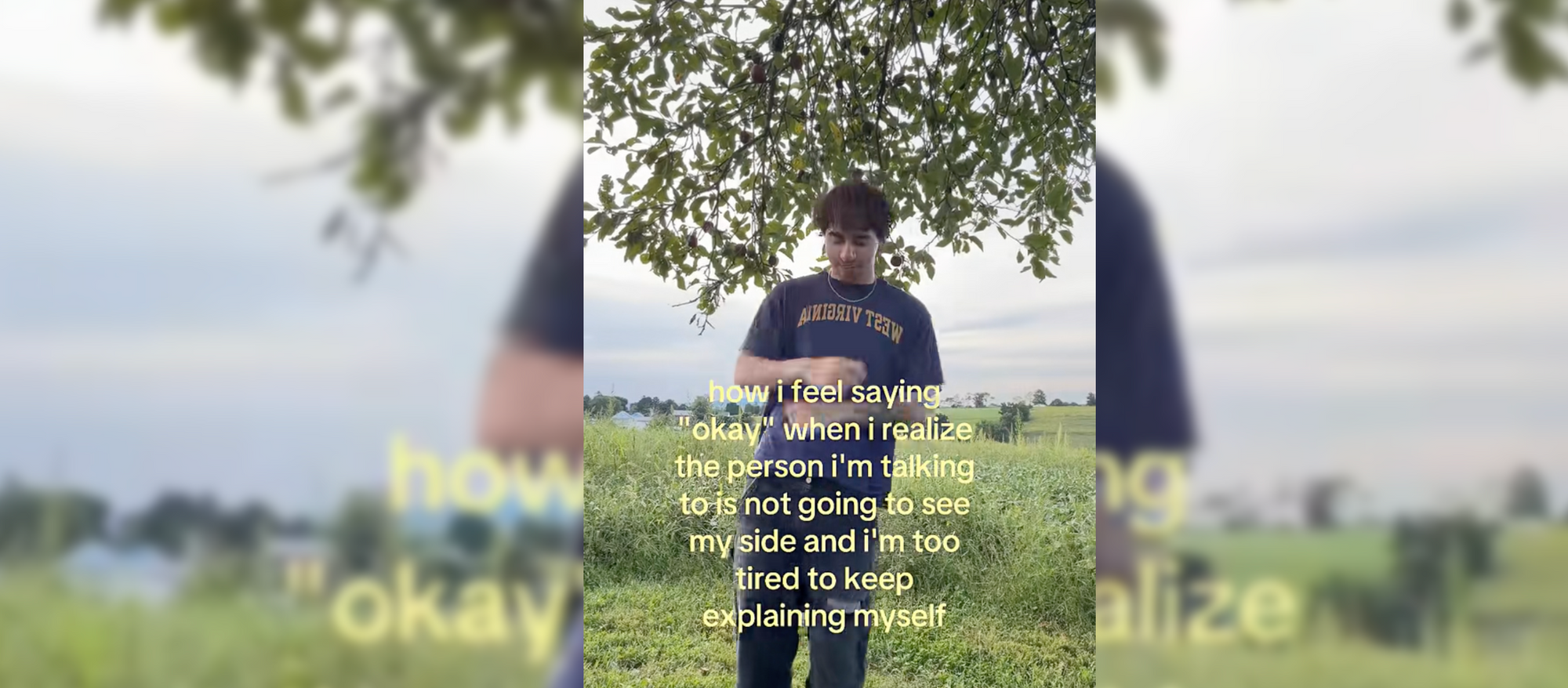
Creators dance happily to Ingrid Michaelson’s upbeat “Be OK” while on-screen text reveals something they’re considerably less cheerful about. The music says everything is wonderful. The caption says otherwise.
Think sending an important email without its attachment or realizing you’ve been working on the wrong version of a project.
Hook to try: “Me after sending the client the wrong file and pretending everything is fine.”
A social media manager could use the trend to laugh about yet another last-minute client revision. For a small business owner, it might be the cheerful face they put on while preparing for an already hectic weekend.
All you need is a cheerful clip and a caption that gives the audience something recognizable to laugh about. The more specific the situation, the less explanation the joke needs.
Example: Later featured this format in its October 2 roundup, and New Engen highlighted a version from @kalefensty.
4. My reaction
Sometimes, the face says everything the caption doesn’t.
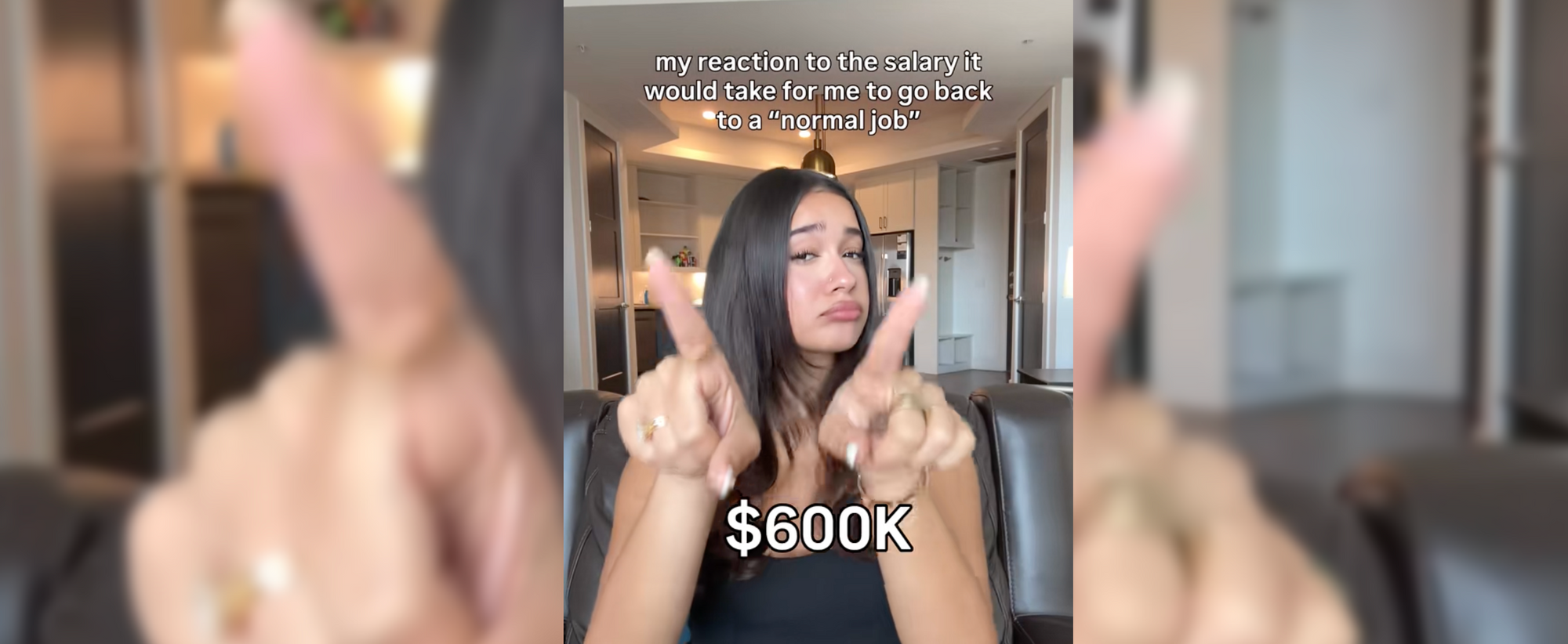
The “My reaction” trend involves responding to different opinions, situations, or examples using facial expressions rather than spoken commentary. Creators might rank things they love, tolerate, or absolutely cannot stand, all without saying a word.
The fun comes from watching someone attempt a neutral expression when they clearly have opinions.
Hook to try: “My reaction to things clients say during a video shoot.”
A makeup artist could react to popular beauty advice, a food creator might respond to controversial ingredient combinations, while a photographer could rank common lighting setups.
Film a few expressions from the same camera angle, then add the topics on screen one at a time. A brief pause between reactions gives viewers enough time to understand exactly how you feel.
Example: Later’s October 16 trend roundup features “My reaction” using original audio.
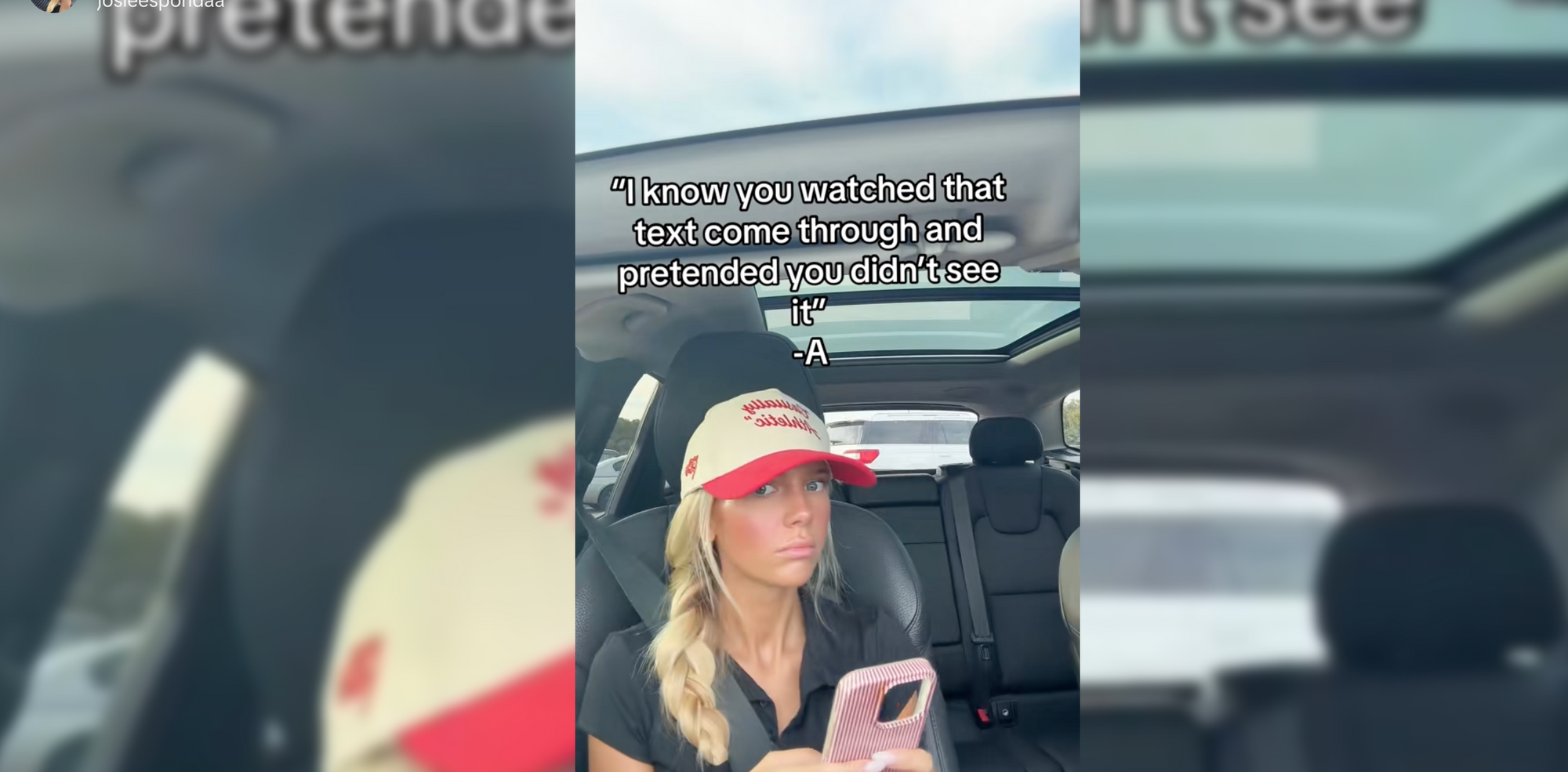
5. Text message from -A
Apparently, the anonymous villain from Pretty Little Liars still has unfinished business.
This trend uses the show’s mysterious text-message style for creators to display a suspicious, funny, or dramatically threatening message, signing it with the familiar “-A.” This gives ordinary situations a wonderfully unnecessary level of suspense.
Hook to try: “I know you have 17 unfinished drafts. -A”
For creators, the message could reveal a procrastination habit or an embarrassing editing mistake. A clothing brand might use it to joke about an abandoned shopping cart.
The format needs little more than text, a background, and the recognizable sound. Keep the message short enough to read comfortably and save the signature for the payoff.
Example: Later documented the trend on October 2, using audio inspired by Pretty Little Liars.
6. Fan transition
Outfit transitions have been around for years, but the fan transition gives the familiar format a surprisingly clever upgrade.
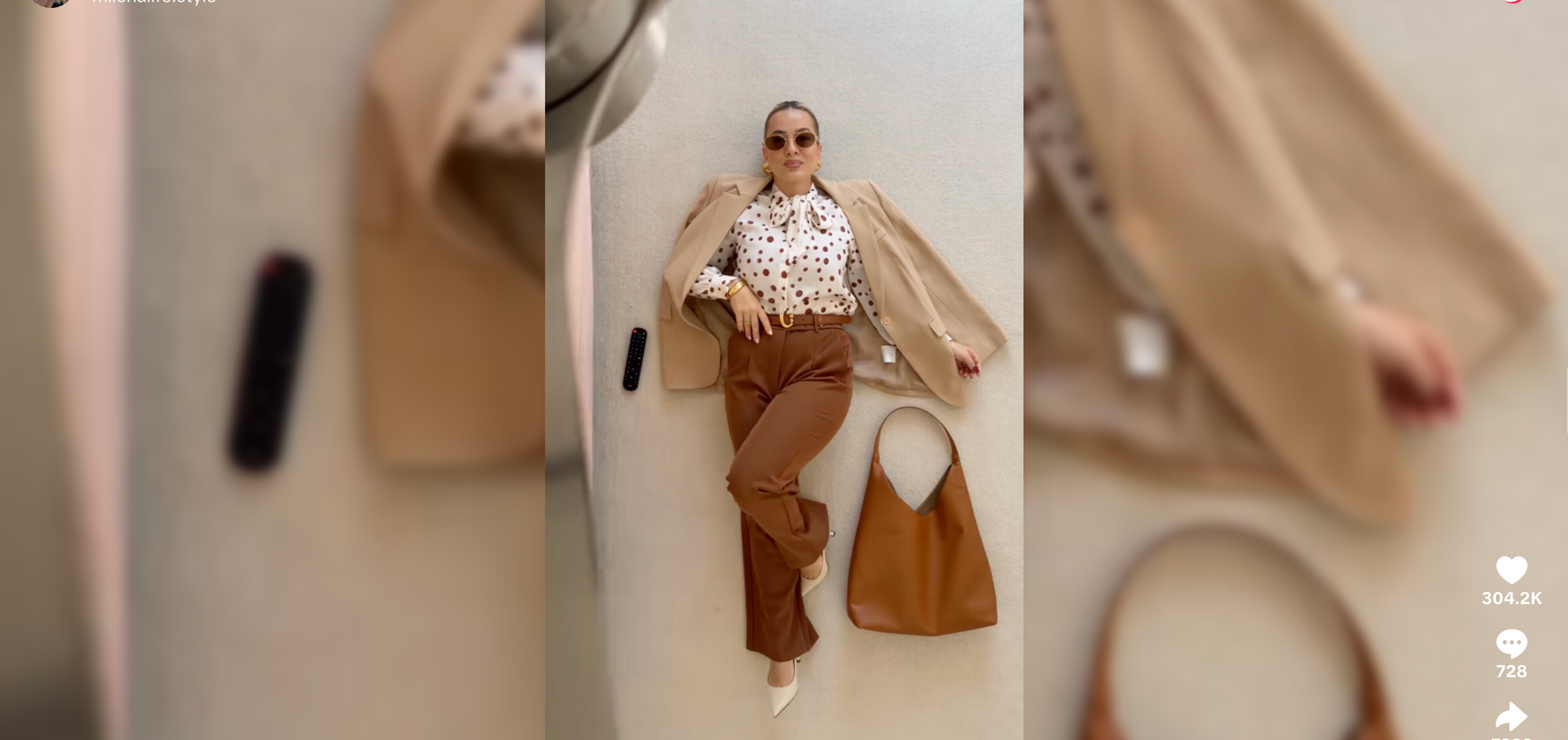
Creators film themselves lying down from an overhead angle while a fan-blade effect sweeps across the screen. Once the blade passes, they’re wearing something completely different.
The moving effect hides the cut, making each change look almost effortless. Of course, anyone who’s tried matching several takes knows there’s usually a fair amount of effort happening off camera.
Hook to try: “Three fall outfits, one very dramatic wardrobe change.”
Fashion creators can showcase several looks in one video. Stylists might show how to wear a single item differently, while clothing brands can present multiple pieces from a collection.
To make sure your transitions are smooth, film each outfit from the same angle, keeping your position and lighting consistent. Then, during editing, align the takes so the fan-blade effect covers the moment the outfit changes.
Example: New Engen’s October roundup highlights the fan transition, including fashion creator @milenalife.style.
7. Two Fishes
Everyone has an opinion they’re willing to defend, even when the logic is questionable.
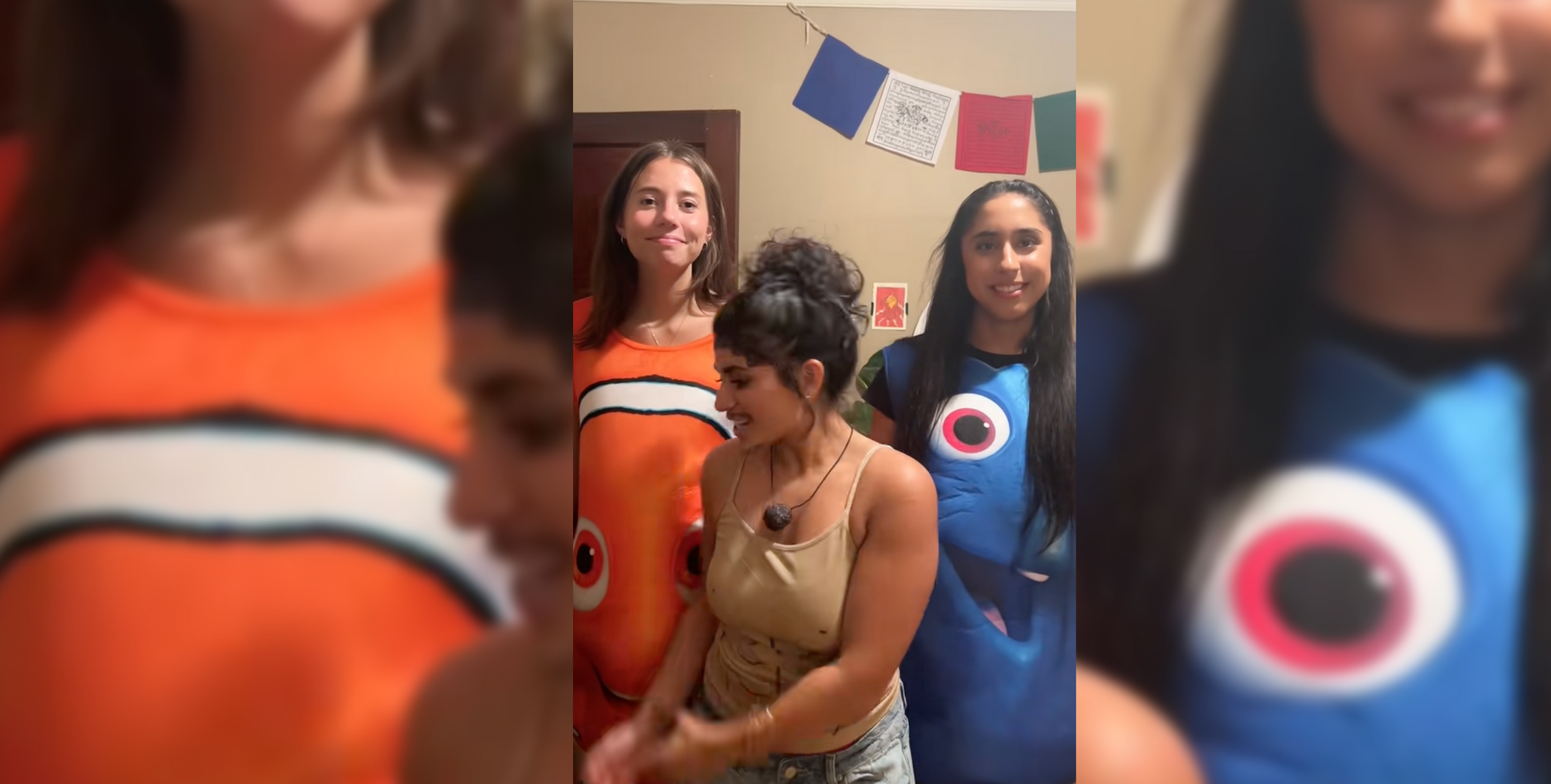
The Two Fishes trend uses an audio clip from Love Island USA contestant Corbin Mims. In the original exchange, he confidently tries to make an argument about fish that doesn’t quite hold up, and that overly serious delivery has become the joke.
Creators lip-sync to the audio while defending questionable decisions as though their reasoning is completely sound.
Hook to try: “Explaining why buying another camera lens is technically saving money.”
A designer could justify collecting hundreds of fonts, while a restaurant might playfully defend an unusual food combination. The funnier versions take an ordinary habit and treat it like a debate that absolutely must be won.
Add a caption introducing your argument, then lip-sync with complete confidence. Extra points for the serious facial expressions.
Example: New Engen’s October 26 update documents the trend using audio attributed to Peacock and Love Island USA.
8. Office fashion (#officefashion)
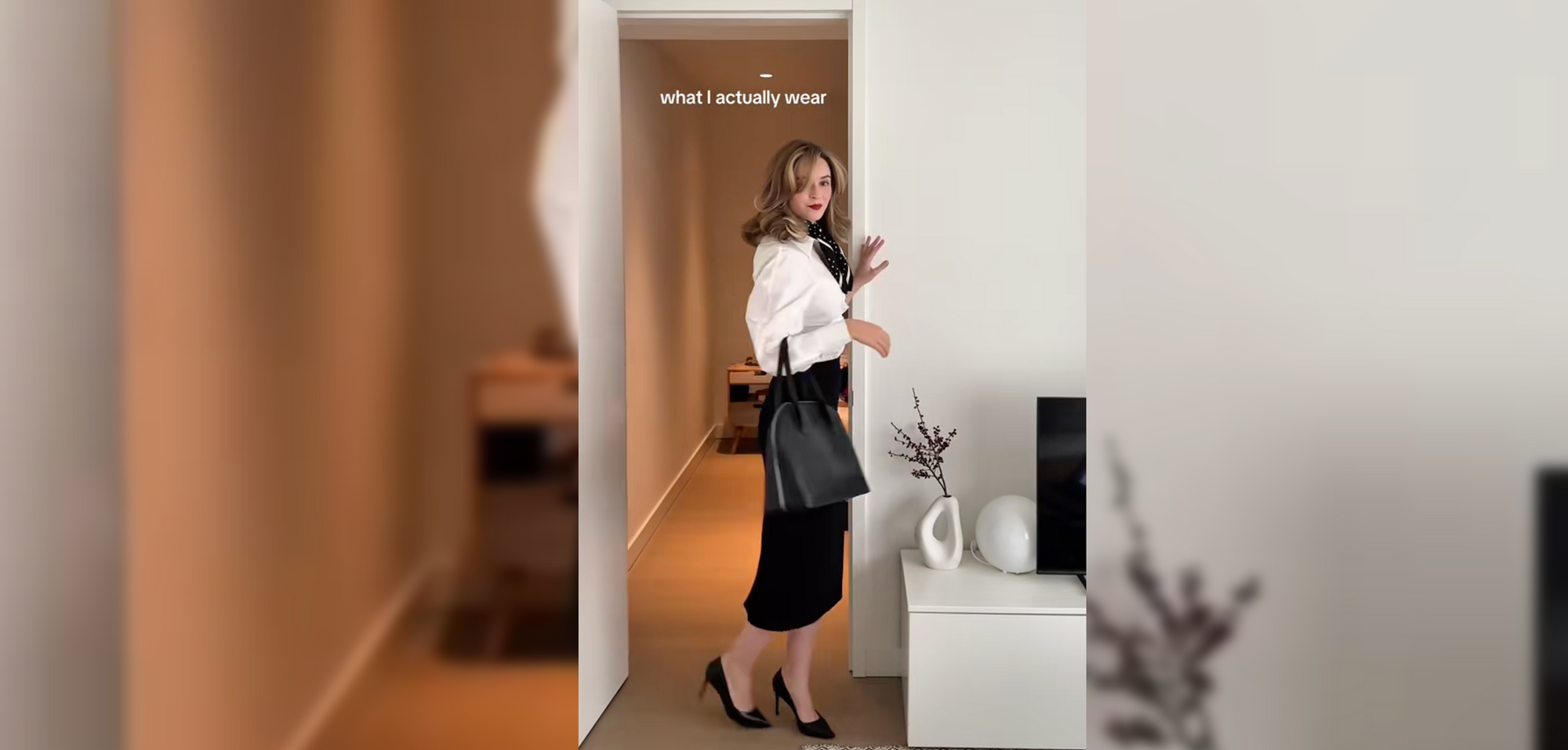
Apparently, getting dressed for work has become a whole content category on TikTok, and the office outfit checks are getting pretty creative.
Under #officefashion, creators are showing what they actually wear to work, from oversized blazers and tailored trousers to more relaxed outfits that still look put together. Some film quick mirror checks before heading out, while others share a week's worth of office looks or show how they style the same pieces differently.
Hook to try: “Five days in the office, five outfits.”
For fashion creators, it's an easy way to share styling ideas using clothes they already own. Clothing brands can show how their pieces fit into a work wardrobe, while employees can turn their daily outfit check into a recurring series.
You don't need elaborate transitions for this one. Film each look in the same spot, add a short label for the day, and let the outfits do the talking.
Example: Browse #officefashion on TikTok for office outfit checks, styling ideas, and workwear inspiration.
TikTok trends that never really go out of style
Some TikTok formats are popular for a few weeks. Others become part of the platform’s everyday language.
These are the formats creators keep returning to, even when the specific sounds and jokes change. They’re particularly useful when you need content ideas that don’t depend on catching a trend at exactly the right moment.
1. Aesthetic photo dumps and daily vlogs
Photo dumps give all those random photos sitting in your camera roll a place on TikTok. Things like blurry selfies from a night out, a sunset you stopped to photograph, or a screenshot you forgot you saved.
Add some nostalgic music, and you've just created a glimpse into someone's everyday life. Some creators leave the photos as they are, while others spend more time arranging them to set a particular mood.
Day-in-my-life vlogs follow a similar idea, only with short video clips. Making coffee, walking the dog, answering emails, and running errands can all become part of a familiar routine viewers enjoy following.
For a business, the same format could document a busy production day or a week behind the scenes. The details are often more interesting than another polished promotional post.
2. GRWM videos
“Get Ready With Me” videos originally centered on getting dressed or doing makeup, but they’ve become a convenient setting for almost any conversation.
A creator might share a story, talk about their day, or explain an opinion while getting ready. The routine gives viewers something to watch while the discussion unfolds.
Beauty, fashion, and lifestyle creators have obvious uses for the format, but a photographer preparing for a shoot or a founder getting ready for an event can make it work just as naturally.
To make truly effective GRWM videos, the trick is having something worth talking about. The getting-ready step provides the visuals, while the story gives the video its personality.
3. AI voiceovers and storytimes
AI voiceovers let creators narrate stories without recording themselves speaking. They can be paired with still images, gameplay, screen recordings, or ordinary footage that needs some context.
Sometimes the deliberately robotic delivery is part of the humor, particularly when it’s narrating an embarrassing or chaotic story. Other times, a more natural-sounding voice helps explain a tutorial or personal experience.
The format is especially convenient for faceless creators, but the narration still needs a clear beginning and payoff. A synthetic voice can deliver the story; it can’t rescue one that goes nowhere.
4. POV skits and pet POVs
POV videos work by placing the viewer inside a recognizable situation, usually through a caption beginning with “POV.”
That could mean acting out an awkward interaction, a familiar workplace problem, or a moment that only people in a particular profession will understand.
Pet POVs take the same storytelling approach and give the animal a personality. A dog staring at an empty food bowl can suddenly become a dramatic character convinced it hasn’t eaten in weeks.
The pet doesn’t need to perform an elaborate trick. A funny expression, a short caption, or an imagined inner monologue can provide the entire joke.
Both formats are strongest when the situation is immediately recognizable.
5. Niche memes
Niche memes are jokes designed for a particular community, profession, or interest. The more specific the reference, the more familiar it can feel to the intended audience.
An agency employee might laugh at a meme about a client requesting one tiny revision that somehow becomes an entirely new project. Meanwhile, spending money on another lens while insisting it’s a business investment will catch the eye of a photographer.
These jokes can appear as text overlays, screenshots, reactions, or short skits. They don’t need to follow a particular video structure.
For businesses, niche memes offer an opportunity to connect with people who understand the industry. The humor comes from shared experience, so knowing your audience matters more than adding elaborate effects.
6. Multi-part series and comment replies
A good idea doesn’t always fit into one TikTok video. That’s where multi-part series come in. They let creators explain a process over many videos and thus tell a longer story or demonstrate something in stages. A tutorial might naturally need three parts, while a product demonstration could explore different features over several videos.
Comment-reply videos make the process even easier by turning audience questions into new content.
Someone asks how you achieved a particular lighting setup? Show them. A customer wants to know how something is made? Film the process.
Each video should still offer something useful on its own. Viewers are more likely to continue when they’re genuinely interested in the subject, rather than being forced through several parts to receive one simple answer.
7. Tutorials, hot takes, and micro-reviews
TikTok can be entertaining and genuinely useful at the same time.
Quick tutorials explain a practical task, whether that’s editing a photo, preparing a recipe, or fixing a common problem. Thirty seconds may be enough for a simple technique, while more complicated topics deserve additional time.
Hot takes and micro-reviews focus on opinions instead. A creator might explain why a movie didn’t work for them, recommend a book, or review a restaurant.
These formats benefit from getting to the point early. Tell viewers what you’re showing or what you think, then use the video to explain why.
Give viewers something they can agree with, argue about, or try for themselves. A quick explanation of why a movie's ending fell flat is far more interesting than spending the first ten seconds announcing that you have an unpopular opinion.
8. Duets, stitches, and reaction videos
TikTok's duet and stitch features give creators a way to add their own input on someone else's video. A duet is basically when your reaction appears alongside the original video, while a stitch lets you play part of that video before adding your own response.
A photographer might use a duet to react to a lighting tutorial, while a food creator could stitch a recipe to try it out or share a different approach. Specialists can also use these features to add context or clarify advice circulating in their industry.
The original video provides the starting point. Your contribution should give viewers something additional, such as an explanation, a different perspective, or a genuinely funny reaction.
9. Outfit transitions and CapCut templates
Visual transformations remain popular because there’s something satisfying about a perfectly timed change.
Outfit transitions use movement, jump cuts, or editing effects to switch between different looks. CapCut templates simplify the process by providing preset transitions and timing that creators can fill with their own footage.
The same technique can be used for makeup transformations, room makeovers, or before-and-after projects.
Using a popular template doesn’t automatically improve reach, though. Choose one that suits the footage and makes the transformation easy to follow.
10. “If I had a…” concept videos
Wondering what your dream coffee shop would look like, menu, furniture, and all? That's the idea behind “If I had a…” videos. Creators bring imaginary projects to life through carefully chosen images, music, and design details.
The concept could be a boutique they'd love to open or a creative project they'd take on with an unlimited budget. It's a chance to show what they'd create without actually having to build it.
A branding designer could imagine the identity of a fictional café, while a fashion creator might put together a wardrobe for a particular lifestyle.
It’s a useful way to demonstrate creative thinking without creating an entire real-world project. Just make it clear when the concept or visuals are fictional.
How to find current TikTok trends
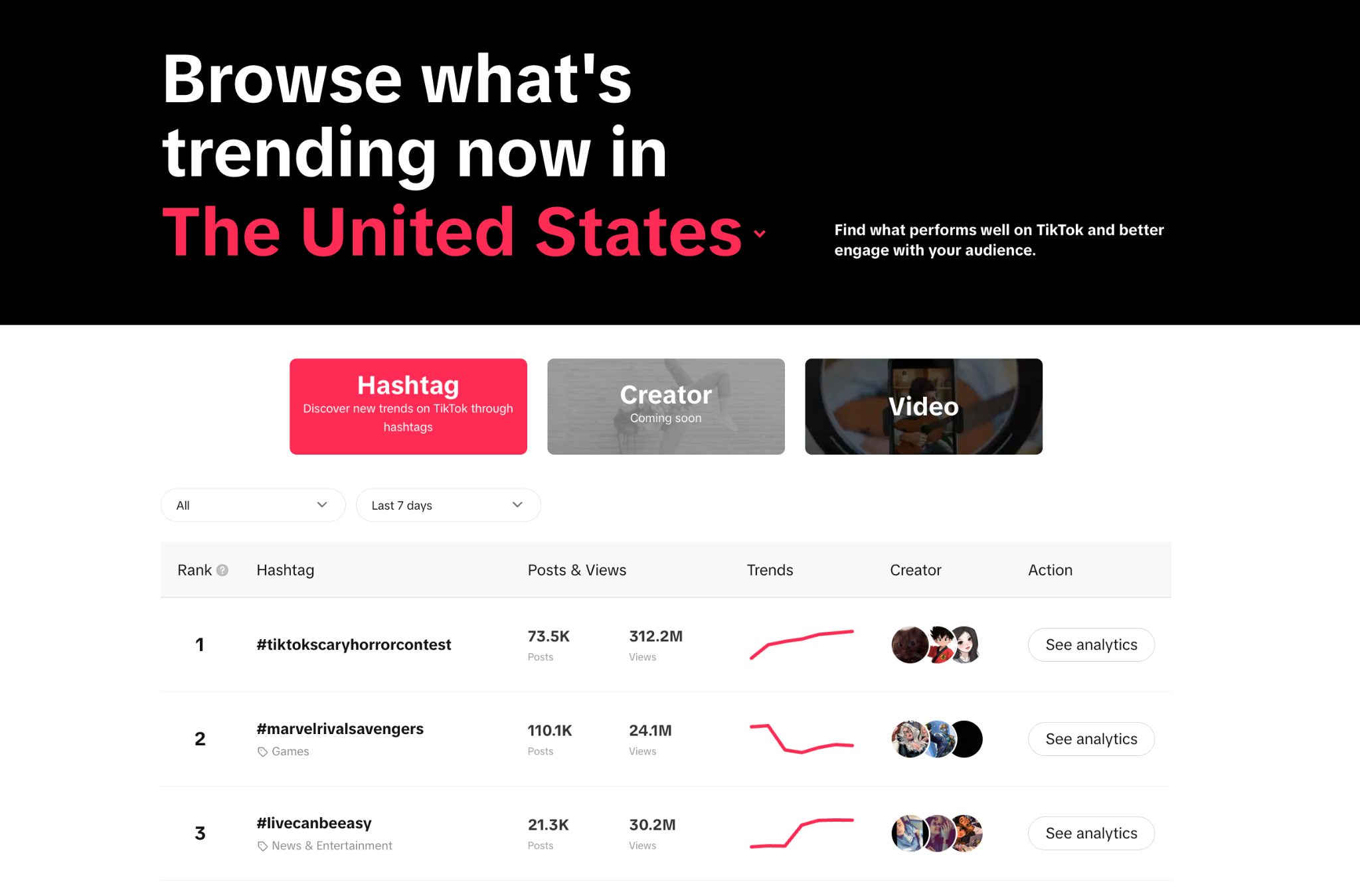
The easiest way to spot emerging TikTok trends is to combine what you’re seeing on your For You Page with data from TikTok Creative Center. One shows how creators are using ideas, while the other helps you research popularity by region, industry, and time period.
Start with TikTok Creative Center
TikTok Creative Center is one of the more useful starting points for researching popular sounds and hashtags.
Open TikTok Creative Center and head to the Trends section. Set your region to the United States, or whichever market you’re creating content for, then explore the available filters.
TikTok’s official Creative Center guidance explains how to investigate hashtag trendlines, related videos, audience information, and regional popularity.
Pay attention to the difference between a sound that’s widely used and one that’s gaining attention. A sound with thousands of older videos might be slowing down, while a newer one with fewer uses could be growing quickly.
Reviewing recent activity gives you a better sense of what’s happening than the total number alone.
Pay attention to your For You Page
Your For You Page can reveal patterns that a trend dashboard doesn’t fully explain.
Maybe several creators are using the same audio with completely different jokes. Perhaps a particular transition keeps appearing in fashion videos, or an old movie quote has suddenly become the soundtrack to everyone’s workplace frustrations.
When you notice something repeating, open the sound page and look at how recently the videos were posted. Try to find examples from different accounts rather than relying on one creator whose videos TikTok keeps recommending to you.
Your feed is personalized, so what feels unavoidable to you might still be relatively niche elsewhere.
Look for trending TikTok sounds
Trending TikTok sounds include popular songs, spoken quotes, remixes, and original audio.
Before saving one, listen to how creators actually use it. Some sounds work because of a recognizable lyric, while others have a dramatic pause or beat that creates the perfect moment for a reveal.
Take “Be OK.” The upbeat music works because it clashes with the caption. With Ramalama, the dramatic sound builds anticipation before the final costume appears.
Those details tell you more about how to adapt a sound than its popularity alone.
For business accounts, commercial licensing matters too. TikTok’s Commercial Music Library contains music available for specified business uses, including organic and paid content.
A song being popular on personal accounts doesn’t automatically make it suitable for brand promotions.
Know when to skip a trend
Every trend isn’t going to fit your audience, and that’s perfectly fine.
A costume reveal makes sense for a makeup artist or fashion creator. The same idea might feel forced for a business with no connection to Halloween.
Look at what makes the format recognizable, then decide whether you have a relevant situation, product, or story to add.
When a trend needs several hours of complicated editing for a joke that barely fits your audience, you’re probably better off using that time on something else.
How to create trending TikTok videos with Async
Following a trend doesn’t always require a new shoot or a complicated editing project. Sometimes all you need is a short clip, the right caption, and a little attention to timing.
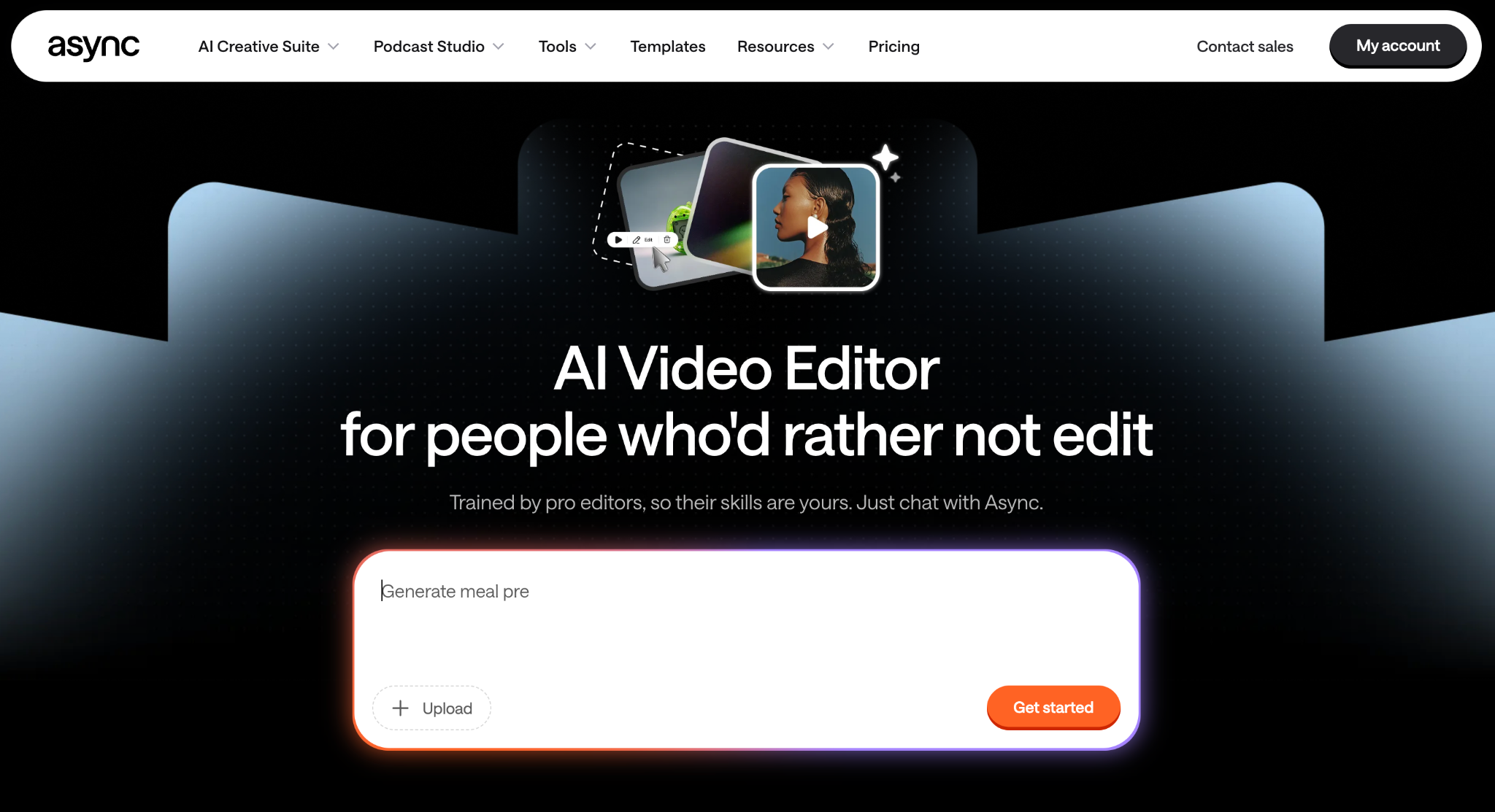
Async’s video editor gives creators a place to prepare footage, arrange clips, and build videos for social platforms.
Here are two practical workflows based on the trends covered above.
Example 1: Make a “Be OK” video from existing footage
Let’s use the familiar freelancer nightmare of sending the wrong file to a client.
The concept is simple: a cheerful video with a caption that reveals the actual situation.
Start with a short clip of yourself smiling, dancing, or going about your day. Import it into Async and trim away any unnecessary footage at the beginning or end.
Next, add a caption like:
“Me after sending the client the wrong file and acting like nothing happened.”
Make sure you keep the text readable and visible long enough for viewers to finish it comfortably. The joke depends on the contrast between the cheerful visuals and the caption, so there’s little reason to crowd the screen with effects.
For the audio, use the original trend sound where your account and intended use permit it. A business account should select a commercially cleared alternative when needed.
Preview the finished video vertically, check the timing, and export it for TikTok.
Example 2: Create an outfit transition
The fan transition is more involved, but the main idea is similar to many TikTok trends: to show multiple outfits through a series of carefully timed changes.
Start by recording three or four clips from the same camera position. Keep the lighting, framing, and your position consistent between takes.
Import the clips into Async and arrange them in the order you want the outfits revealed. Trim each clip so the movement lines up, then place cuts where the action can hide the change.
For a more elaborate fan-blade version, you’ll need an appropriate masking or transition effect. The precise effect should be verified in the editor used for the final production rather than assumed to be available in Async.
Alternatively, keep the transition simple with matched movements or cuts timed to the audio.
A short label for each outfit can help when you’re demonstrating different styles, such as casual, work, and evening looks.
Creators experimenting with generated visuals can also build a fashion concept around a consistent visual prompt:
Example prompt: “Create three vertical fashion editorial visuals featuring the same model, camera angle, and background, each with a different outfit. Maintain consistent lighting and composition for a cohesive transition sequence.”
Check the results for consistency before arranging them into a video. Generated visuals can work for fictional concepts and moodboards, but they shouldn’t be presented as photographs of real products.
For more ideas on creating supporting visuals, Async’s guide on AI video prompts covers how to write prompts with clearer visual direction.
Repurpose longer videos into TikTok clips
Already have an interview, tutorial, or longer recording sitting on your computer? You can take some of that footage and create fun short-form videos.
Look for a moment that can make sense by itself: a useful explanation, an interesting opinion, or a visual demonstration, for example. Trim away the surrounding conversation, add the context viewers need, and adapt the framing for TikTok.
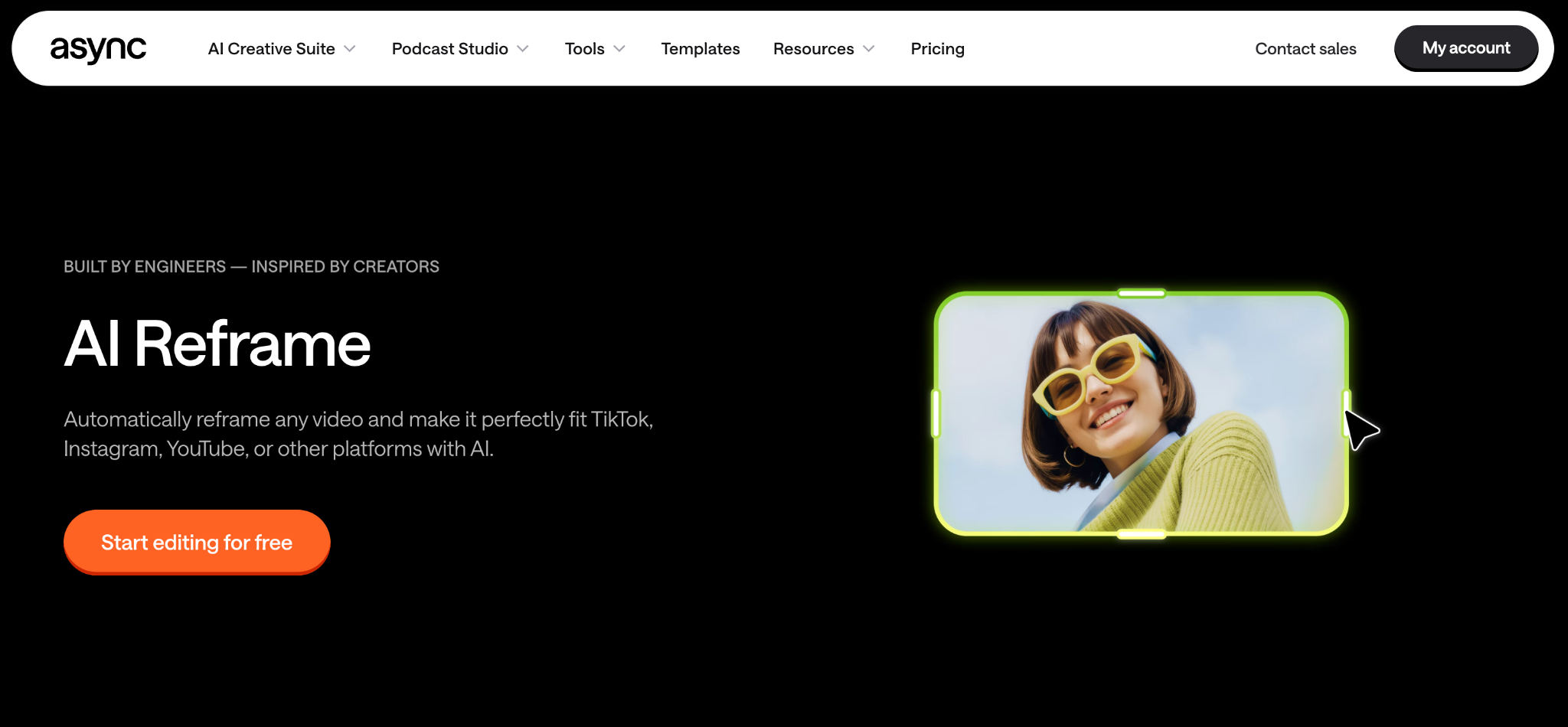
Async’s AI Reframe can help adapt eligible horizontal footage into vertical formats while keeping important subjects in view.
For more ideas on getting additional content from recordings you already have, the guide to repurposing content covers ways to turn existing material into platform-specific posts.
Can TikTok trends help you go viral?
Participating in TikTok trends can make your content more recognizable, but a popular sound or editing template won’t automatically improve its reach.
What people do when watching a video actually affects how a video goes viral. TikTok's official recommendation guidelines say watching a video, liking it, sharing it, or leaving a comment can influence what gets recommended. The platform also considers details such as the sounds and hashtags used, along with information about the viewer.
That makes the actual viewing experience important. A recognizable trend might catch someone’s attention, but the opening still needs to establish the idea, and the video needs to deliver on it.
Use relevant hashtags rather than attaching every popular tag you can find. For examples and guidance, Async’s article on trending TikTok hashtags covers the subject in more detail.
For a closer look at hooks, retention, and discoverability beyond individual trends, the guide on how to go viral on TikTok is a useful next read.
Make TikTok trends your own
TikTok moves quickly, but creating content doesn’t have to mean chasing every new sound.
Some trends are ideal for a quick laugh, while others give you a useful way to present a product, tell a story, or show something behind the scenes.
Use the current trends for inspiration, keep the evergreen formats in your back pocket, and make something that feels like your content rather than a copy of someone else’s.
FAQ
What are the current TikTok trends?
In October 2026, Halloween is behind some of the biggest TikTok trends, particularly the Ramalama costume walk, sheet ghosts trend, and pumpkin-head illusion. Aside from the spooky stuff, creators are using the “Be OK” sound to joke about everyday frustrations, share their unfiltered reactions, experiment with fan transitions, and defend questionable decisions with the Two Fishes audio.
What is the most popular trend on TikTok?
There isn’t one universally most popular TikTok trend. A sound that's all over your For You Page might barely be trending in someone else's feed. For a better picture of what's popular, check TikTok Creative Center to see which sounds and hashtags are getting attention in your region. Look at recent activity too, since a sound with thousands of older videos might already be losing momentum.
How do I find current TikTok trends?
TikTok Creative Center lets you see which sounds and hashtags are gaining attention in your target region, rather than relying on what's popular in your own feed. When a sound keeps popping up on your For You Page, look at the videos using it and check when they were posted. Seeing several creators put their own spin on it in the past few days is a more useful clue than finding hundreds of videos from last month.
Do trending TikTok sounds help videos get more views?
Trending TikTok sounds can make a format recognizable, but they don’t guarantee more views. That’s because TikTok actually considers multiple recommendation signals, including viewer interactions and content information. Choose sounds that support your video’s idea, and confirm the appropriate music rights before using them for promotional content.
What are common mistakes in TikTok videos?
A TikTok video can lose someone's attention before the interesting part even starts. Spending too long on the introduction, filming in poor lighting, or placing captions where they're hard to read can make viewers scroll past. Irrelevant hashtags and trends that feel forced don't help either. Give people a reason to keep watching from the start, and make sure the video delivers on it!