A 45-minute training session can easily provide a personal trainer with enough footage to fill an entire week's worth of social media posts. A squat demo can become a form demo, a few exercises can be put together to make a quick workout Reel and a couple of clips of the trainer coaching a client can be used to show prospective clients what a session actually looks like.
The trick is knowing what to film and how to use it afterward. Rather than planning each Reel in isolation, you can work with a small number of familiar video formats and just adapt them to the different exercises, clients and training sessions.
In this guide we're looking at four Async workout video templates, how to make your exercise instructions clear on screen and how to take one workout and turn it into a number of useful posts.
What should personal trainers be posting on social media?
Personal trainers should be sharing exercise demos, short workouts, coaching tips and clips from actual training. That gives the prospective client a much better idea of what they're getting into.
To keep your content varied without constantly coming up with new ideas, focus on five categories:
You don't need to give equal attention to each pillar. A personal trainer who's a strength trainer may well produce more of the educational content, whereas a group fitness studio might focus more on the classes and the community.
These five categories provide some variety to your content without straying too far from the remit of your coaching services and they also give you a good starting point for planning out what you're going to film.
Turn content pillars into repeatable formats
Say Monday's Reel is all about keeping the bar close in a deadlift. You've already got the demo footage and the coaching cue on screen. Next Monday you're doing shoulder presses. There's absolutely no reason to spend another hour editing when the layout from the deadlift video will work perfectly well.
Here are five content formats you can keep using throughout the week:
The same approach works for other types of fitness content. Here are five formats worth keeping in rotation:
With a workout reel template, you don't need to go back and redesign each video. You can just use the same template, swap out the exercise footage and update the instructions for that week's topic.
4 workout video templates you can reuse every week
Async provides video templates that you can then tailor with your own footage, text and branding. Instead of having a different design for every single post, you start with a relatively small number of templates that are designed to support different content objectives.
The following 4 templates are for exercise demos, community highlights, first session introductions and quick workouts. Each one plays a different role in your weekly content mix.
1. One More Set: For exercise demonstrations and training highlights
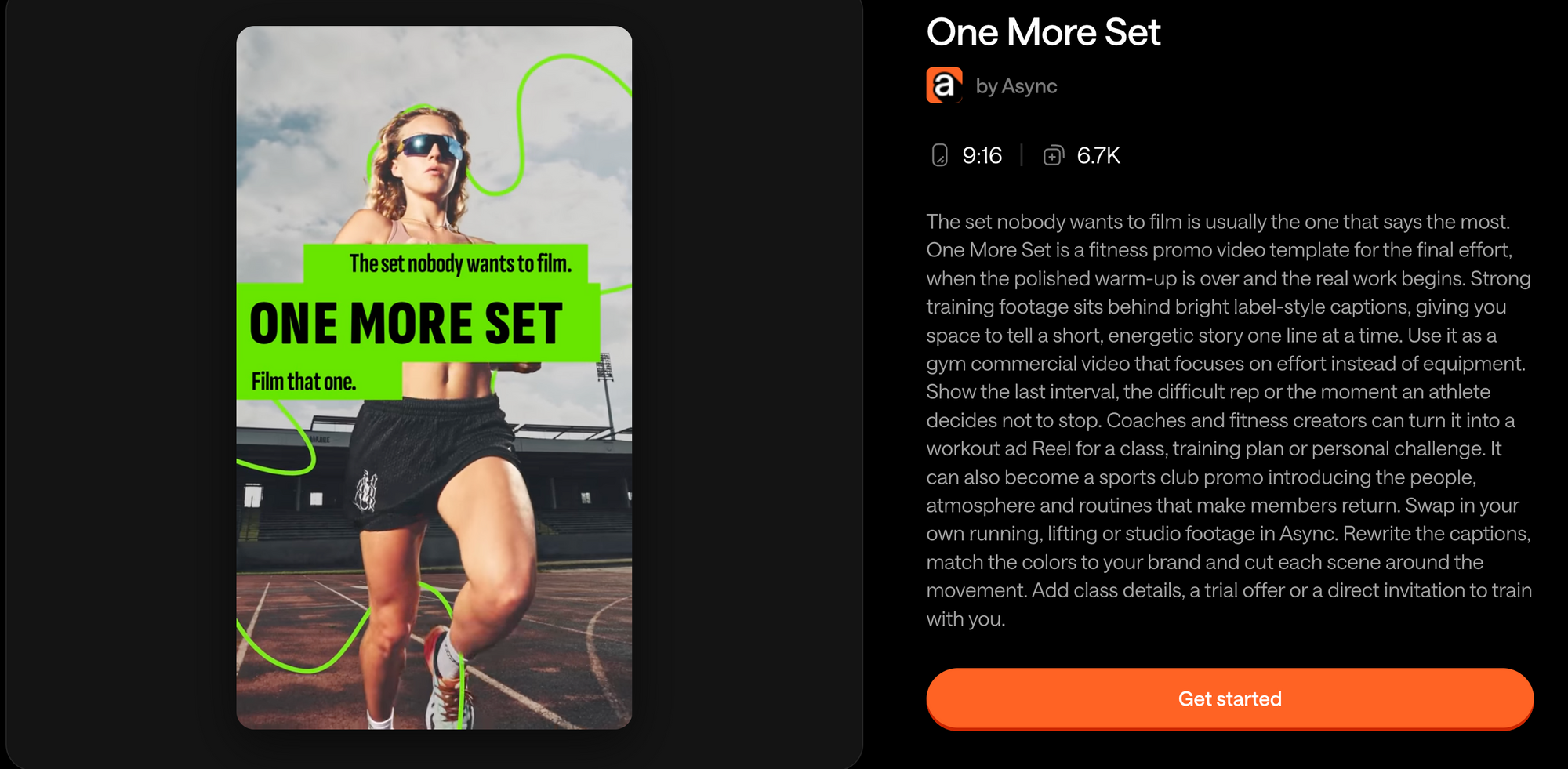
Best for: Exercise demos, strength training clips, workout progress and motivational training moments.
The 'One More Set' template is a very useful template for recurring strength content. It's a training-focused template which works really well with individual exercises, challenging sets and short clips where you're really just trying to get the movement across.
If you're filming a client doing a Romanian deadlift, rather than just uploading the clip with a generic caption, make it a proper teaching moment with a very specific opening: "Romanian deadlift: Stop reaching for the floor".
Show the movement from an angle that allows the hip hinge to be visible, throw in a brief coaching cue and finish with a reason to save the video.
What footage should you use?
Choose clips that clearly show the exercise rather than going for any kind of dramatic camera angle. For most strength work, a full body shot is the best starting point as you do need the viewer to understand the relationship between the athlete, the equipment and the movement.
You can add a second angle if it actually improves the explanation. A side view might be useful in illustrating the hip hinge in an RDL, for instance, whereas a front or three-quarter view might be more useful in demonstrating the positioning in another exercise.
Close-ups are useful when you're looking at a specific bit of detail (e.g. grip position), but they shouldn't be used as a substitute for the full demonstration.
How should you display the exercises and reps?
Keep the on-screen information minimal and consistent. A Romanian deadlift video might simply have "Romanian deadlift" and "3 sets x 10 reps" and the cue "Push hips back". For a video which is purely about correcting technique, the form cue is likely to be more important than the full workout prescription.
Don't fill the screen with instructions that have nothing to do with the lesson.
Best CTA: 'Save this for your next lower body workout.'
Where it fits: Your weekly Form Fix or exercise demo.
You could turn One More Set into a weekly "One movement, one cue" series. One week you'd do a deadlift and show how to keep the bar close. The following week you'd do an overhead press and show how to avoid shrugging. Both videos could be using the same template, just different footage and a different coaching cue.
2. Crowd Up: For gym atmosphere and community highlights
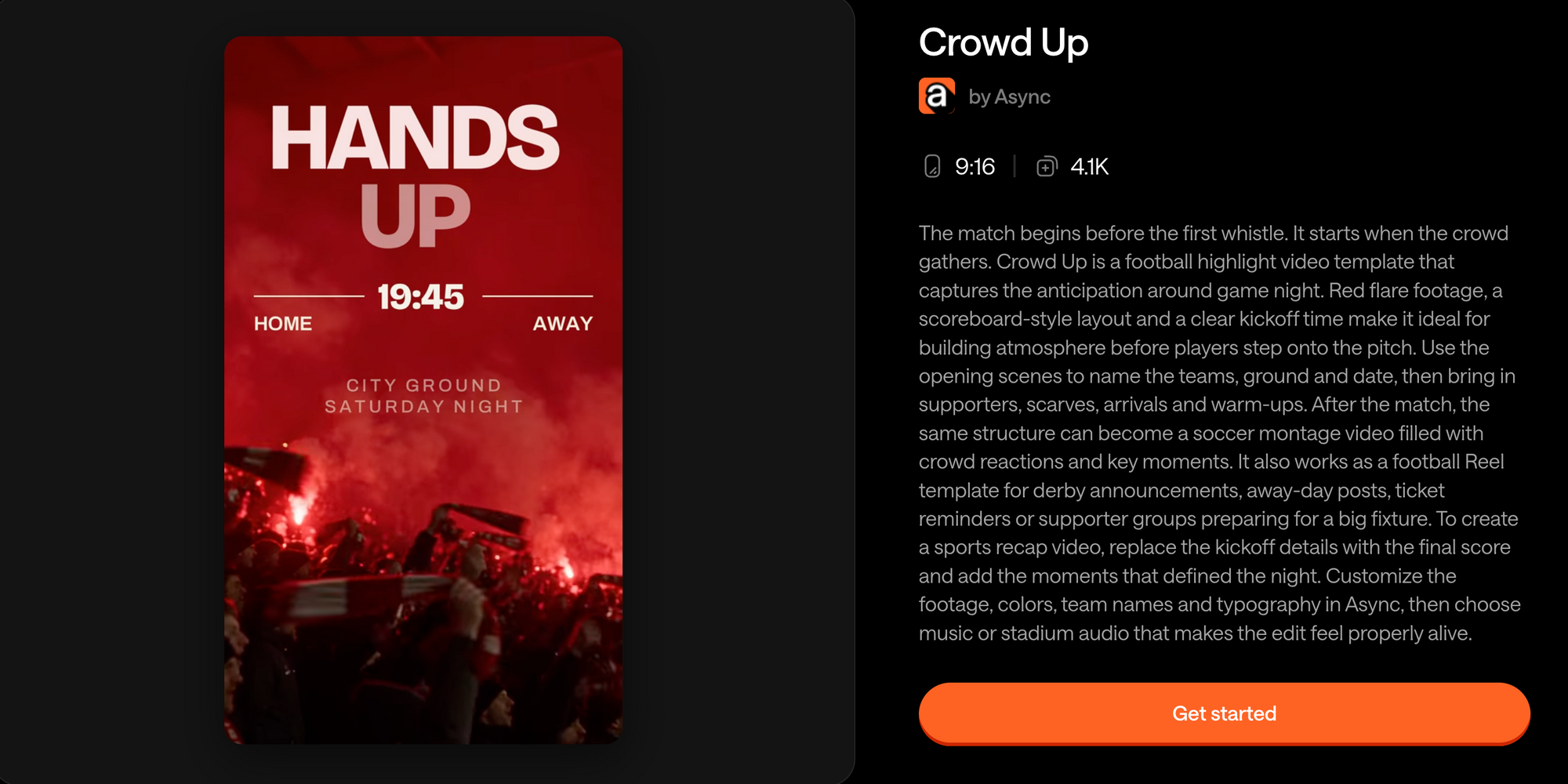
For the next class recap, you film the room from the back as they go through the circuit. Get a few shots in from the side during the session, particularly when the instructor comes in to correct someone's form. You'll have more than enough footage for a short Reel without asking the members to do any more exercises for the camera.
The Crowd Up template was made for sports highlights so that's exactly what we're using here. Just add the class name at the front and finish off with the date and time of the next session. Anyone who's interested in attending will have a good idea of what the class is all about and when it's taking place.
What footage should you use?
A wide shot from the back of the room will obviously show how full the class is, but don't just rely on that angle for the whole Reel. Having the instructor going over a squat or just plain encouraging someone through the final few reps is going to be a lot more interesting. Just keep the camera rolling throughout the session rather than having people perform for the camera.
Don't edit so aggressively that the viewer barely sees what's going on. A few carefully selected clips will give a far better picture of the class than a montage of every exercise that was done that day.
How should you present the exercises and reps?
For community videos, you don't normally need to go into a great deal of detail with your workout instructions. A simple label like "Saturday Strength Club" or "4 stations. 45 minutes" is usually all that's required to give the viewer any useful information.
If you're promoting a specific class then include the actual name of the class, the length of the class or the schedule. If you're teaching the full circuit then create a separate instructional Reel where the circuit can be properly shown.
Best CTA: 'See our class schedule' or 'Join us next Saturday'.
Where it fits: Your Friday community series, class recaps, event highlights or gym promotions.
For gyms looking for gym content ideas, that type of footage has another benefit in that you can shoot it during the sessions that are already taking place.
Some members will be chuffed to appear in your gym's Reels; others will quite happily stay off camera. Get their permission before filming them for social media and make sure your editor knows which clips you're going to use.
3. First Session: Show what training with you actually looks like
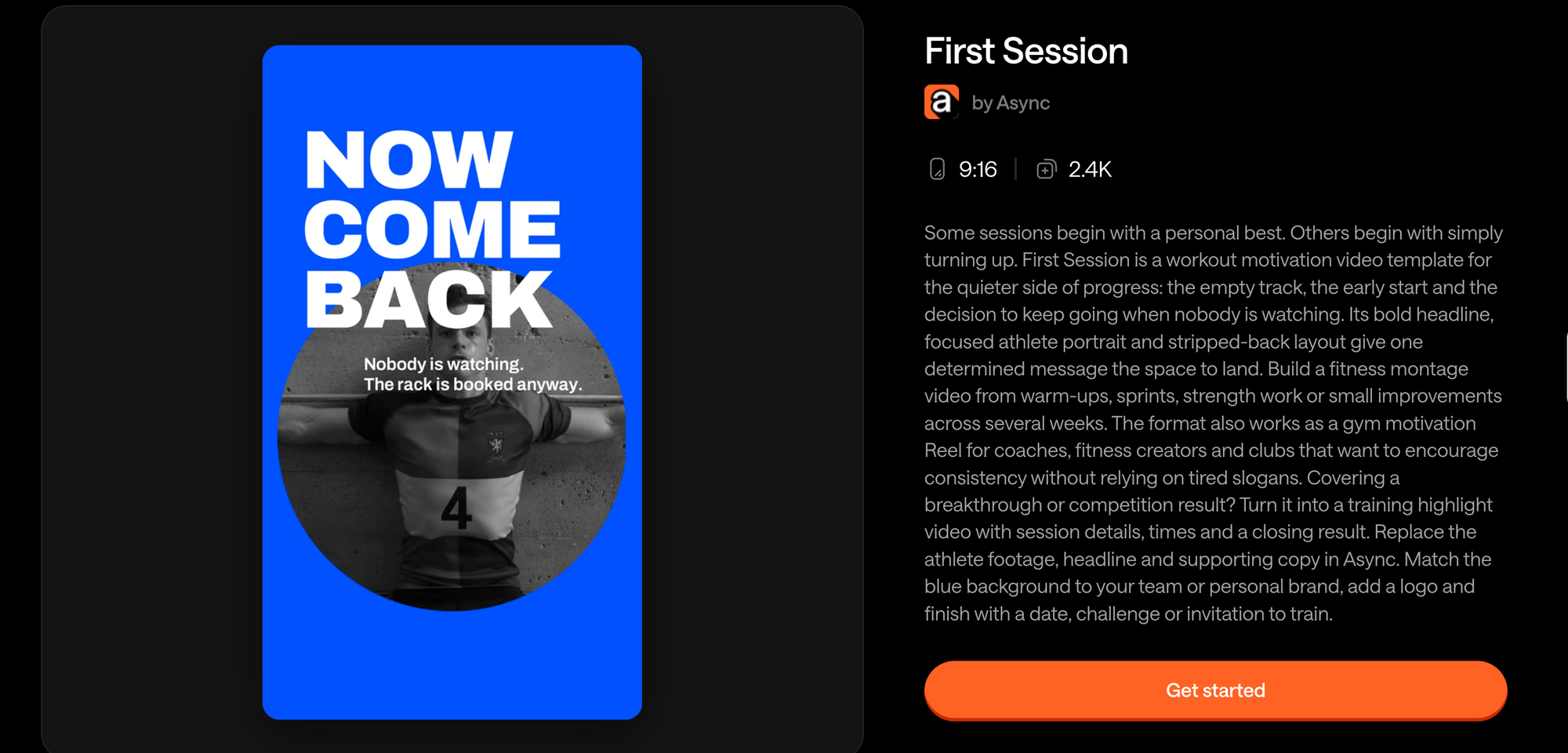
Booking a personal trainer can be quite an intimidating prospect for someone who's never been in a gym before. They'll be wondering if they're fit enough to begin with and what on earth they'll be asked to do on their very first day.
A short video of an actual intro session will answer that question. The First Session template provides you with a structure for introducing the process from the very first conversation about training aims through to the first couple of exercises. It also gives the prospective client an opportunity to see you coaching before they commit to a booking.
A first session video is going to be far more effective at answering those questions than yet another generic promotional post.
The First Session template is a starting point for content which will introduce your coaching process and help the prospective client to understand what it's like to work with you.
For instance, you could build a Reel around the question "What actually happens in your very first personal training session?" and then use a short sequence to take people through that.
What footage should you use?
Film a real intro to your coaching service. That could be you welcoming a client, talking through their goals, going over their training history, setting out the session plan, doing a bit of movement to demonstrate what you're talking about and then obviously finishing off with a clear set of next steps.
These moments don't have to be anything fancy or particularly orchestrated. How you explain an exercise or modify a movement is far more indicative of your coaching style than any pre-scripted statement about being supportive.
The aim is to demonstrate your actual process. In the case of remote coaching, that could be an onboarding call, an exercise review or a program discussion (all without any actual client details being revealed).
How should you present the exercises and reps?
They aren't necessarily the priority really. Use short process labels actually, e.g. 'Step 1: Your goals', 'Step 2: Movement assessment', 'Step 3: Your starting plan'.
Include exercise details only if they're going to help explain what the session is about. This is trust and conversion content so clarity is key rather than trying to fit in another tutorial.
Best CTA: 'See how to get started' or 'Book your first consultation'.
Where it fits: your coaching/session series, a pinned Instagram Reel or a regular intro to your offering.
First Session can also be used for trainer profiles, landing pages and welcome messages. It doesn't have to go away after one Instagram post.
For personal trainer branding, the best way to communicate is to show how you work rather than just tell people you're passionate, supportive, and results-driven, etc. Let people see what that actually looks like.
4. Ten Minutes: For quick, saveable workouts
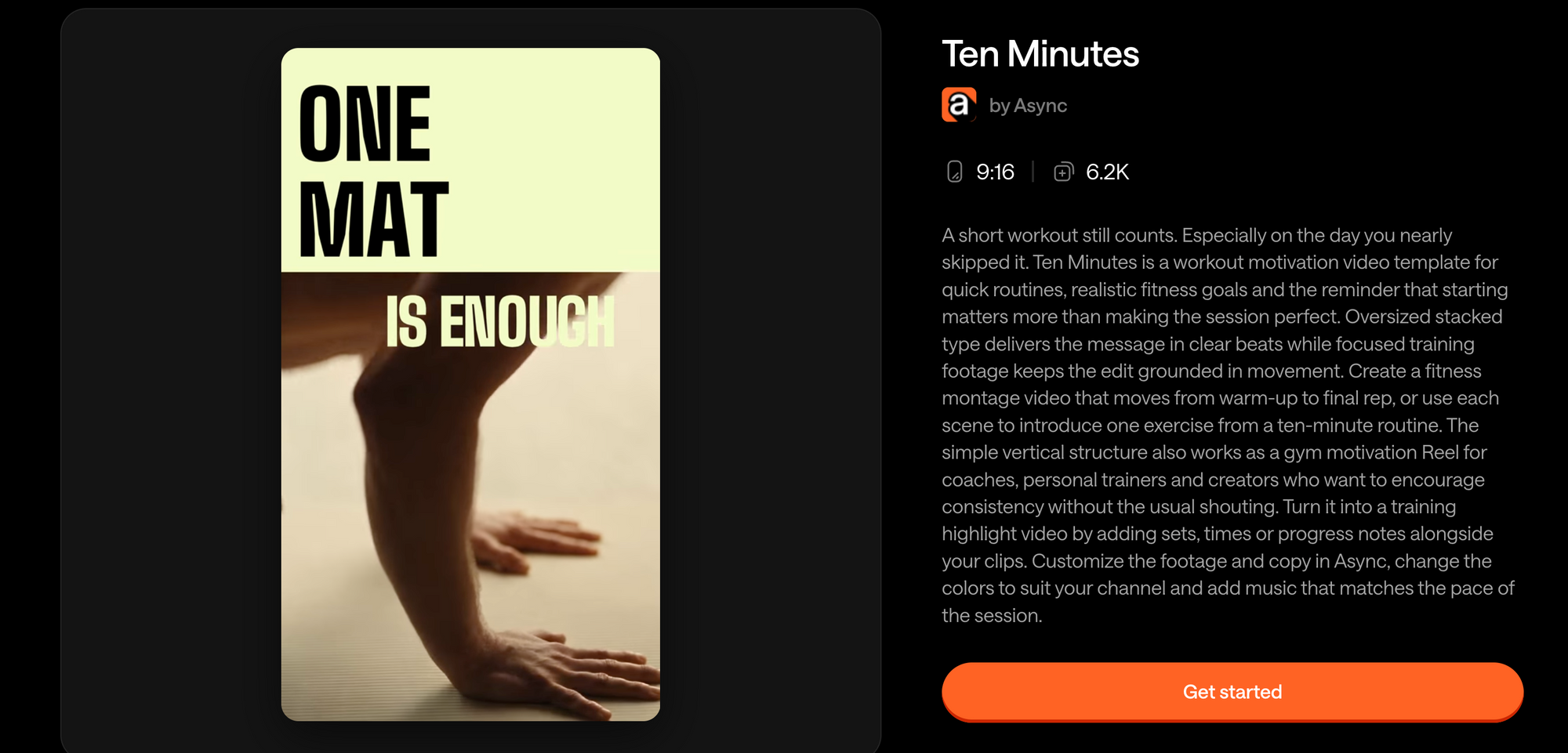
Best for: Workout ideas that are time efficient, beginner routines, circuits specific to equipment and follow-along type content.
A short workout is one of the most practical 'fitness' social media ideas as it gives people something concrete to do.
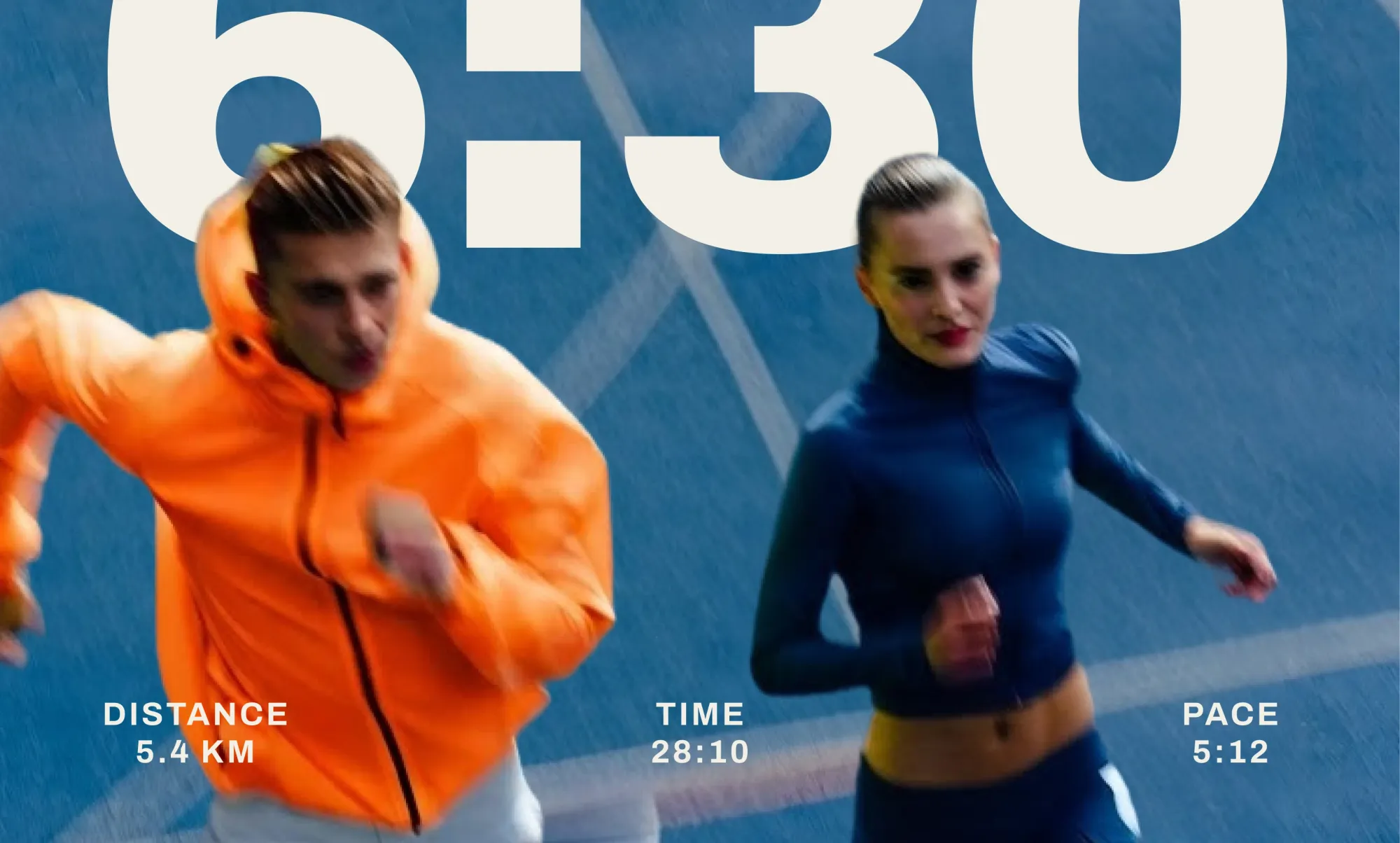
The Ten Minute template can be the basis for a series of recurring quick workouts, each one centered around a specific need. You could have a beginner full body routine, a dumbbell circuit, a mobility session or a low impact workout for when you just don't have the time.
There's a big difference between doing a promo for a workout and actually making a follow-along video. A 20-second Reel can absolutely condense a 10-minute workout down, but the viewer is still left in the dark as to the order of the exercises, the work intervals and the rest intervals. You need that information to be able to actually do the workout.
A 10-minute workout video should be quite sufficient to give you all the footage and timing you need to do the whole thing.
What footage should you use?
Record each exercise individually, ideally from the same angle so you get the full movement. Before you start filming, work out whether your workout is going to be repetition-based or time-based so you know what shots and cuts you're going to need.
Suppose you're putting together a 10-minute, low-impact circuit with five exercises: bodyweight squat, wall push-up, glute bridge, standing march and bird dog. All timed at 40 seconds work / 20 seconds rest.
For the teaser Reel, just show each movement very briefly and have the timing structure in the Reel itself (or in the caption). For the full follow-along workout, the video and the timer should be the actual time.
How should you display the exercises and reps?
Choose a system that matches the workout. You can display the rep-based routine like:
Squats: 3 × 12
Reverse lunges: 3 × 8 / side
Or have a timed circuit display:
"Squats: 40 sec", "Rest: 20 sec" and a round.
Don't mix rep-based and timed instructions without making it clear what the order of the workout is going to be.
Best CTA: “Save this workout for your next busy day.”
Where it fits: Your weekly Quick Workout series.
Ten Minutes is excellent for developing a range of recurring workout video ideas around whatever time you've got, whatever equipment you've got, whatever your experience level is, or whatever your training goal is. You can keep the structure the same and just vary the exercises.
How to structure a workout Reel people can actually follow
The best workout reels do more than just look good. They tell you what you're looking at, what you're meant to be doing and how to do it.
That seems obvious, but it's so easy to lose the practical information in the editing process. A video can be absolutely entertaining with fast cuts, animated text and music and yet the actual workout you're being shown is completely incomprehensible.
Before you start editing, work out what the viewer should take away. For a form demo it might be one correction that they can remember. For a workout circuit it should be enough to allow them to go through the exercises in the correct order.
1. Open with a specific workout or coaching promise
Don't have introductions that take several seconds to get to the point. A better opening is one that immediately tells you what you're going to learn or do.
For instance, "Let's work out together!" tells you very little about the video. "3 dumbbell exercises for a quick full body workout" is far more informative as to why you'd watch it.
The same goes for educational content, really. Rather than start with some generic training tip, "your hips are rising first in the deadlift. Here's what to check."
You can make the hook conversational as well. "Only got one pair of dumbbells? Try these three moves" is very specific and doesn't sound at all scripted.
The key thing is to establish the purpose of the video right at the outset and then make sure the rest of the video content delivers on that.
2. Display the exercise name clearly
Viewers shouldn't have to be guessing which movement they're looking at.
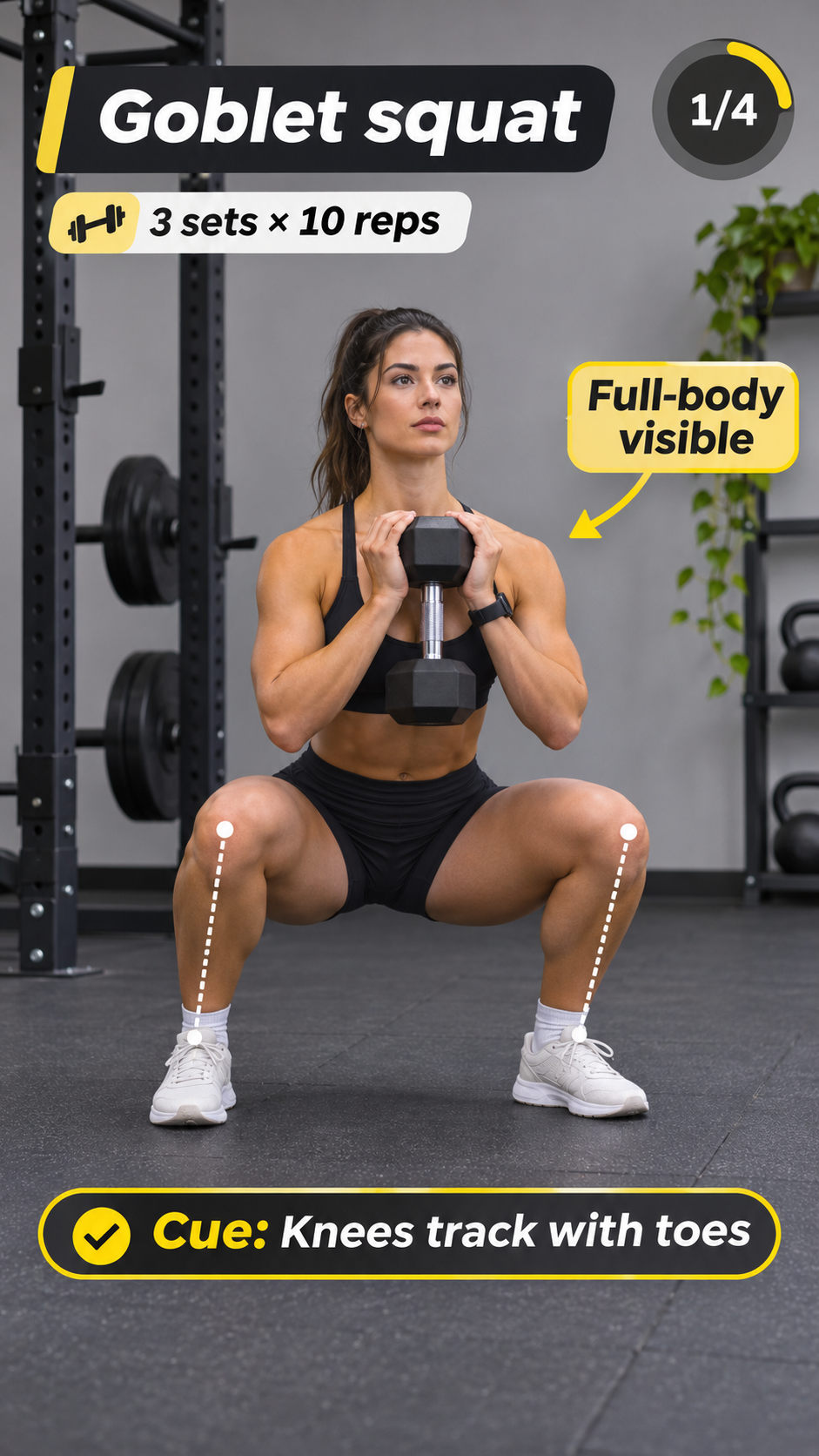
Put the exercise name somewhere that's easily readable, ideally in the same place throughout the series. "Goblet squat" is usually sufficient as a label, with any additional explanatory information being covered in the voiceover, captions, or the accompanying post.
When you've got a particular variation of an exercise, name it. A Bulgarian split squat and a regular split squat aren't the same thing just because they look a bit similar at first sight.
Accurate exercise names also make your videos much easier to group into series, particularly if you're doing a number of variations of the same exercise.
3. Include sets, reps, or work intervals
For a workout Reel, you need to be clear about how many sets and reps. "3 sets x 10 reps" is as simple as it gets. If it's a single-leg or single-arm exercise, then add "/side" so there's no ambiguity as to whether the reps are per side or not.
Timed circuits require different instructions. A 40-second exercise followed by 20 seconds rest would need both the exercise and rest periods to be visible on screen along with the total number of rounds. That way the viewer can follow the circuit without having to stop and check the caption.
The details have to be the actual workout you're talking about. Don't just make up some arbitrary numbers to fill the screen or to make it look like you've got a full program.
4. Make rest periods visible
Rest instructions are frequently absent from the short workout videos. That's something that a lot of people will miss as they're watching and will just have to work it out for themselves.
Show the viewers when to take their break and for how long. In a circuit with 30-second breaks, you could simply do "Rest: 30 sec" after each exercise. Just ensure the number you're using is the correct one for the workout you're doing.
Note that a conditioning circuit and a heavy strength training set won't necessarily need the same amount of recovery time, so the instructions should be appropriate to the workout rather than just follow some generic template.
5. Use one useful form cue
A very common urge is to put every coaching instruction on screen. Don't do that.
A beginner watching a squat demonstration doesn't need six separate paragraphs appearing over their legs. Choose the cue most relevant to the lesson and give viewers enough time to connect it with the movement.
Here are a few examples:
These act as simplified reminders, not complete technical instructions. When a movement needs more explanation, create a dedicated tutorial instead of forcing it in a fast montage. One useful correction, supported by a clear demonstration, is easier to follow than a list of disconnected tips.
6. Show progress through the routine
In a Reel featuring four exercises, number each one from 1/4 to 4/4. Viewers can see how far they've gotten without having to count the movements themselves. For circuits with several rounds, use "Round 1/3" instead, and update it as the workout progresses.
You can also use a label like "Exercise 2 of 4" or "Round 2/3" for circuits. Keep the indicator in the same position throughout the video so viewers know where to look.
For a true follow-along workout, use a timer that advances with the actual exercise intervals. A progress graphic can help people understand the sequence, but it doesn't replace correct timing.
7. End with one relevant CTA
A Reel explaining how to fix squat technique doesn't need to end with a sales pitch. "Save this for your next leg day" fits the video. Save the booking invitation for a Reel about your first training session, when viewers are already learning what it's like to work with you.
Keep the final screen focused on that one action. There's no need to squeeze five different requests into the last few seconds.
Avoid asking people to follow, save, comment, share, and book in the same closing frame. Choose an action that makes the most sense for the specific video.
Example: A readable workout Reel layout
Here's how you could structure a four-exercise dumbbell circuit:
This layout gives viewers the exercise sequence, basic training instructions, and useful cues. Most importantly, they can understand the workout without hearing a single word.
Music and voiceover can also make the video more engaging, but essential instructions shouldn't depend on audio.
How to format fitness videos for mobile
Fitness Instagram Reels, TikToks, and YouTube Shorts should be designed for vertical viewing.
A practical default is a 9:16 aspect ratio, exported at 1080 × 1920 pixels. YouTube recommends vertical 9:16 for Shorts, and the format is widely used for Instagram Reels and TikTok.
However, getting the aspect ratio right is only the beginning. Fitness footage requires a little more attention to framing because the movement itself is the most important thing on screen.
Keep the entire movement visible
Fitness videos have a challenge that many talking-head videos don't: the relevant action can happen anywhere in the frame.
A squat requires enough room to show the feet, knees, hips, and torso. A push-up needs a clear view of the whole body, while a standing overhead press requires space above the hands.
Check the framing with a full repetition before recording. A squat might look fine while the person is standing, only for their feet to disappear from the frame as they lower. For overhead presses, make sure there's enough space above the head to see the arms fully extended.
Keep text away from important movement details
If you're teaching foot placement, don't cover the feet with captions. Likewise, when demonstrating grip position, avoid placing an animated rep counter over the hands.
Put the most important training information where it won't interfere with the technique you're explaining. For some movements, that's above the athlete. For others, it may be beside the torso or in a separate opening card.
Social platforms also place captions, buttons, account information, and other controls over the video. Keep important text away from those areas, particularly the bottom and right side of the screen.
Meta publishes specific safe-zone guidance for Reels ads, but those measurements aren't a universal rule for every organic Reel. Use them as a starting point and preview the actual result on your phone.
Make the text readable during movement
Text that looks readable in the editor can become difficult to follow on a phone, especially while someone is exercising. Play the Reel on your phone before publishing. The exercise name and instructions should be easy to read without pausing the video.
Learning how to edit Instagram Reels, including how to arrange clips, add text, and prepare videos for publishing, will help your videos get more attention and more reach, so make sure you invest some time into that.
One workout session can become a week of content
A 45-minute training session can give you enough footage for several Reels. While filming a lower-body workout, you might capture a squat demonstration, a form correction, and a few clips of the trainer working with a client. Each can become a separate post without scheduling another shoot.
This is where content repurposing becomes especially useful for trainers. You're not simply reposting the same video seven times. You're taking different moments from one session and giving each a distinct purpose.
Start with one realistic filming plan
If you’re filming a 45-minute PT session focused on lower-body strength, identify the footage you'll need beforehand.
Shoot a clean demonstration of the main exercise, three movements that could form a short workout, and a genuine coaching interaction. Add a wide shot of the training environment, a common technique correction, and a short trainer introduction or closing invitation.
You don't have to interrupt the entire session to create content. Capture the necessary footage during planned moments, keep the camera setup simple, and prioritize the client's training experience.
And you can always record some additional demonstration clips immediately afterward if needed.
Turn the footage into seven pieces of content
Here's how that single session could support an entire week:
The squat demonstration can become a tutorial, while a clip of the trainer correcting someone's form works as a separate coaching tip. Footage from the rest of the session can go into a class recap or a post introducing the gym.
You won't need every clip in the same week, either. Save the unused footage for future Reels, especially when it shows an exercise or coaching tip you haven't covered yet.
Organize footage so it's easy to reuse
A repeatable system needs some basic organization.
Create folders for each session using consistent names, such as "2026-11-02_Lower-Body-Session." Inside, separate the footage into categories such as exercise demonstrations, coaching moments, gym atmosphere, and trainer introductions.
Keep the original footage rather than only saving edited exports. That way, a useful deadlift clip can appear in a form tutorial today and support a different educational video a month later.
It also helps to maintain a simple content tracker with the topic, pillar, video format, status, and intended platform. Over time, you'll build a library of original fitness footage instead of relying on new shoots for every post.
Build 5 recurring fitness content series
Once you've selected your video formats, the next step is deciding when to use them.
A recurring weekly schedule reduces daily planning while keeping your content varied. Here's a five-day system suitable for a trainer, gym, or studio.
This is a production framework, not a requirement to publish five days a week. Adjust the frequency to fit your schedule and the amount of useful footage you can realistically produce.
Monday: Form Fix
Choose one exercise you regularly coach and identify a mistake worth addressing. Show what commonly goes wrong, demonstrate an appropriate correction, and explain why it matters.
For example, you might create a Reel around the hook "Stop turning your Romanian deadlift into a squat," then demonstrate the intended hip hinge with a clear side-angle shot.
Keep the video focused on that lesson. You can cover other mistakes in future episodes, creating a growing library of exercise tutorials without overcrowding individual posts.
Tuesday: Quick Workout
Create a routine built around one specific need, such as a beginner dumbbell workout, a lower-body session without machines, or a short mobility sequence for a particular audience.
Aim to make the routine easy to save and understand. Include the exercise order and training instructions, then use the same general layout each week.
Over several weeks, this series becomes a collection of practical workout video ideas that viewers can return to when they need a routine.
Wednesday: Inside the Session
Show a moment that illustrates your coaching approach. Maybe you're explaining how to adjust an exercise, demonstrating a modification, or discussing a client's training goals.
You don't need to manufacture a dramatic transformation. Ordinary coaching moments can communicate how attentive, structured, or approachable your sessions are.
This format works particularly well for trainers who want to attract clients who appreciate the coaching process rather than only the final result.
Thursday: Coach Answers
Use questions your actual clients ask. For example, "Should beginners train every day?" or "Do I need to increase the weight every week?"
Answer the question directly and explain the relevant context. For the second example, you might discuss progressive overload while explaining that progress can also come from improved technique, additional repetitions, or better exercise control.
This series helps demonstrate knowledge without turning every Reel into a lecture. It also gives you a steady source of personal trainer content ideas because client questions naturally change as people progress.
Friday: Gym Life
Show what it's like to be part of your training environment. That could be a group class, team introduction, challenge recap, or client achievement shared with permission.
Avoid relying exclusively on dramatic before-and-after images. Client progress can also mean better movement quality, consistency, increased strength, or reaching a personally meaningful training goal.
This series gives your brand a human side and helps connect the educational content to the people behind it.
How to know which series are working
After a few weeks, review performance by series rather than judging every post in isolation.
Educational videos can be evaluated through saves, relevant questions, and meaningful engagement. Quick workouts may generate saves and shares, while session videos might encourage profile visits or inquiries about your services. Community clips can help gauge member participation and interest in classes.
For conversion videos, focus on actions such as website visits, consultation requests, and bookings where you can track them.
A popular workout Reel isn't automatically your best business asset. A first-session video with fewer views might generate more relevant inquiries because it's reaching people closer to making a decision.
Use those differences to refine the schedule. For example, if your quick workouts consistently attract saves but rarely generate inquiries, keep producing them for discovery while strengthening the path from educational content to your coaching services.
You can also test hooks, pacing, and opening shots as you work to make Instagram Reels go viral, but reach should support your business goals rather than replace them.
How to customize workout video templates in Async
Once you have your footage and recurring series planned, the editing process becomes much more manageable.
Async provides video templates and editing tools that can help you customize short-form content without building every project from an empty timeline.
Here's a practical workflow.
Step 1: Choose the template that fits your content
Start by deciding what you're publishing.
For an individual strength exercise, look at One More Set. For a community highlight, explore Crowd Up. For onboarding or coaching introductions, consider First Session. For a short workout series, start with Ten Minutes.
Choose the layout based on the video's purpose, not because the animation looks interesting. A highly energetic design may work well for a group-class montage but be less suitable for explaining a slow, controlled strength movement.
Step 2: Replace the sample footage
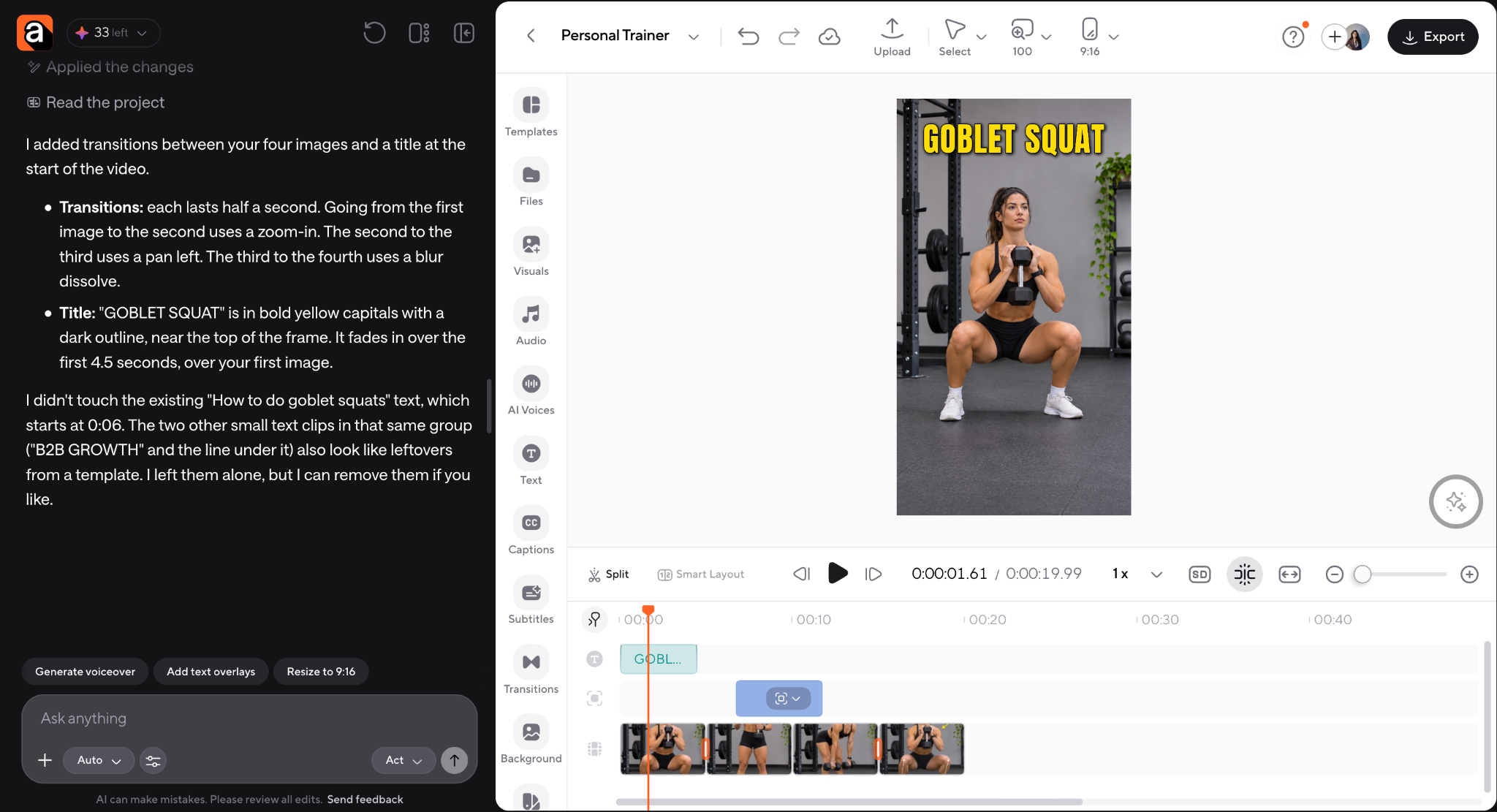
Open your selected template and use the editor to replace its media with your recorded workout or session clips.
Async's documented template workflow supports swapping media in the timeline while retaining existing design settings and effects where applicable.
Check that the replacement footage fits the intended framing. A template designed around a close-up won't necessarily work with a full-body squat without adjustments.
Step 3: Customize the workout information
Replace placeholder text with details relevant to the video.
For a reverse lunge demonstration, you might use "Reverse lunge" as the exercise name, "3 sets × 8/side" for the prescription, and "Control the lowering phase" as the form cue.
For a gym introduction, the text may focus on the trainer's name, service, or booking information instead.
Use accurate training instructions and keep the text short enough to read on a phone. The goal is to support the footage, not compete with it.
Step 4: Adjust placement and timing
Review each clip while the athlete is moving. Make sure the exercise stays visible, labels don't cover important details, and viewers have enough time to read the instructions.
Async's editor provides text controls for editing copy, font, size, alignment, and styling. Depending on the project, you can also refine the edit using its conversational video-editing tools.
Don't assume a template's original text placement will work for every exercise. The right position depends on the movement, camera angle, and information you're displaying.
Step 5: Add captions and audio where useful
If your video includes spoken coaching, captions help make the explanation accessible to viewers who can't hear the audio.
Async supports subtitle generation and editing, but review the output carefully. Exercise names and training terminology can be transcribed incorrectly, especially in a noisy gym.
Music can also add energy to community videos or workout montages. But keep it from overpowering important spoken instructions, and use audio that you're permitted to publish on the intended platform.
For a purely visual workout, you can also use clear on-screen instructions without relying on voiceover.
Step 6: Preview and export vertically
Review the finished video in a 9:16 frame for Instagram Reels, TikTok, or YouTube Shorts.
Check the exercise framing, spelling, captions, timing, and visible instructions. When you're satisfied, export the video and upload it to the relevant platform.
Review the published version to make sure the platform interface doesn't cover anything essential.
Async's social media video editor can support this workflow, from arranging your workout footage to preparing short-form videos for different platforms.
Make your fitness content easier to recognize
Templates save editing time, but they can also support a consistent visual identity.
This is particularly useful for independent trainers and growing studios that want people to recognize their content before reading the account name.
You don't need elaborate branding. Start with a small set of decisions: use consistent typefaces for exercise names and instructions, choose a recognizable color treatment for cues and progress indicators, and establish a recurring title format for each series.
For example, Form Fix videos could open with a numbered title like "FORM FIX #08: Romanian deadlift," while Quick Workout videos might use "10-MINUTE SERIES #04: Full body."
Keep the logo, typography, and editing rhythm consistent across both. That way, your videos feel connected even when one is educational and another is a workout montage.
Consistency also makes it easier to delegate content creation. When another coach, editor, or social media manager understands the format, they can follow the same process without needing a completely new creative brief for each upload.
Keep the exercise demonstrations original and accurate. The template can stay the same, but the coaching insight should come from your own expertise and the needs of your audience.
Start with a small system and improve it
You don't need to publish every content type immediately.
Start with two reliable formats: one educational and one practical. For example, publish a weekly Form Fix and a Quick Workout. Film both during an existing session, edit them with consistent layouts, and measure the response over several weeks.
Once the process feels manageable, introduce session videos and community clips. Add conversion-focused content that explains your services and makes it easier for potential clients to contact you.
The system should become easier to maintain as your footage library grows. Instead of asking what to post every morning, you'll know which series comes next, what to capture, and which template to use.
You can explore more options in Async's Fitness & Sports template collection or use One More Set as the starting point for your next exercise demonstration.
The most useful fitness content ideas aren't necessarily the most complicated. They're the ones you can produce consistently, explain clearly, and connect to the real coaching your business already delivers.
FAQ
What should personal trainers post on social media?
Personal trainers should post a combination of exercise demonstrations, form tips, short workouts, real coaching sessions, client progress shared with permission, and service introductions. These formats help demonstrate expertise while giving potential clients a better understanding of what training with the coach involves.
How do you make a good workout Reel?
Start with one clear purpose, such as teaching an exercise or sharing a short workout. Film the movement from an angle that shows the relevant technique, add readable instructions, and keep the editing focused. Include an appropriate CTA, like saving the routine or exploring your coaching services.
What should be included in a workout video?
A workout video should identify the exercises and provide the training instructions needed to understand the routine. Depending on the format, that may include sets, reps, work intervals, rest periods, form cues, and progress indicators. A full follow-along video also needs timing and transitions that match the actual session.
How do you show reps and sets in a fitness video?
Use short on-screen notation, like "3 sets × 10 reps." Place information where it doesn't cover the exercise and keep the presentation consistent across the video. For interval workouts, display the work and rest durations instead so viewers can follow the intended timing.
What is the best format for fitness Reels?
A vertical 9:16 format is a practical choice for Instagram Reels and other mobile-first short-form platforms. A common export size is 1080 × 1920 pixels. Keep the complete movement visible, use legible text, and place important information away from areas covered by platform controls.
How often should personal trainers post?
There isn't a single posting frequency that works for every trainer. Start with a schedule you can maintain without sacrificing coaching quality. Two or three useful videos per week may be a better starting point than publishing daily content you can't sustain. Review results, then increase frequency when your production process allows it.
Where can I find workout video templates?
You can explore Async's Fitness & Sports template collection, including One More Set, Crowd Up, First Session, and Ten Minutes. These provide starting points for exercise demonstrations, gym highlights, coaching introductions, and quick workout content. Customize footage, text, and branding to suit your content.
How can I create multiple posts from one workout?
Plan a few different shots during one training session. Film exercise demonstrations, short routines, coaching interactions, and atmosphere footage. Then edit the material into separate videos, like a form tutorial, a quick workout, a first-session introduction, a community clip, or a promotional post. Organizing the raw footage makes it easier to reuse later.