You don't need to be on camera to make Reels people actually watch. Faceless Reels that use screen recordings, product shots, hand close-ups, photos, stock clips, or a voiceover instead of a talking-head shot are becoming more and more popular, and a lot of the biggest accounts on Instagram have built success through them.
This guide is for anyone who’d rather not want to be on camera: people who are camera-shy, brand accounts, anyone short on time or space to film, or creators who just want to repurpose footage they already have into fun new reels. We’ll go over a list of faceless Reel formats, a workflow you can actually follow, and a few tips about what separates faceless content that grabs attention in a natural way from faceless content that feels thrown together last-minute.
As to the question of how to make a faceless reel, the short version is this: pick one idea, gather a handful of visuals, add narration or on-screen text, edit for pacing, and export vertically. The rest of this guide walks through each part of that, plus ideas, tools, and mistakes worth skipping.
What are faceless Reels?
Faceless Reels are Instagram Reels that don’t show the creator’s face on camera. Instead, you can use visuals such as screen recordings, product footage, hand-only clips, photos, stock video, or text overlays, often paired with voiceover or captions.
You can still use your own voice, ideas, and editing style; the main difference is simply how you appear on screen.
Why make Reels without showing your face?
Most times, people go faceless for practical reasons
- You're camera-shy, or you'd rather keep your face off the internet.
- You don't have the time, lighting, or space to film yourself properly.
- You're batching content and don't want to redo hair and makeup for every clip.
- Your content is product-led or educational, where the product or the process is the point.
- You're posting for a brand, not a personal account, so a face doesn't really fit.
- You already have footage, b-roll, screenshots, or photos sitting around that could become a Reel.
Note that none of this means faceless Instagram Reels automatically perform better than talking-head video. They actually don’t. The concept just removes the one barrier that stops a lot of people from posting at all. The same logic as starting a faceless YouTube channel: the thing holding most people back rarely is the idea; it’s often the camera.
Short-form video also isn't going anywhere. It's the content type marketers keep putting the most weight and effort behind. According to HubSpot's 2026 State of Marketing report, it's the most-used content format, with more marketers planning to increase their investment in it than any other format. So basically, it all depends on the format you're competing for attention in.
Faceless Reels ideas that do not require filming yourself
Making faceless Instagram Reels can be much more than just doing a voiceover. You can make videos focused on screen recordings, text, product shots, hands, before-and-afters, and generated visuals, and each works best for a different kind of idea.
If you're looking for Instagram Reels ideas that don’t need you to be on camera, here are a few formats you could try:
- Screen-recording tutorials: Walk through an app, spreadsheet, or website feature while narrating the process. Best for step-by-step content.
- Text-led story Reels: Use on-screen text over music or a simple background to tell a story, share an opinion, or make a list.
- Voiceover with B-roll: Narrate over relevant footage such as a city walk, coffee shop, or hands typing. The visuals just need to support what you’re saying.
- Product close-ups: Show the product’s texture, packaging, or how it works. This format works especially well for visually driven products such as skincare, food, or design tools.
- Hands-only demonstrations: Show actions such as cooking, crafting, unboxing, or applying a product without putting your face on camera.
- Before-and-after videos: Show the contrast between two stages, such as a renovation, edit, skincare result, or desk makeover.
- Photo-to-video Reels: Turn still photos into a Reel using transitions, text, voiceover, or music.
- Animated screenshots or reviews: Record your screen using an app, website, or product and add commentary or captions. This works well for reviews or walkthroughs.
- List-style explainers: Structure the Reel around a simple list, such as “5 tools I use every week,” with supporting visuals or captions.
- Repurposed clips from longer videos: Take a strong section from a podcast, webinar, or YouTube video and reformat it vertically for Reels.
- Generated scenes or characters: Use AI-generated visuals when you need footage or characters you have not filmed yourself.
These are not the only ways to create your faceless Instagram Reels; be creative, try new things, or explore content ideas online.
How to make Reels without showing your face
The process of making faceless videos is the same no matter which format you pick. To make things a bit simpler and more structured, here’s a quick guide on how to make Reels properly and effectively:
- Choose one idea and one takeaway. Don't try to cover three points in fifteen seconds. Pick the one point you want someone to remember and go from there.
- Write a short hook and outline. The first line or first visual needs to hook viewers for the next three seconds. Sketch the rest loosely; you don't need a full script for most formats.
- Collect existing visuals or create new ones. Screen recordings, photos, product shots, or B-roll. Grab more than you think you'll need because you'll probably cut out more than you think.
- Add voiceover or on-screen text (if relevant). Pick one as the main guide for your reel and use the other to support it, rather than layering two competing narration forms.
- Edit for pacing. Cut anything that doesn't move the idea forward. Faceless Reels rely on pacing more than talking-head content does since there's no face to hold attention between cuts.
- Add captions and sound. Captions matter more here since viewers often watch on mute. Also add music to your Reel that actually matches the pacing instead of whatever's trending that week.
- Export vertically and publish. Pick Full-screen 9:16; leftover black bars from a horizontal clip can be distracting or frustrating to viewers.
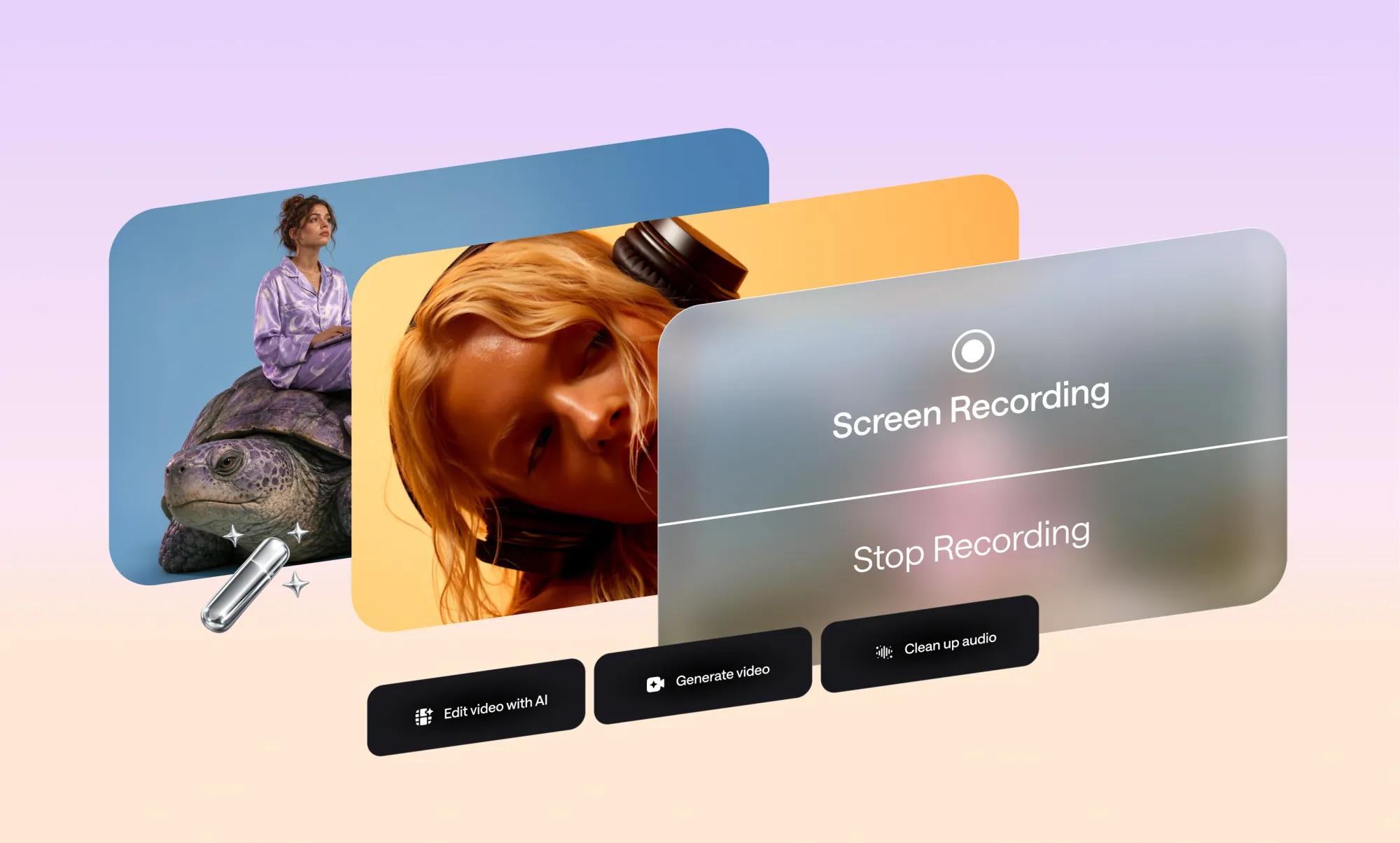
If you'd rather not jump between a screen recorder, a caption tool, and a separate editor for one thirty-second Reel, Async can record, edit, add captions, and export your Reels in one platform, which is worth knowing before you start working on your next video.
What can you use instead of filming yourself?
You’ve got the process, have an idea of formats, but what do you film when making a faceless Reel, you ask? You've got more raw material than you probably think:
- camera-roll footage
- screen recordings
- product shots
- stock photos and videos
- UGC clips with permission
- generated images or video
- slides or screenshots
- voiceover or captions to tie it all together
Keep in mind that faceless doesn't mean generic. It's tempting to grab whatever stock clip roughly matches your topic, but that's usually where faceless Reels start to feel disconnected from their audience and creators. The visuals need to support the script and look like they belong to you, not like they were grabbed at random.
A good thing to ask is: if you swapped your visuals into a competitor's Reel with the same script, would anyone notice? If the answer is no, then the visuals probably need to be more specific to your product, your process, or your point of view.
Once you've got the footage set, getting everything together on a social media video editor is your next step to making your Instagram Reel: trimming clips, layering captions, syncing sound, and getting everything into the right aspect ratio, ready to export.
How to make faceless Reels with AI
AI is genuinely useful for creating faceless Reels and can boost your flow from ideation to execution and formatting. Here are a few ways to take advantage of it while making your videos:
- Finding or shaping an idea: turning a vague topic into a specific angle.
- Drafting a short script: a starting point for you to edit and make your own.
- Generating images or clips: filling in visuals for ideas you don't have footage for.
- Turning a photo into video: adding subtle motion to a still so it doesn't feel static.
- Creating voiceover: useful if you'd rather not record your own voice or need a quick placeholder track.
- Adding captions: auto-generated captions that save tons of time and effort during editing.
- Resizing and repurposing: turning one piece of content into different formats for different platforms.
With all that in mind, AI works best as a way to skip the repetitive parts of production, not as an autopilot for the whole Reel. A generated script that nobody reviews, or narration nobody listens back to, tends to feel lifeless and, well... AI-generated. The most productive and efficient way to integrate AI into your videos is through an AI video editor; this way, you save time without having it feel forced or obviously generated.
How to edit a faceless Reel with Async
Editing a faceless Reel in Async follows the same steps you'd do manually, just much faster and without switching tools for each step. By integrating AI into your editing process, your workflow will look like this:
- Upload your existing footage, photos, or screen recordings.
- Let Async organize and pick out the strongest moments, so you're not going through everything manually.
- Generate any visual material you're missing.
- Add voiceover, on-screen text, and captions to your Reels automatically instead of timing every line by hand.
- Cut slow or repetitive sections and adjust pacing.
- Resize the final cut to a vertical social format.
- Export the finished Reel.
Standalone screen recorders and caption generators can each handle one part of this, but the workflow gets messy fast when you're moving a single thirty-second clip through four different tools before it's ready to post. The good thing about Async is that it’s built for going from raw footage to an exported Reel without juggling files in between.
How to make faceless Reels feel original
A faceless account still needs a point of view. The goal is a recognizable style, not a recognizable face, and that comes from a consistent topic, a real opinion or takeaway in every post, original scripts, visuals that actually match the narration, and a format you can repeat without repeating the same video.
A list of things you can try to make the content more of your own:
- Stick to a consistent topic. Jumping between five unrelated niches makes it harder for anyone to know what your account is actually about.
- Build a recognizable visual style. Same caption font, same color grading, same type of B-roll. Small things, but they add up to something viewers recognize.
- Say something, don't just show something. A takeaway or opinion gives people a reason to comment or share, not just watch and scroll past.
- Write your own scripts. Reused or lightly reworded scripts from other creators tend to feel hollow, even when the visuals are original.
- Match visuals to narration. If you're talking about a specific step, show that step, not a loosely related stock clip.
- Repeat the format, not the video. A consistent structure is good. Posting the same Reel with a new hook is not.
Worth saying clearly: none of this is a guarantee of anything. A lot of advice about how to make Instagram Reels go viral skips over how much of it actually comes down to consistency and fit for your specific audience, not a single format or posting trick. Be skeptical of anyone promising a guaranteed result.
Top 8 Mistakes to avoid with faceless Reels
Most faceless Reels fail for pretty boring reasons: mismatched stock footage, crammed text captions, or content that looks too similar to everyone else's in the niche.
Common ones to watch for:
- Random stock footage that doesn't actually match what you're saying.
- Robotic or unreviewed AI narration that nobody listened back to before posting.
- Too much text on screen at once, competing with the voiceover or the visual.
- Reposting other creators' content instead of making your own version of an idea.
- Copying a trend format without adapting it to your topic.
- A weak opening that doesn't earn the next three seconds.
- Publishing generated visuals or scripts without reviewing them first.
- Making every Reel look exactly the same, to the point the account feels repetitive rather than consistent.
If you want guidance straight from the source instead of secondhand advice, Meta runs its own Best Practices education hub for creators inside the app, covering creation, engagement, and reach. It's a better reference point than most third-party "algorithm hack" posts.
Build a personal brand without your face
Branding is the main point, especially in a faceless personal brand. Without a face to create familiarity, viewers start recognizing the repeated details instead: your voice, editing style, colors, pacing, sounds, and recurring visuals.
Think about all those quick cooking videos. Most of the time we don’t know the person who is behind the account, but you recognize the same cutting board, lighting, caption style, and calm voice. That consistency becomes the brand.
To pull this off, there are a few elements worth keeping consistent:
- Intro sound or sting: Use the same short audio cue at the start of your Reels.
- Caption style: Keep your font, colors, and placement consistent.
- A signature sign-off: End your Reels with the same phrase or small cue, so it becomes something viewers associate with your account.
- A familiar visual: Maybe it’s the same desk, kitchen counter, background, or even a prop that keeps appearing across your Reels.
- Pacing and tone: Keep your voiceover and editing style consistent across videos.
These details do not need to be elaborate. They just need to repeat often enough that viewers start associating them with your account.
You don’t need to be on camera to make good Reels
Faceless Reels work when the idea, visuals, pacing, and branding are strong. No matter if you use screen recordings, product footage, photos, or generated visuals, the goal is still the same: make something clear, recognizable, and worth watching.
Async can help keep the workflow in one place by handling recording, editing, captions, and export without requiring you to film yourself.
Frequently asked questions
What are faceless Reels?
Faceless Reels are Instagram Reels made without showing your face on camera. Instead, they use screen recordings, product footage, photos, hands-only clips, text, or stock video, usually paired with a voiceover or captions. The creator's voice and point of view are still there. The face just isn't part of the video.
How do I make Reels without showing my face?
Start with one idea, then build the Reel around whatever visuals make sense: screen recordings, photos, product shots, B-roll, or hands-only footage. Add voiceover or text to make it more accessible, tighten the pacing, add captions, and export it vertically.
Can faceless Reels get views?
Yes. Showing your face isn't what makes a Reel perform. What matters more is whether people stop, keep watching, and interact with it. A faceless Reel can do that just as well if the hook, visuals, and pacing are strong.
What are good faceless Reels ideas?
Screen recordings, hands-only demos, product close-ups, before-and-afters, photo-based Reels, and text-led stories are all easy places to start. If you already make podcasts, webinars, or YouTube videos, you can also turn good moments from those into Reels.
Can I make faceless Instagram Reels with AI?
Yes. AI can help shape an idea, draft a script, generate visuals for footage you don't have, turn a photo into a short video, create a voiceover, and auto-caption the finished Reel. It works best as a way to speed up repetitive production steps, not as a full replacement for reviewing and editing the final video yourself.
Do I need to use my voice in a faceless Reel?
No. On-screen text can carry an entire Reel without any narration at all, and plenty of faceless formats, like photo-to-video or text-led story Reels, don't need a voiceover to work. If you'd rather not use your own voice, an AI-generated voiceover is also an option.
Can I make Reels without filming anything?
Yes, you can build a Reel from photos, screenshots, stock footage, or generated visuals instead of new footage. Photo-to-video Reels, text-led story Reels, and screen-recording tutorials are all very popular formats that don't need filming anything new.
What is the best app for making faceless Reels?
It depends on which parts of the process you need help with. Screen recorders, caption generators, and stock libraries each cover one piece, while an all-in-one option like Async covers recording, editing, captions, and export together, which cuts down on moving a single clip through several separate tools.