Quick verdict right away!
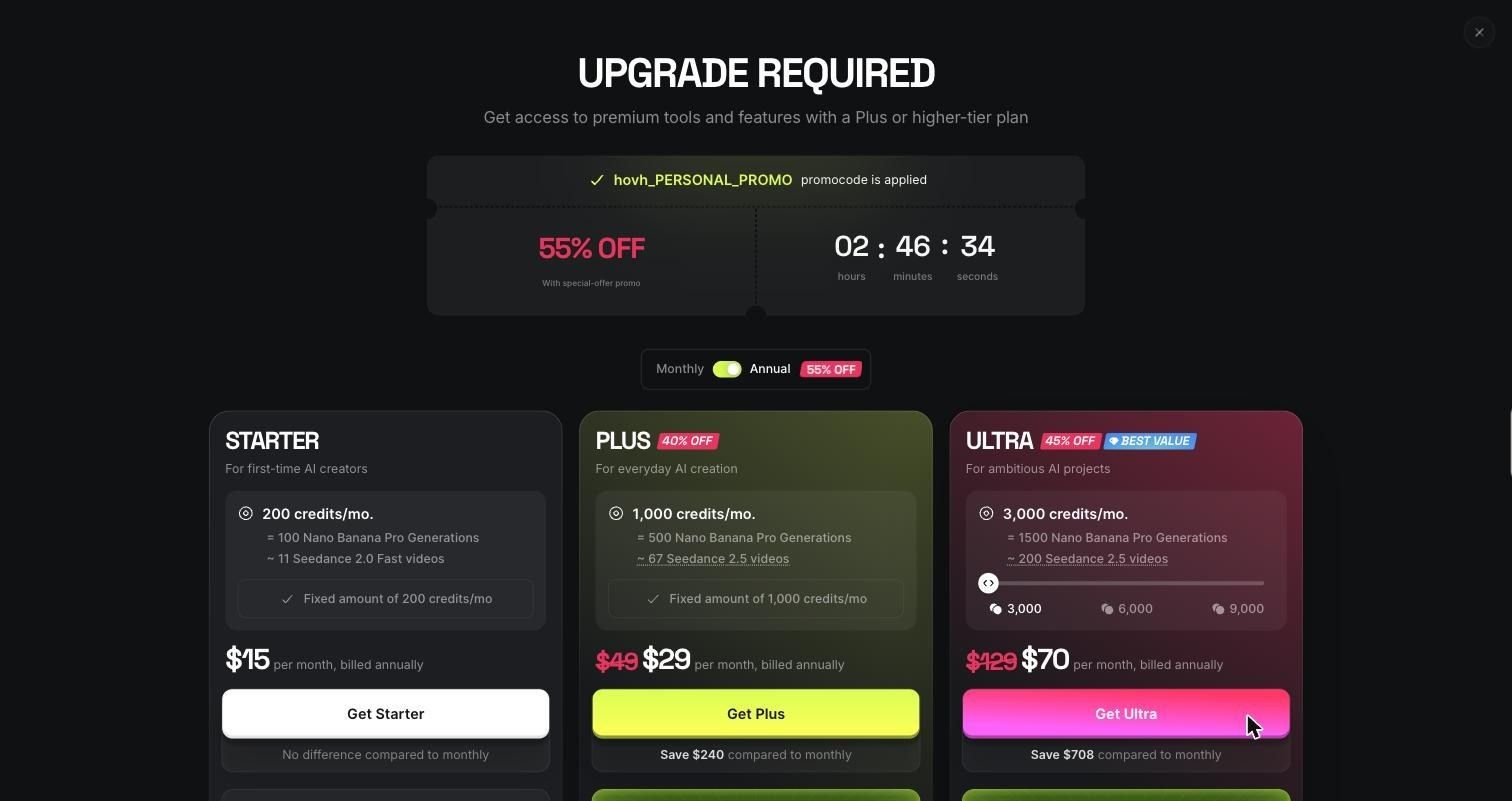
Higgsfield is worth it if you pay for it. On the free plan, it is a good place to test looks, not a place to make a video. I tried to build a five-shot cold brew ad and got usable stills for four of the five shots, but zero video clips. The free plan's 10 credits can't cover even the cheapest video draft, which costs 12.
- Best for: creators who want cinematic product visuals and plan to pay for video credits
- Biggest strength: camera and lens presets that change the look of a shot in one click
- Biggest weakness: product shape and label text drift between shots, and the video is fully paywalled
- Total credits used: 3.625 of 10
- Total generations: 8 finished, plus 3 attempts blocked by upgrade walls
- Score: 6.5/10 on the free plan. The paid video tools are a separate question that this test couldn't answer.
What is Higgsfield AI?
Higgsfield AI is a web platform for generating AI images and videos in one workspace. It gives you its own models, like Soul Cinema and Cinema Studio 4.0, plus third-party ones such as Seedance, Nano Banana, GPT Image, and Seedream.
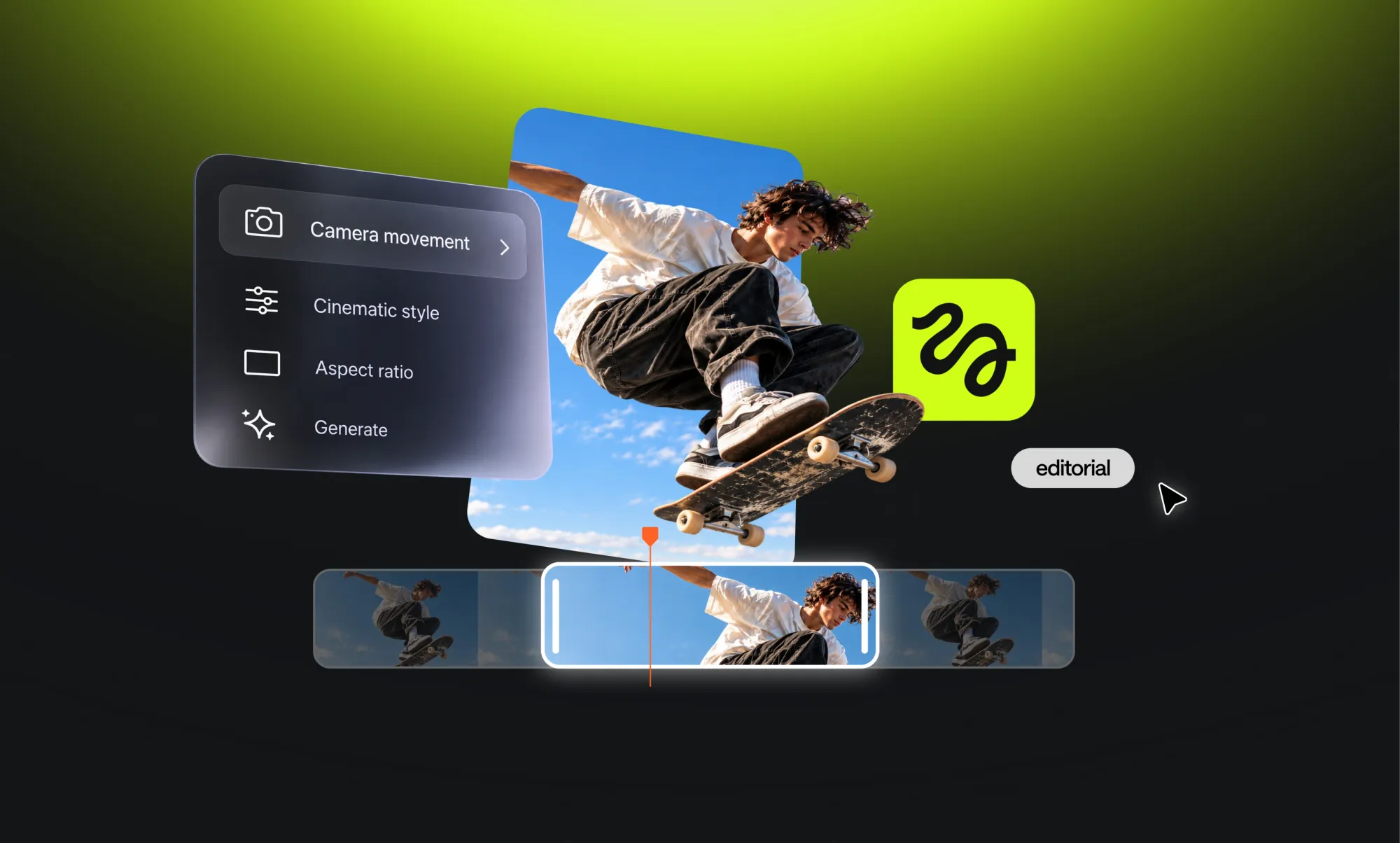
Higgsfield Cinema Studio is the filmmaking side. You pick a camera body, lens, color palette, and lighting. In video mode, it also handles camera movement. If you are comparing it with other AI video models, the camera control is the selling point.
How I tested Higgsfield
I tried to finish one project inside Higgsfield: a 20- to 30-second cinematic ad for a made-up cold brew brand, KALA. A fake label let me check whether the text survived from shot to shot.
The plan had five shots:
- Hero product shot
- Macro close-up of the label with condensation
- Camera-style test from a low angle
- Lifestyle shot of a hand pouring over ice
- Brand end card with room for a tagline
I used a free account with 10 credits. The first thing I found was the credit wall.
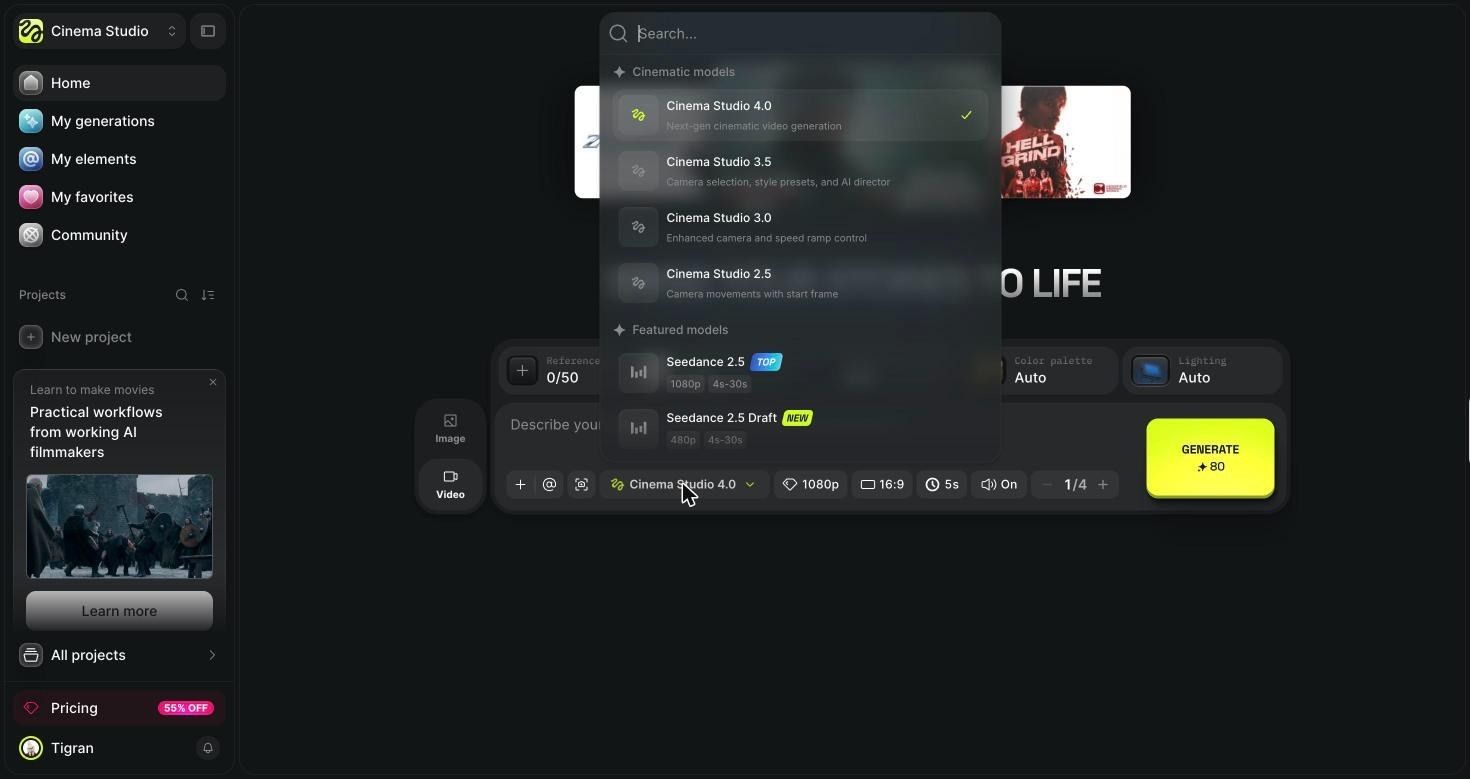
A 5-second, 1080p clip in Cinema Studio 4.0 costs 80 credits. The cheapest video option, a 4-second Seedance 2.5 Draft at 480p, costs 12. So I switched the project to stills: the keyframes you would normally feed into image-to-video AI.
What counted as usable: the label reads KALA and COLD BREW, the bottle matches the hero shot, and the frame works in a 16:9 ad without regenerating. Cropping or color fixes in an editor were allowed. Anything that needed a reshoot counted as a fail.
First generation: What happened?
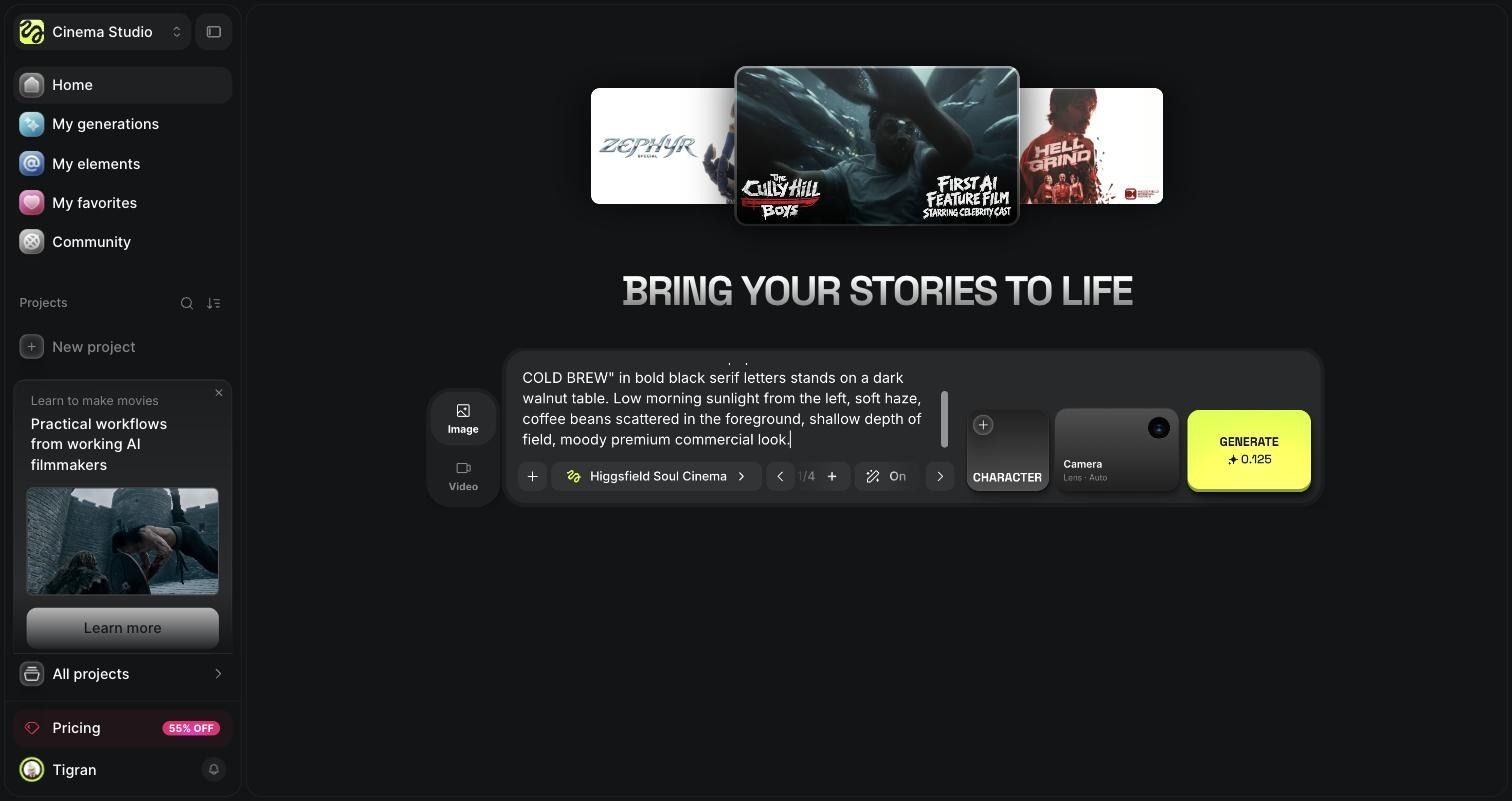
My first hero shot got the lighting right and the label wrong. I used Higgsfield Soul Cinema at 2K, 16:9, with camera and lens on Auto. It cost 0.125 credits and took about 25 seconds.
Exact prompt:
Hero product shot for a cinematic coffee ad. A tall amber glass cold brew bottle with a cream paper label that reads "KALA COLD BREW" in bold black serif letters stands on a dark walnut table. Low morning sunlight from the left, soft haze, coffee beans scattered in the foreground, shallow depth of field, moody premium commercial look.
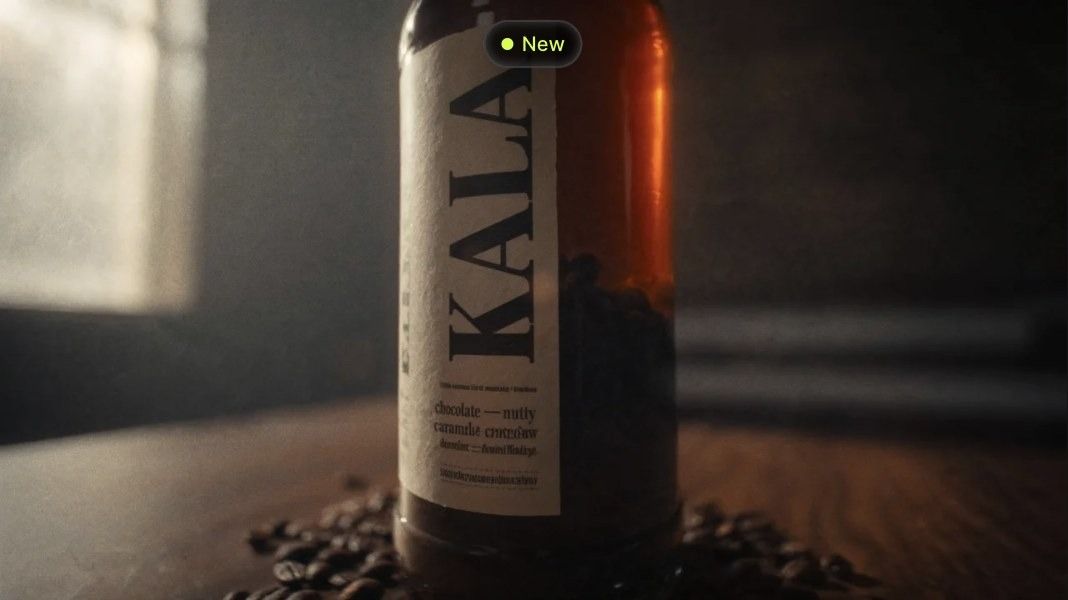
What worked: the window light from the left, the haze, and the bean scatter all matched the prompt.
What failed: "KALA" ran vertically down the label, and "COLD BREW" never appeared. The model invented tasting notes in garbled text. It also put coffee beans inside the bottle and cropped off the top.
I retried with a more literal prompt: full bottle in frame, two lines of horizontal text, "no beans inside the bottle." That version took about 35 seconds.
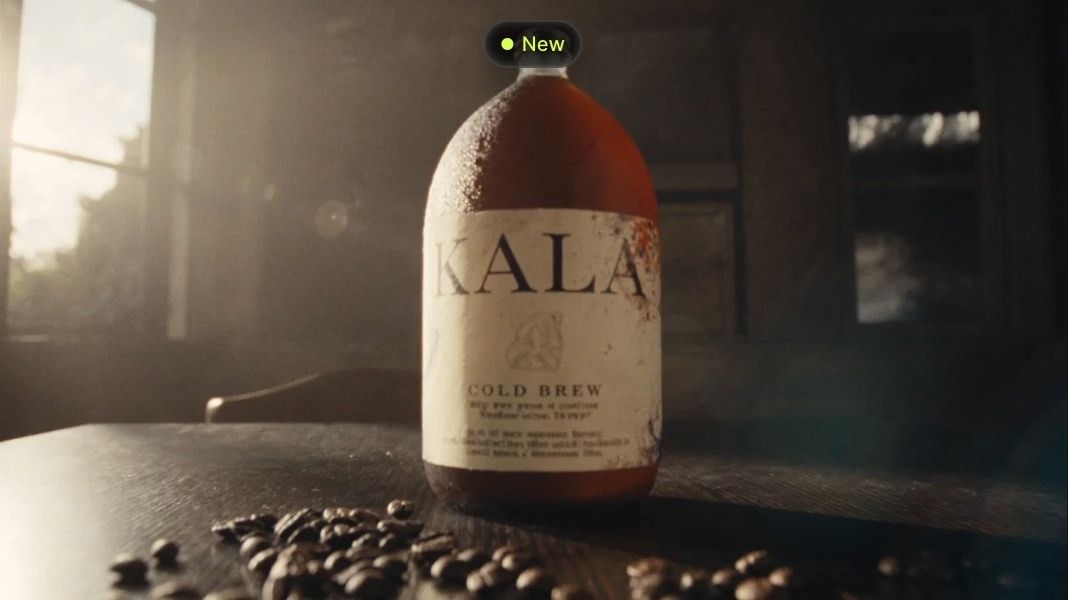
The retry fixed the text. Both KALA and COLD BREW were horizontal and readable. But the "tall" bottle became a round jug, and the black cap I asked for never showed up. I kept it as the hero reference.
Testing Higgsfield Cinema Studio
The camera presets change the shot dramatically. Camera movement stayed behind a paywall.
Movement test (blocked): I sent the macro shot to "Turn to video" with this prompt: "Slow dolly in toward the KALA label, a condensation drop slides down the glass, light flickers softly from the window." Settings were Seedance 2.5 Draft, 480p, 4 seconds, 12 credits. Higgsfield answered with an Upgrade Required screen asking for Plus or higher. So dolly, orbit, pan and crane moves are untested here.
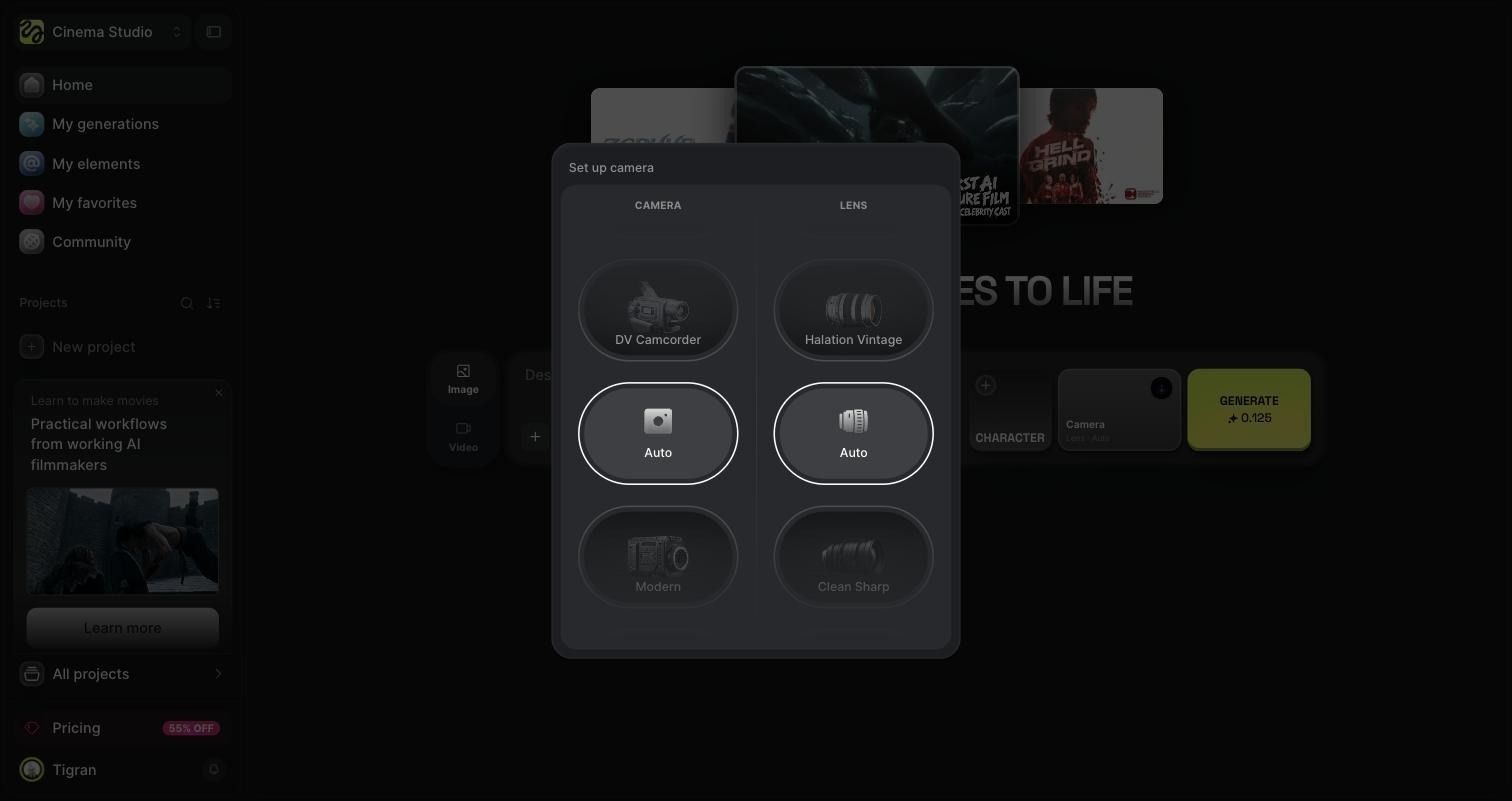
What I could test was the setup of the camera panel in image mode. It has two wheels: camera body (Auto, DV Camcorder, 8mm Film, Modern, 35mm Film, and more) and lens (Auto, Halation Vintage, Warm Vintage, Clean Sharp, Anamorphic, and more).
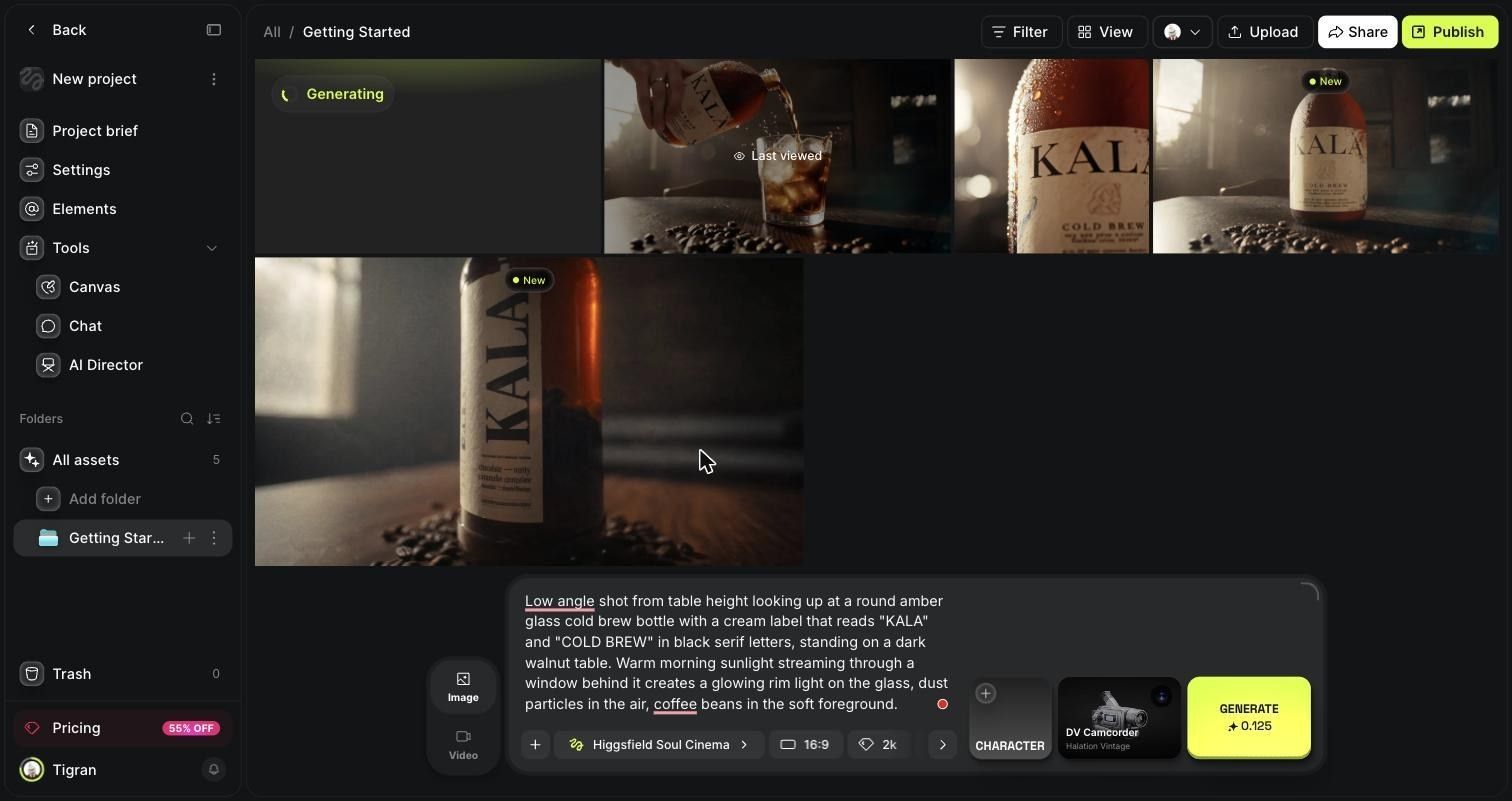
I ran the same low-angle prompt three times and only changed the camera and lens:
Low-angle shot from table height looking up at a round amber glass cold brew bottle with a cream label that reads "KALA" and "COLD BREW" in black serif letters, standing on a dark walnut table. Warm morning sunlight streaming through a window behind it creates a glowing rim light on the glass, dust particles in the air, and coffee beans in the soft foreground.
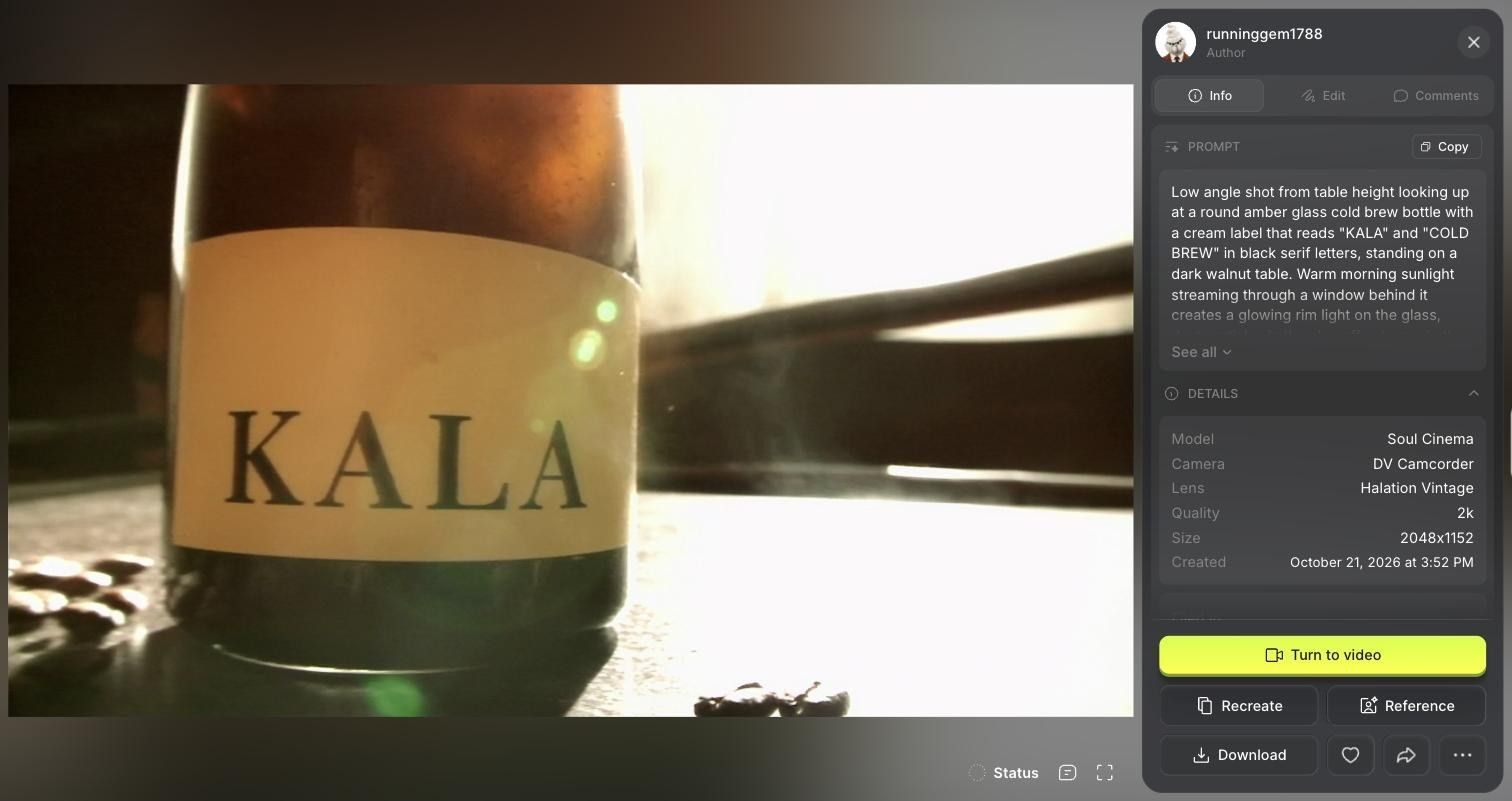
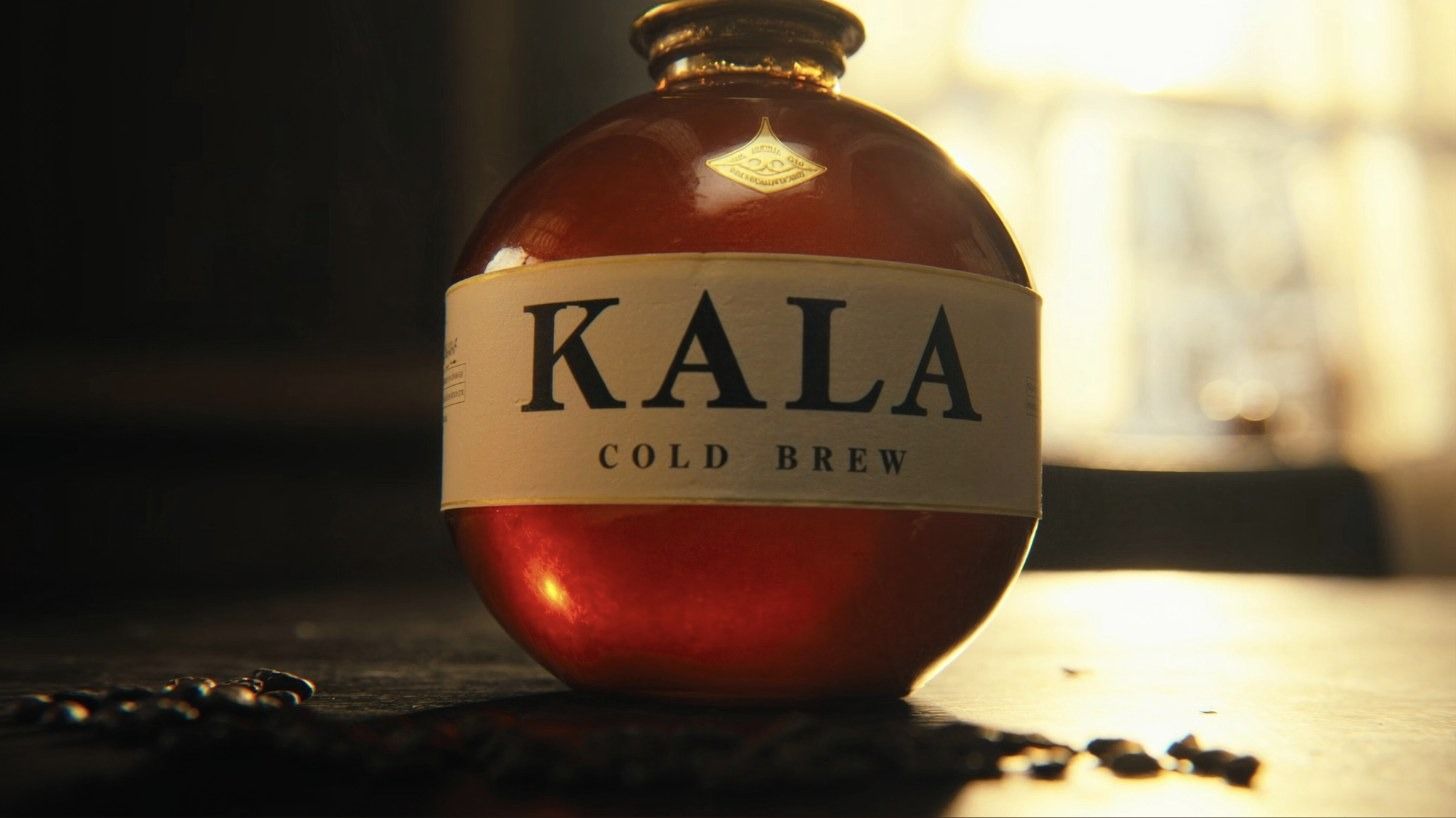
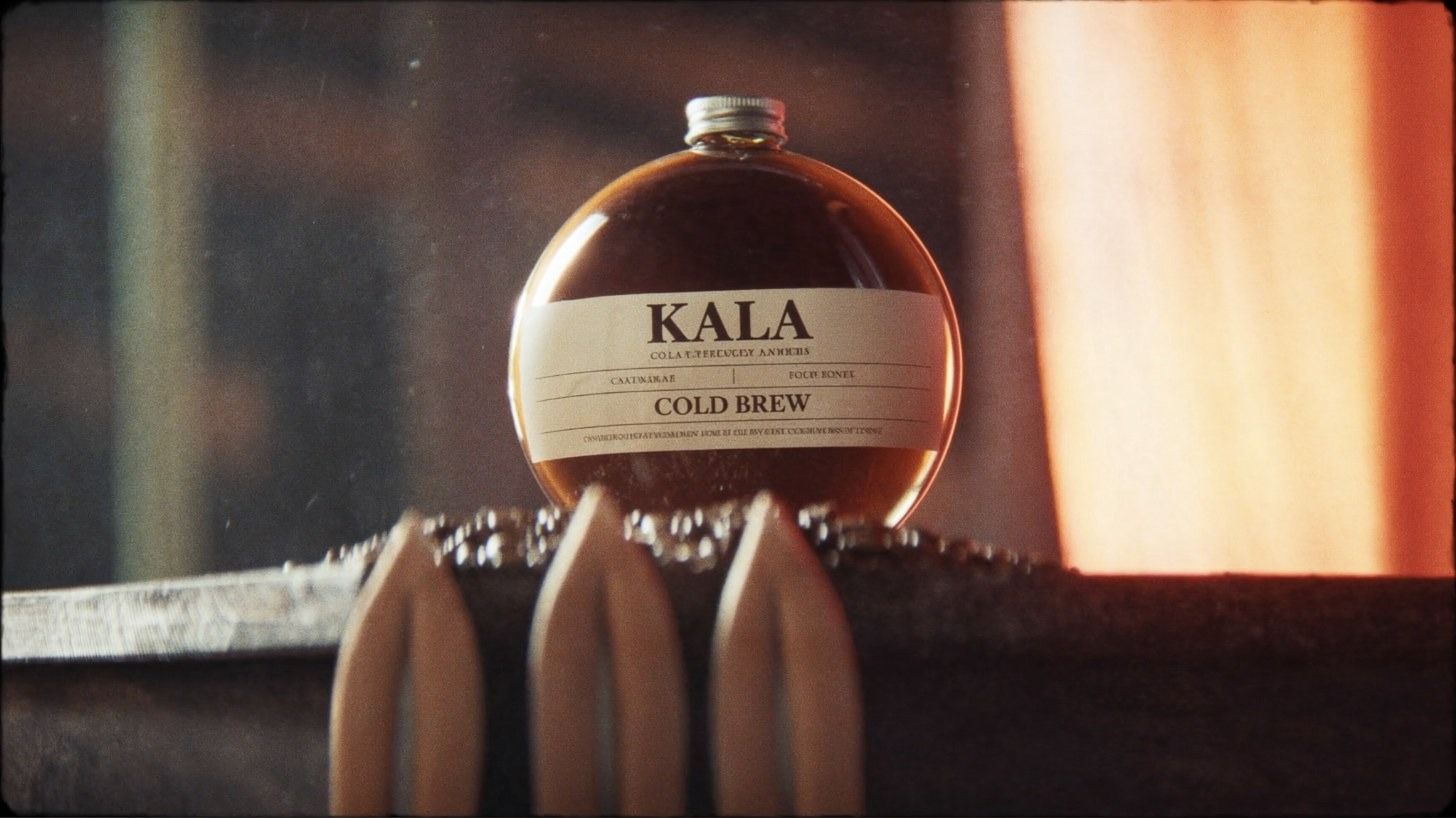
Each preset gave a distinct look for 0.125 credits, but none was ad-ready as is.
How consistent were the shots?
Consistency depended on reference images. With one, the label held up. Without one, the bottle changed shape every time.
Here is the friction: Soul Cinema, the model with the camera presets, won't take a prompt once you attach a reference. The prompt box just says "Prompt is unavailable." Nano Banana 2.1 accepts both, but it is locked on the free plan. I ended up on Seedream 5.0 lite, at 1 credit per image, for every referenced shot.
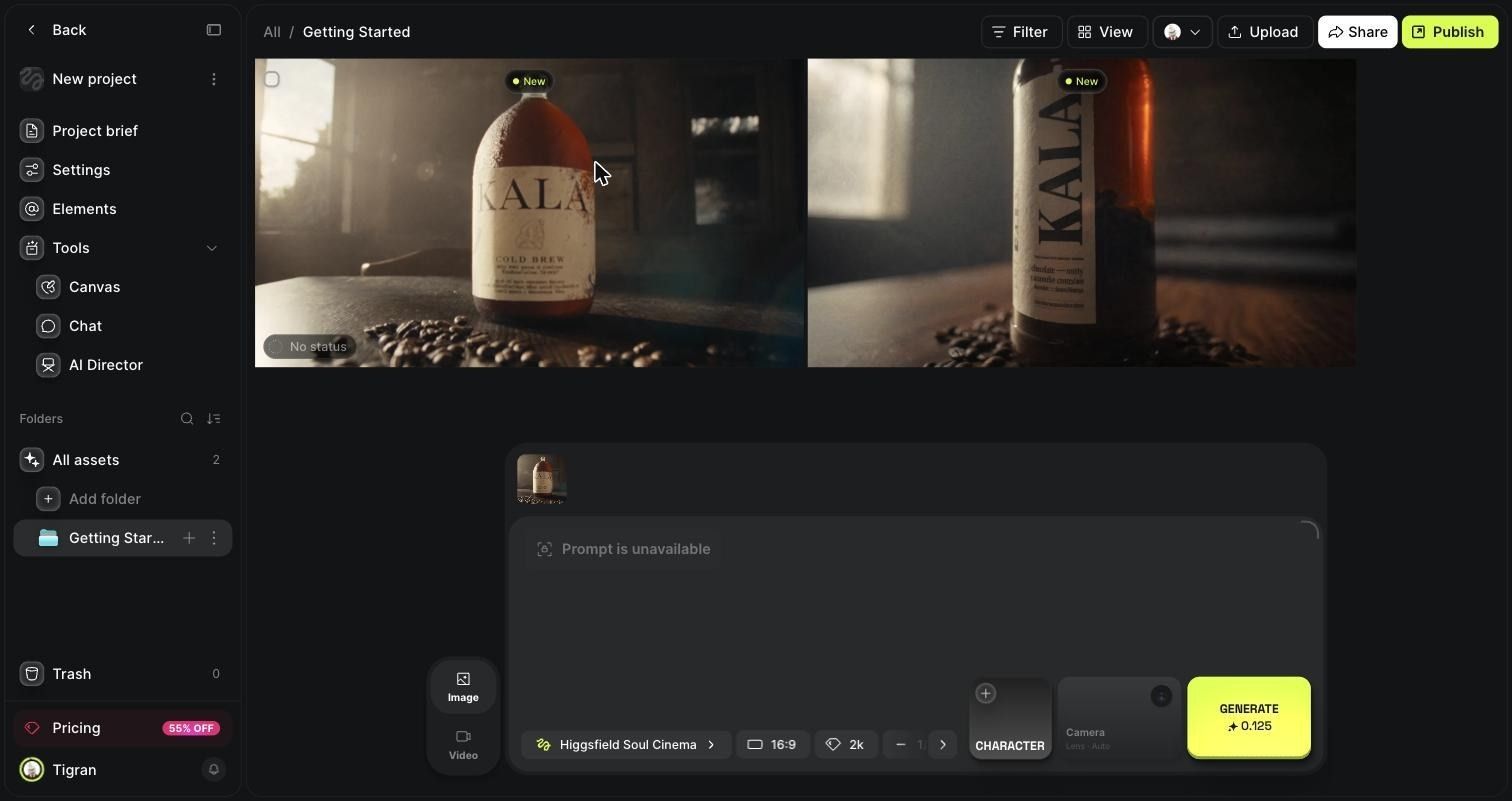
Shot 2, macro close-up (Seedream 5.0 lite, hero as reference, about 60 seconds):
Use the reference bottle exactly: same round amber glass bottle, same cream label with "KALA" and "COLD BREW". Extreme macro close-up of the label and the glass surface, cold condensation droplets running down the amber glass, a single drop catching warm window light, the word "KALA" sharp in focus, everything else melting into creamy bokeh. Same dark, moody room, same warm low sunlight from the left.
This was the best consistency result. Same serif type, same emblem, even the same blue stain on the label edge. Two problems: the aspect ratio had reset to Auto, so it came out square, and the final A of KALA is cut off.
What failed?
Four of my eight images were unusable, and the two "usable after fixes" shots both missed part of the prompt.
Shot 4, the pour (Seedream 5.0 lite, two references, about 66 seconds):
Use the reference bottle exactly: same round amber glass bottle, same cream KALA COLD BREW label. Lifestyle shot: a woman's hand with a simple silver ring pours the cold brew from the KALA bottle into a clear glass full of ice cubes on the same dark walnut table. Coffee splashes slightly over the ice, motion frozen mid-pour. Same warm low morning sunlight from a window on the left, same moody haze, 35mm film look.
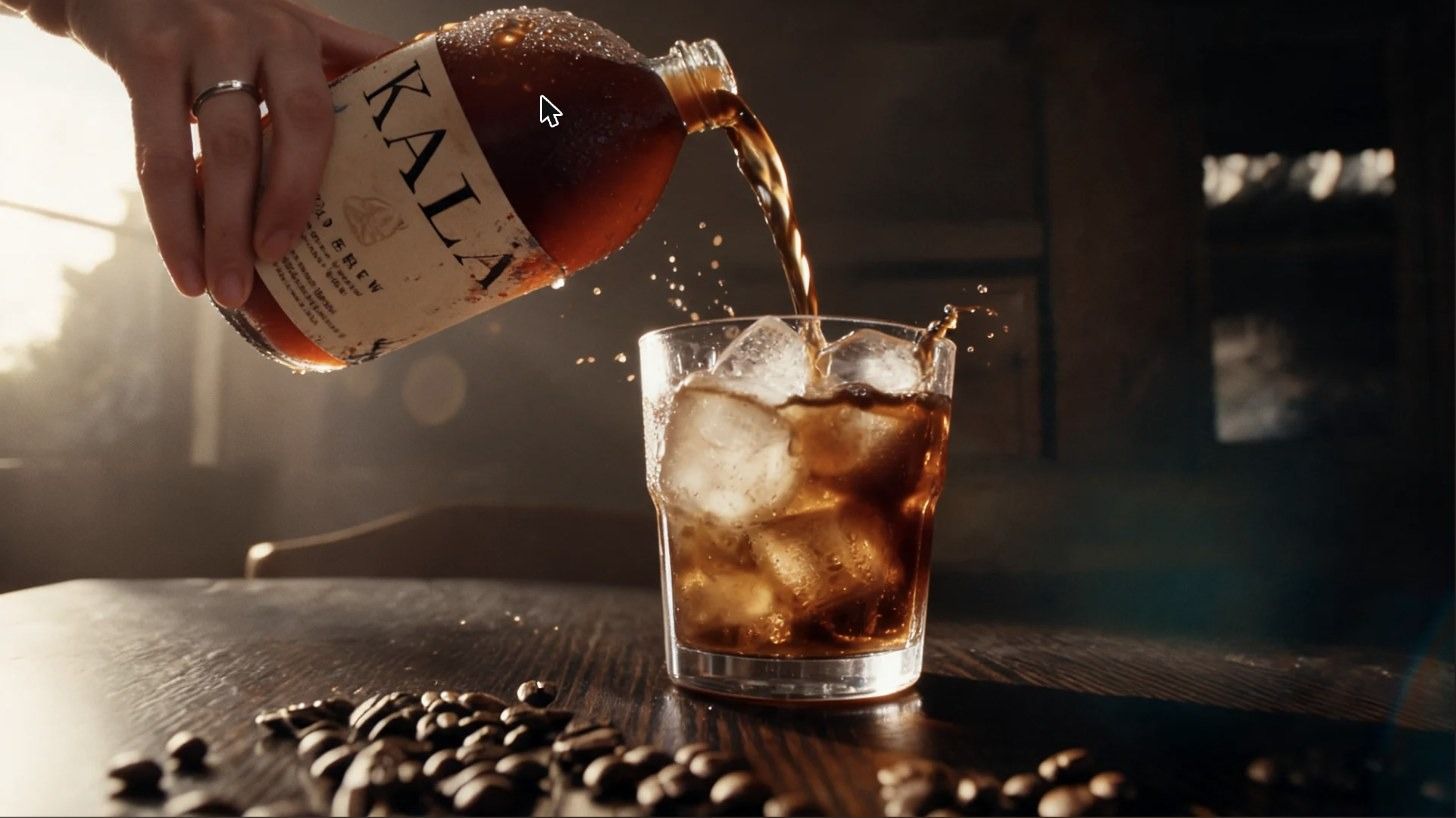
The hand, ring, ice, and splash physics looked right. But the label text now runs along the bottle's length, COLD BREW is garbled, and the neck has gotten longer.
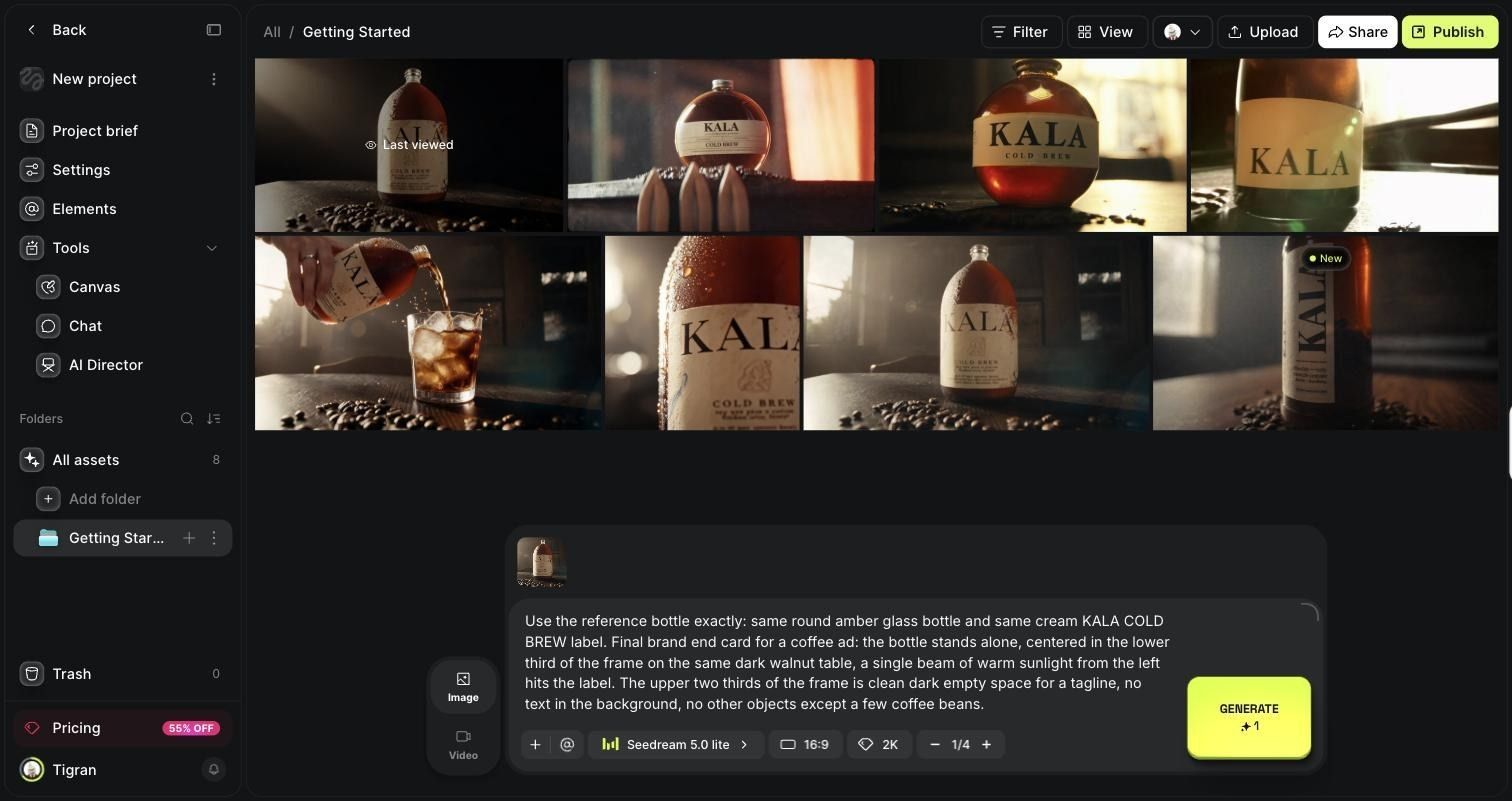
Shot 5, the end card (Seedream 5.0 lite, hero as reference, about 80 seconds):
Use the reference bottle exactly: the same round amber glass bottle and the same cream KALA COLD BREW label. Final brand end card for a coffee ad: the bottle stands alone, centered in the lower third of the frame on the same dark walnut table; a single beam of warm sunlight from the left hits the label. The upper two-thirds of the frame is clean, dark, empty space for a tagline, no text in the background, no other objects except a few coffee beans.
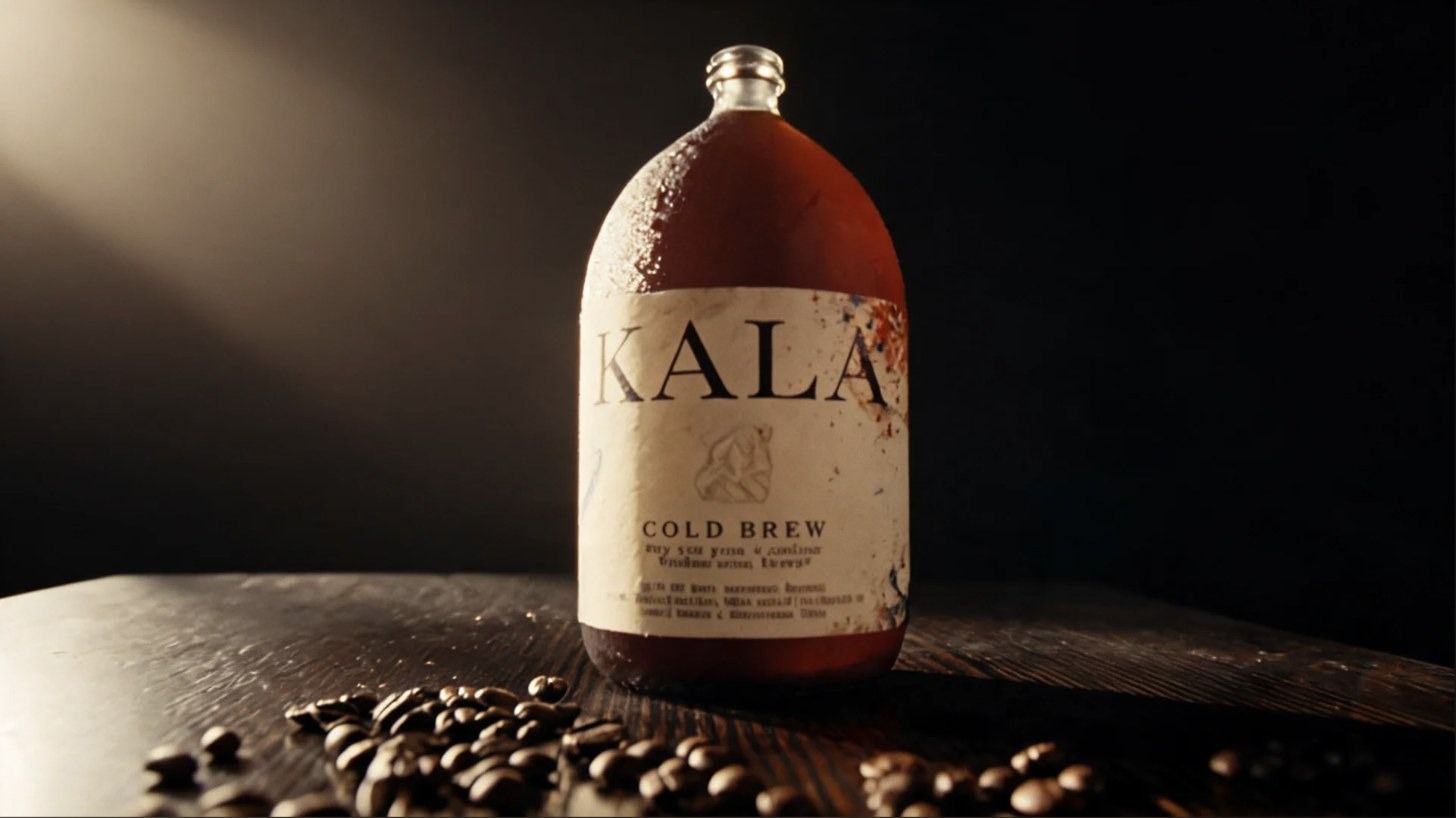
The bottle matched the hero closely. The composition did not: it fills the frame height, so there is no room above it for a tagline.
Other failures:
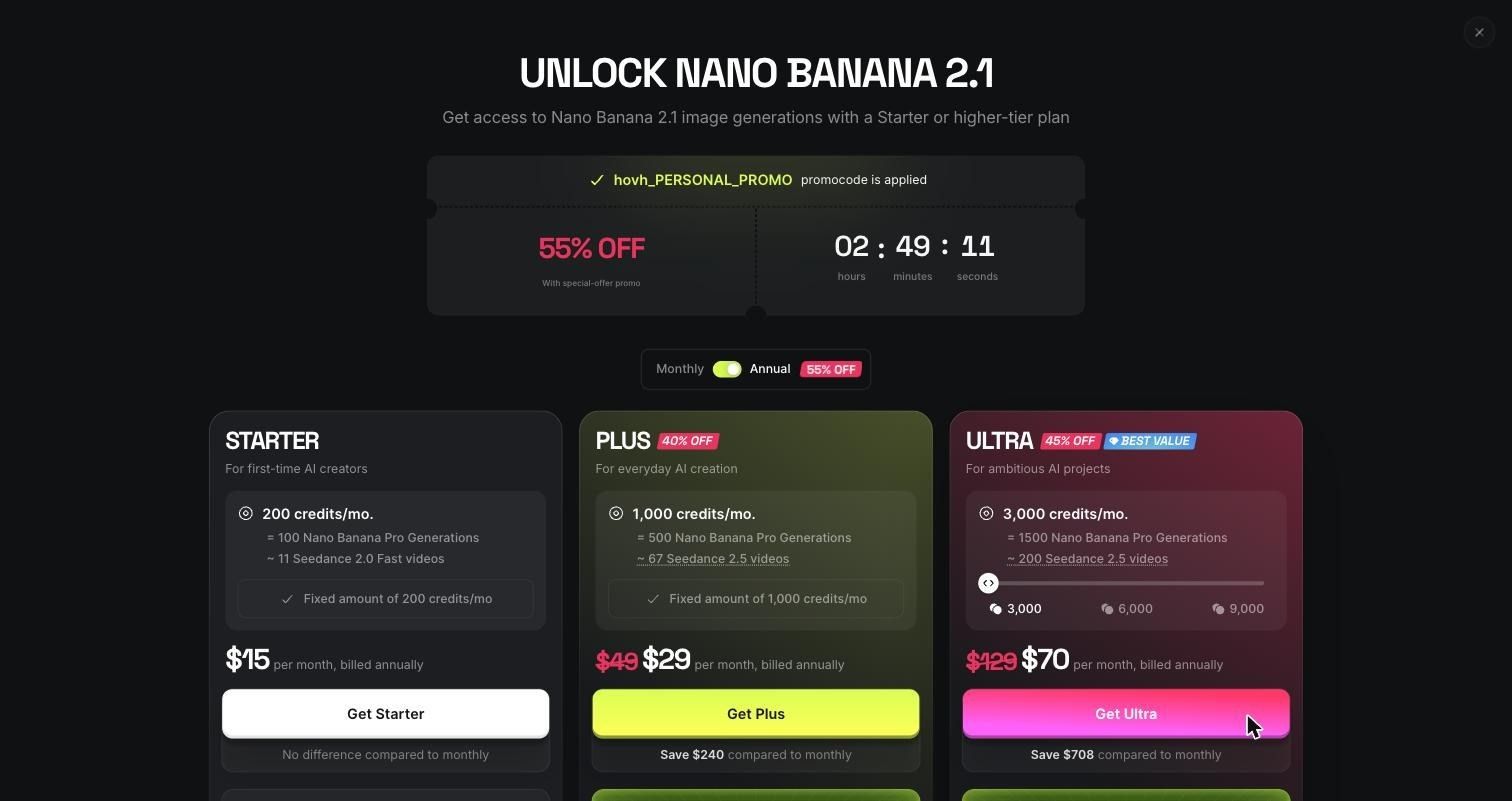
- Paywalls mid-workflow: Nano Banana 2.1 needs Starter, and video needs Plus. Both walls appeared only after I clicked Generate.
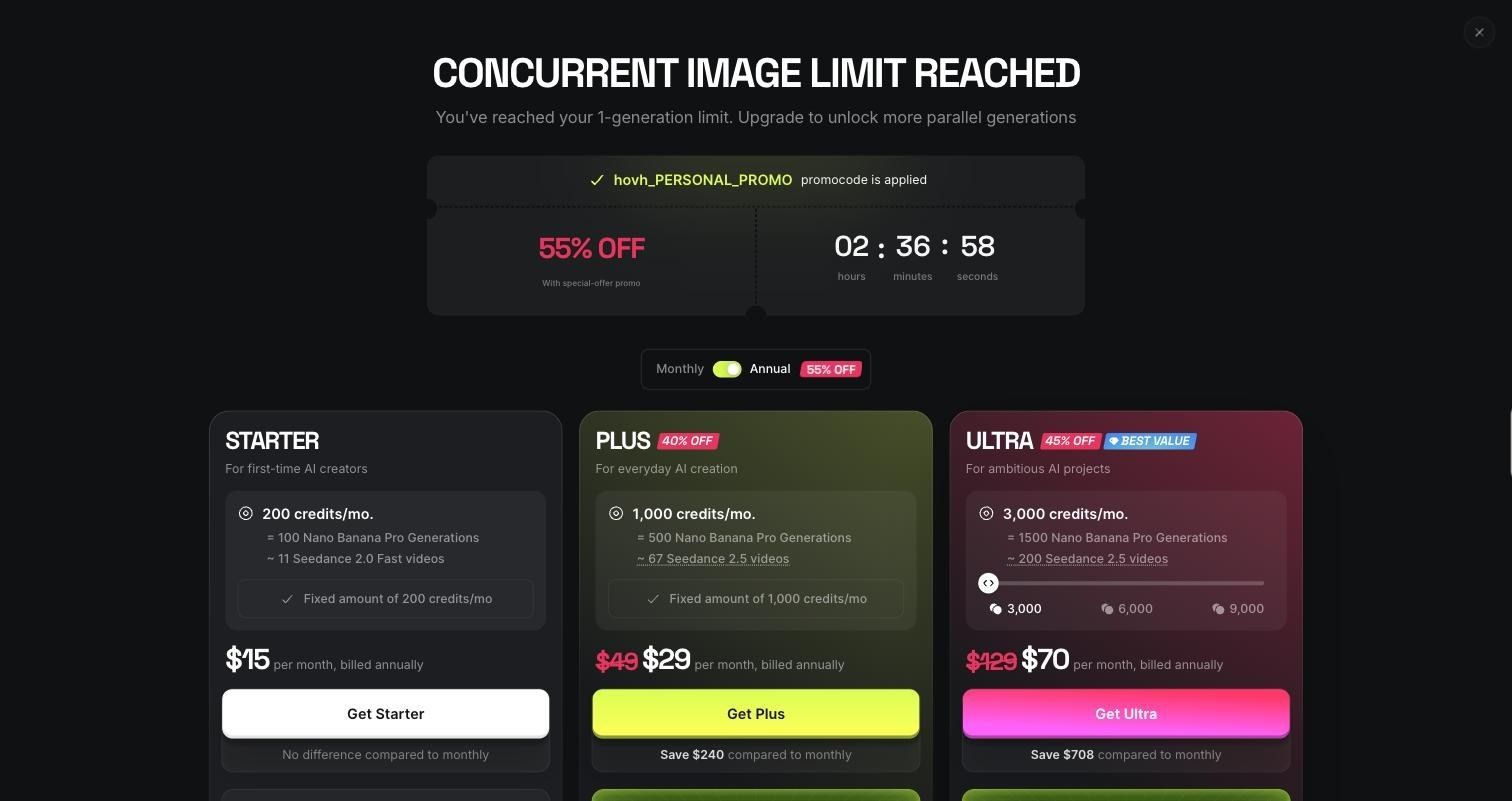
- One job at a time: a second image triggered "Concurrent image limit reached," with a 1-generation cap.
- A stuck job: one Soul Cinema image sat on "Processing" for about 4 minutes and only finished after I refreshed.
- Settings that reset: switching models resets the aspect ratio to Auto, and switching to video mode drops my references.
Blocked attempts cost no credits. The real cost was time.
How many Higgsfield AI credits did the project use?
The whole stills project used 3.625 credits, and my balance dropped from 10 to 6.
- Total generations: 8
- Usable (including fixes): 4
- Credits per usable shot: 0.91, or 1.81 if you only count the 2 clean shots
The stills were cheap. Video is where the math changes. At 80 credits per 5-second Cinema Studio 4.0 clip, five shots with one retry each would be about 800 credits. That is my estimate from the prices on screen, not a tested number. It fits inside the Plus plan's 1,000 credits, but not Starter's 200.
Higgsfield pricing: is it worth paying for?
For video, Plus is the realistic starting plan. Starter doesn't unlock the draft model I tried, and its credits run out fast.
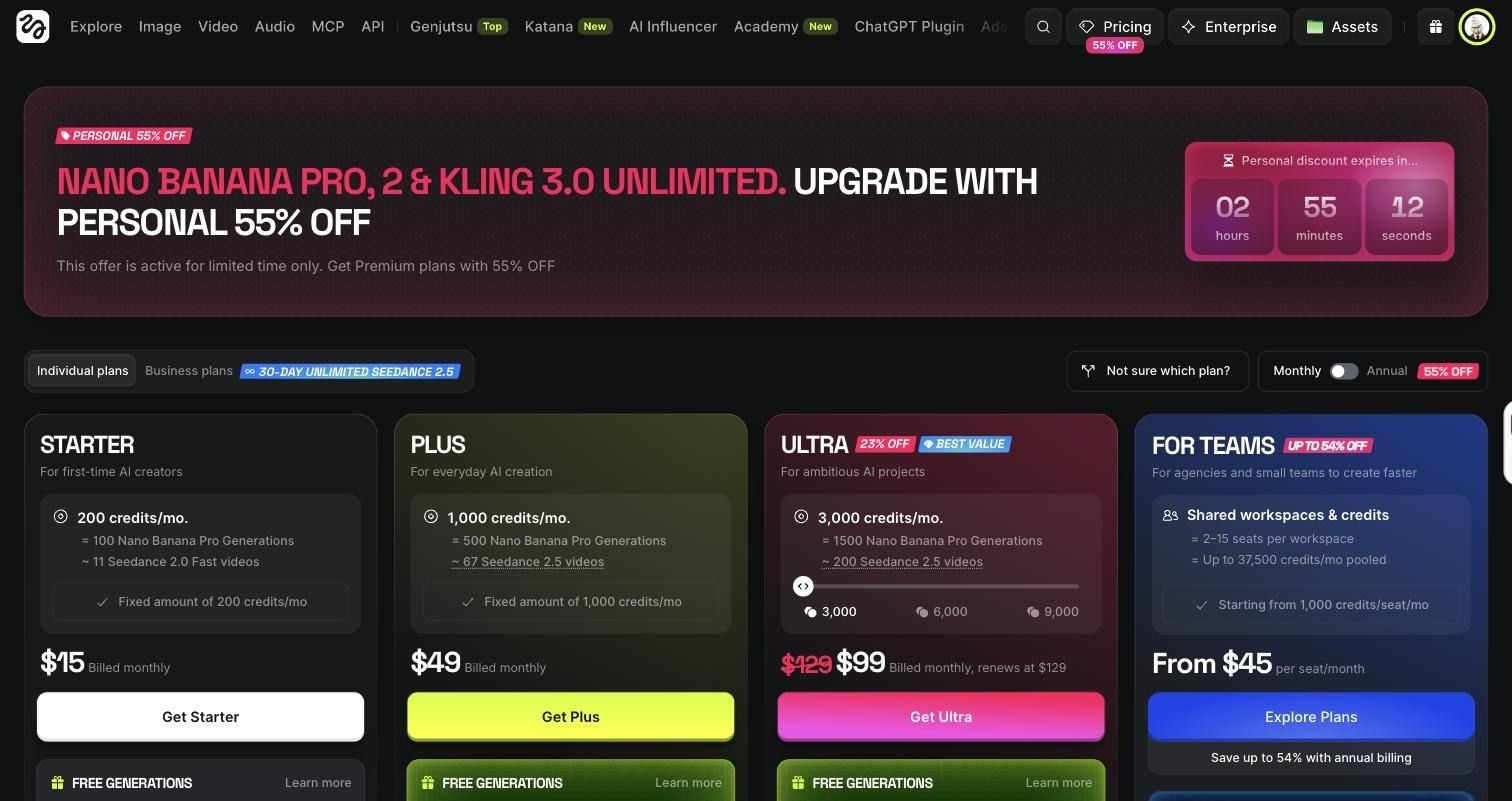
Prices were captured on October 21, 2026, during a limited-time personal discount, and they exclude VAT. Check the pricing page before you buy. The free plan was not enough for this project: it covered the stills and none of the video.
Is Higgsfield actually good for a full video?
Not on its own, and not on the free plan. What I finished with was four usable keyframes and no usable low-angle shot, not a video.
A paid plan gets you raw clips. Trimming, ordering, music, and captions still happen in an AI video editor.
What I liked
- Camera presets with real impact. Three presets gave three distinct looks from one prompt.
- Cheap ideation. Soul Cinema images cost 0.125 credits each.
- References that work. Seedream kept the label's type, emblem, and stains.
- Model choice. Higgsfield's own and third-party models share one prompt bar.
What I didn't like
- The video is fully paywalled. Free credits can't buy one clip.
- Walls after you click. Upgrade screens appear after Generate, not on the model picker.
- Presets and references don't mix. Soul Cinema locks the prompt once you add a reference.
- Product drift. The bottle took four different shapes across eight images.
- No way to finish. Nothing to cut, score, or caption shots in.
Generate in Higgsfield, finish in Async
This isn't a contest. Higgsfield generates, and Async finishes.
Higgsfield: generate the hero, macro, pour, and end card shots, then turn them into clips on a paid plan.
Async: take those clips and finish the video:
- Arrange the five shots in order on the timeline
- Trim the bad starts and ends that AI clips often have
- Tighten pacing so the full ad lands in 20 to 30 seconds
- Add a music bed and set the tagline over the end card
- Add captions for viewers watching on mute
- Resize for Reels, TikTok, and YouTube from one edit
My end card shows why. Higgsfield ignored the empty space I asked for, and an editor fixes that without another generation.
Final verdict: Is Higgsfield worth it?
Yes, if you budget for Plus and an editor. No, if you hope the free plan will get you a video.
- Who should use it: creators and small brands making product visuals who want cinematic looks without a shoot
- Who probably shouldn't: anyone who needs one tool to go from prompt to finished, captioned video
- Strongest use case: fast look development, testing camera and lens styles for fractions of a credit
- Biggest limitation: product consistency across shots, plus video locked behind paid plans
Would I use it again? Yes, for keyframes and style tests. I spent 3.625 credits and about 22 minutes to learn what my ad should look like. For the clips themselves, I'd go in on Plus with roughly 800 credits set aside. If you want to compare first, see the best Higgsfield alternatives and our roundup of AI video generators. Sharper AI video prompts will also cut your retries.
Looking for a Higgsfield alternative? Try Async
Higgsfield is great for generating cinematic shots, but what if you want to create and edit your entire video in one place?
That's where Async comes in.
Async combines AI video generation with chat-based video editing, so you can go from an idea to a finished video without jumping between different tools.
You can generate visuals, upload existing clips, trim footage, add B-roll, adjust pacing, include music and captions, and resize your video for different platforms. And instead of doing everything manually, you can simply tell Async what you want changed.
For example, try a prompt like:
“Turn these clips into a 25-second cinematic product ad. Add smooth transitions, background music, and a branded end card. Make a vertical version for Instagram Reels.”
Whether you're creating product ads, social media videos, or YouTube content, Async helps you spend less time editing and more time creating.
Try Async's AI video editor and see how much easier your next video can be.
FAQ
Is Higgsfield AI worth it?
For stills and style tests, yes. For video, only on a paid plan, plus an editor.
Is Higgsfield AI free?
There is a free plan with 10 credits. It runs image models like Soul Cinema and Seedream 5.0 lite, one at a time. It can't generate video.
How much does Higgsfield cost?
Starter is $15 a month, Plus is $49 a month or $29 a month billed annually, and Ultra starts at $70 a month billed annually. Teams start at $45 per seat.
How do Higgsfield credits work?
Each generation deducts credits by model, resolution, and length. A Soul Cinema image costs me 0.125 credits; a 5-second Cinema Studio 4.0 clip costs 80.
What is Higgsfield Cinema Studio?
It's Higgsfield's filmmaking workspace. You choose camera bodies, lenses, color, and lighting for images, and camera movement for video.
Can Higgsfield make a full video?
It makes individual clips on paid plans. It doesn't sequence, score, or caption them into a finished ad.
Do you still need a video editor after using Higgsfield?
Yes, for trimming, music, captions, and resizing.
Is Higgsfield good for commercial video work?
It's strong for concept frames. For client work, budget retries for product accuracy.